Can We Customize the Add Attachment Slider?

Hello Guys,

I want to understand if we can Customize/ Add Layer to the Add Attachment Slider in Any of the form ?

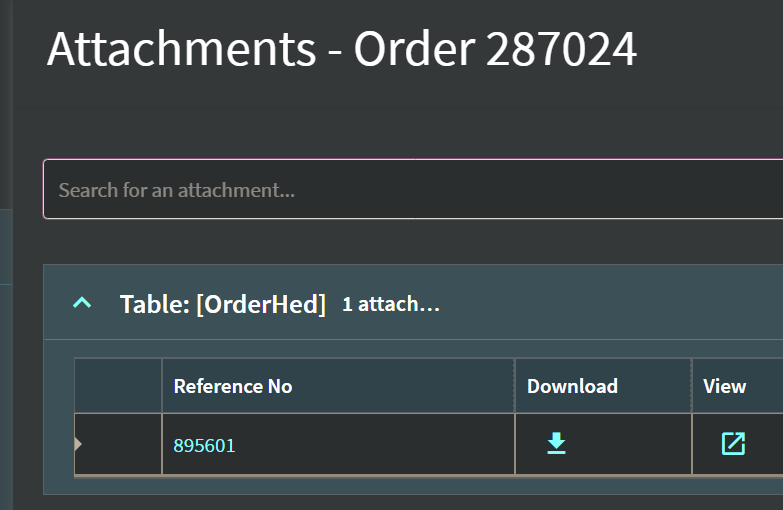
below is the snapshot where I would like to do some customization/ Add a custom Layer in kinetic.

Could someone help with something I might be missing ?

TIA

2 Likes

Have you managed to do it now?

Bump!

I’m doing some work around Attachments and would also like to know if we can edit the Attachments sliding component but cannot find it anywhere.

Not so much to edit it, more so to understand why 2022.2 doesn’t pass metadata to ECM.

Bumping this again because I would like to do this as well.

The attachment process seems to be a black box.

  • Can’t find any reference to the attachment Slide-out Page/Component in app studio.
  • No events that trigger the Attachment slide-out panel.
  • The *Attch dataviews aren’t shown when debugging in web via the Browser Dev Tools.

There seem to be a few things like this that are just framework and can’t be touched. Idea?

I sense this might require the Cloud SDK.

2 Likes

It would be really nice to be able to do this. I cannot locate any way of doing this in 2025.1.5

Since this is a “reusable” slide out page, I still think we need the Cloud SDK to modify it. You could create your own slide out a duplicate the functionality, but you’d have to repeat it everywhere.

What are you looking to add/remove from the attachment slider?

A few things

  • Add default doc type (in pre-Kinetic, users did not have to select a doc type, now they do as we are in cloud and using ECM for everything)

  • Resize this label so it does not get truncated

  • We frequently get Exceptions when trying to do things within the Attachments slide-out, and the exceptions have no messages. I wanted to see if I could at least log the exceptions.

  • Add a bulk-download (as .ZIP) button

  • Address a file length limit (100 chars)

  • Set a wider slide-out width than default

I have never created an app from scratch, but like the idea.
We are very new to Kinetic, been less than 2 months.
I am still walking on eggshells around Application Studio, it is very frustrating to use (Typical Epicor product)

At least the File Name length could be done with a Directive (BPM).

I think there’s some ways to do the download button with some of the smart people using ECM. It doesn’t have to be on the slide out.

A user-built Attachment slide out would give you more control…but I’m not certain about the complexity to completely redo the Attachment Slide Out though - especially handling exceptions on uploading, which is where I assume you’re getting them from.