I am looking for a way to update the landing page grid in Case Entry to display the Topic Description for the TopicID columns.
I have added TopicID1-10 to the default grid and updated the columns to match what our topics are, this all looks fine, but our service team is having a hard time deciphering the ID’s to something more meaningful. They requested that we display the description instead of the ID.
I’m assuming that I could create a BPM on the GetList Post-Processing, where I replace the value of each column to be the Topic Description but I’ve never created a BPM and not sure where to start or if this is even the correct solution.
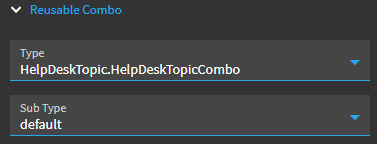
You can set the Erp Editor for that column in the main grid as a Combo, then click into Erp Editor Model and set the Reusable Combo section and Advanced section up to covert from the ID to the description.
Unfortunately the type and sub type dropdowns don’t work in the grid model view so first you’ll just have to setup a temporary combo box to see what all of the detailed settings are and fill them in manually for your column. The standalone combo you can make a HelpDeskTopic.HelpDeskTopicCombo and it will tell you the service and the rest of the settings.