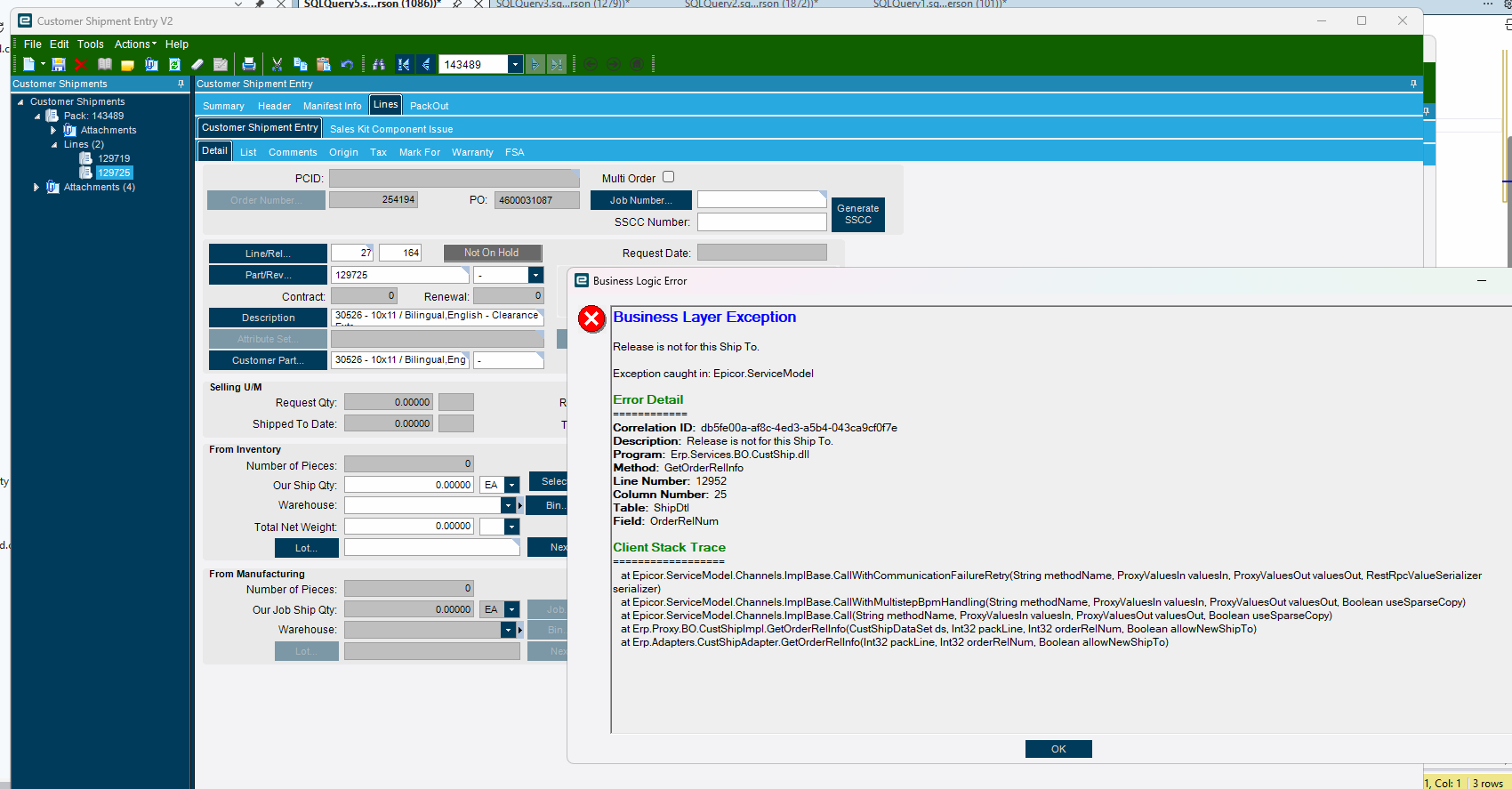
We are trying to ship 2 different lines/releases to the same one time ship to. I swear this use to work, but for some reason, I’m getting this error. I’ve done everything I can think of to make sure the the addresses for the OTS address stuff on the release match (looking for hidden characters or anywhere it could be different)
We have distribution type orders where we ship out 5 items to like 400 or so people. So 5 lines, 400 releases each. All one time ship to’s. But for the
Does anyone else do this? Or would be willing to test in 2025.2 for me? I don’t know if I’m doing something wrong, or if it’s something wrong with the software/upgrade.
Fast forward a day of sitting in my drafts:
We figured out what the problem is. It’s making a call comparing the the ship to number on the pack slip, and the ship to number on the release. The problem with the one time ships to, is there are is different field for OrderRel.OTSShipToNum and OrderRel.ShipToNum depending on if you are using OTS or not. The pack slip figures it out on the fly so it knows whether to use the OTS fields, or the ShipTo fields from the reference table. The problem is the comparison set up to do the gymnastics to look at that variable in the equation. So the header ship to was “B”, which automatically get’s written to OrderRel.ShipToNum, but it’s irrelevant, because the release is using One Time Ship To, so the relevalant field is OTSShipToNum, which actually isn’t relevant at all because it really needs to be comparing the addresses. Which it does after it tries comparing the wrong fields.
Fun, right?
So the fix?
Put in a BPM that looks for new lines that are OTS and if they are, clear out the OrderRel.ShipToNum field, because it’s not relevant.
Gross.
Anyways, we put in a ticket for it. We’ll see where it goes.
If anyone does see something that we could be doing wrong here, or has the same problem (or doesn’t in the same situation). I would be interested to hear your thoughts.
To recreate, header has a ship to number of something, so not blank. Then use OTS on the multiple line. Then try to ship the lines on the same pack slip. See if you get the error.
 .
.