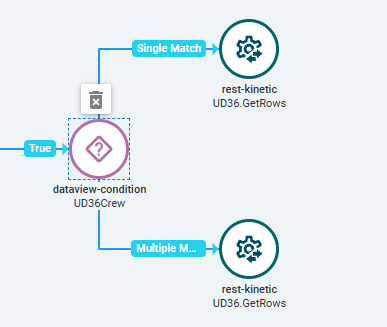
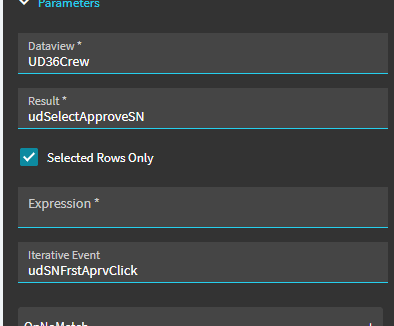
I have a dataview-condition that takes the selected rows from a grid and does some things in another event and updates the db via a function. That all works fine. See below for the settings.
I want another widget to fire after all of that is done. I thought this would be intuitive and I just connect the widget to the dataview condition but it doesn’t fire. I tried hooking it up to single match and multiple matches and still nothing. Anyone got the secret combination to get this to work?
I’m basically trying to reload the data in the screen.
I don’t know if a dataview-condition will do both iterative event AND an action based on the number of matching rows. Never tried that.
Here’s a post I put up awhile ago trying to explain (at least my understanding) of the dataview-condition:
So, basically there are (2) use cases.
Evaluate an expression… and if no rows, one rows, or multiple rows pass that criteria… do other things.
OR
For all rows passing the criteria expression, run an iterative event.
Like I said, I’m not sure if it would do both… perform an iterative event AND do other things based on number of matching rows.
I think the easy button here would be to put your added actions in another event that is triggered to run “after” this event. But that all depends on what you’re looking to do.
I just wanted the records to refresh after the dataview-condition is done. I call a getrows from a UD table. I ultimately put it in the iterative event where the condition finishes after a function call so that seems to work although not ideal because it will be called multiple times.
It would be nice if they could alter this widget to allow you to chain after this widget is completed in any manner you use it.