Other than one tantalizing video: Epicor ERP Knowledge On Demand I have been able to find very little info about creating custom Kinetic Web Applications for the Active Home Page or for the EDD Dashboard.
The above video indicates that one should be able to do much more than just plug in a pre-built Kendo pivot chart like the ones currently access by hitting + on the EDD dashboard editor.
That is one should be able to use VSCODE and add custom code, and directly control the Kendo widgets (chart, grid, etc.)
Where is this discussed? I have searched all the 10.2.400 documentation.
What is the core render engine version of the Active Home Pages (It looks like Chromium, but we would need to know the version to target the babel transpiler to put the correct version of the typescript and javascript code.)
Also, Kendo is a licensed toolkit, especially their grid and chart tools, what restrictions does one have in using them?
Kinetic is not available for customers (yet) to create custom components that is coming down the road in 10.3.500+
You need to buy a Kendo license if you are to use Kinetic to create your own custom components.
Do you know what version of Chromium is being used, since I see I can already embed web pages, and I need to know what to tell babel and our bundler (parcel) for the version to target?
Also what is the distinction between an web application and an embedded web widget in AHP (active hope pages)? (first says it is for kinetic apps, but I want to know the distinction from a programmer/developer level).
Please accept our apologies for the tantalizing video which you can’t actually follow yet - it was posted by mistake and is part of our internal training series for developing custom kinetic apps “the hard way.” As @josecgomez says it’s not yet available for customers though some info is there for ISVs. He’s also correct that we use essential objects for the chromium embeds inside erp.
That said if you want a custom embedded widget inside homepage you can do that with the website widget and there’s a simplistic option in there to share context information (company, erp server location, and even a token for simple sso) to your app. The only requirement is that your web application allow itself to be iframed, be https. That doesn’t get you the kinetic matching styling but it’s not hard to make something that blends in well with it and operates like a custom widget.
There are two kinds of web widgets that can be put on a Active Home Page (AHP)
Web Application
Website Widget
It is not clear what the difference in underlying function is.
What I do know is that we would like to be passed some sort of token or user/name password to the web page so that we can use it to automatically attach to the REST authentication requests we will make from the page.
The WebSite widget talks about:
Select the Send ERP Token check box to configure the Website Widget to use authenticated visitors. Select the Send ERP Context check box to send ERP Context.
It sounds like the ERP Token could be used for authenticating the REST requests (of course, one still needs the ODATA V4 API key).
Since both techniques use an IFRAME to embed your web page, which one should we be using for our REST web applications?
I dont have 10.2.400 currently to test the Web Application, but in 10.2.300 the Website Widget refreshes all the time, so I assume the difference is that the Web Application will not refresh all the time as the user navigates to another AHP Tab. I am also going to assume that since Epicor uses EO that it gives you a JavaScript Object to Invoke C# Methods. Basically when you click on a Menu in Epicor via AHP it opens up the actual Menu (Win Client).
Good Question by the way.
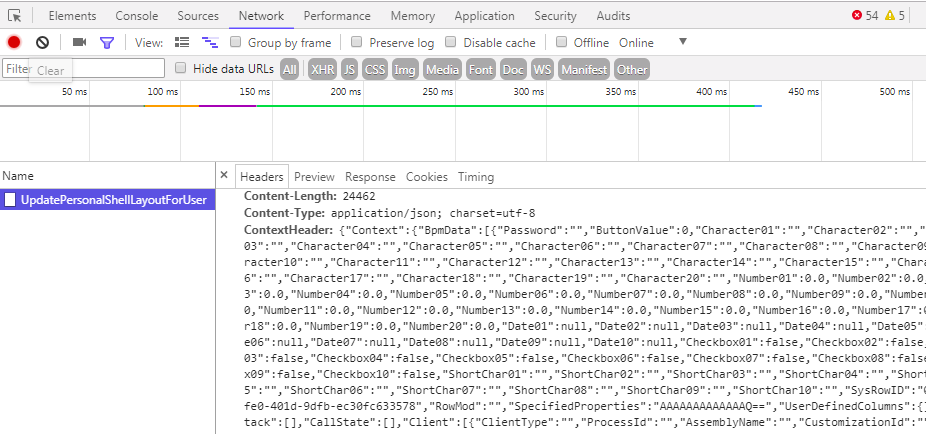
One thing I can give you that will help you in further research is, if you open up the Active Homepage and then go to a browser you should be able to open up http://localhost:1234/ which will open up Chrome Developer Tools for the Active Homepage, and you can monitor the “Network” tab for AJAX Calls and even Inspect the AHP. I think that will answer many questions what Epicor sends in the Header behind the scenes and so on.
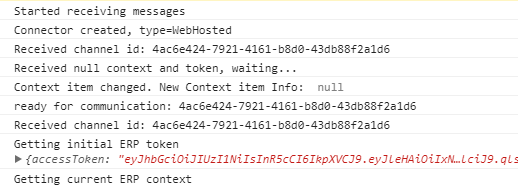
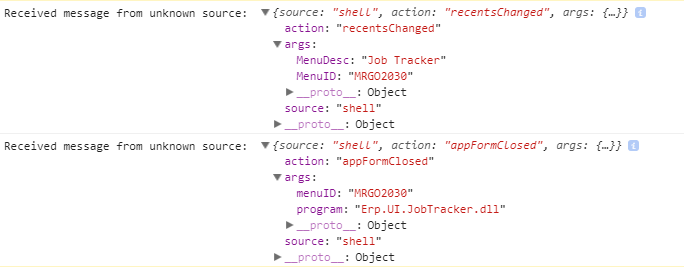
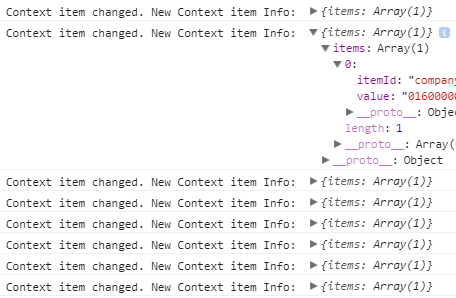
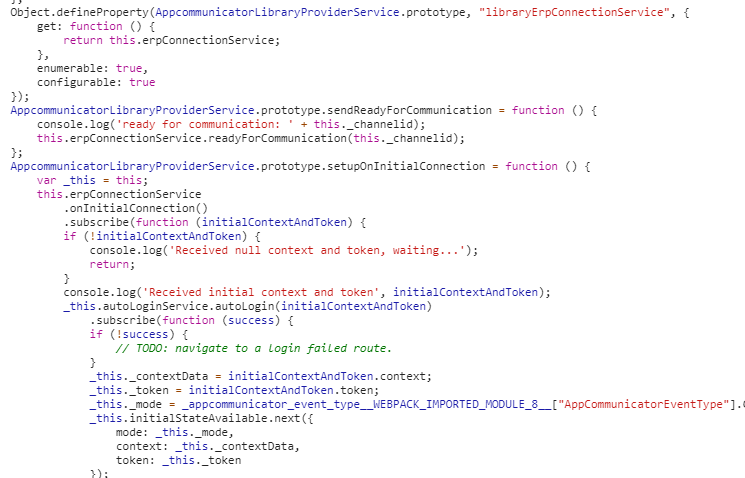
It looks like the Web Application can have special Objects and the Active Homepage can send messages to it, when company changed, when a form has been opened or closed, workstation changed…
It passes through: ?channelid=5c52bc1a-8a7b-4e4a-97c4-ac2b4a5d63b2
It looks like The Host tries to invoke special methods if they exist on the child (the embedded web app)… (Probably part of Kinetic SDK for now):
Looks like NGRX/RxJs Channels to me. If you change companies or Workstations the Website Widgets get a Full Refresh where the Web Application Widgets simply get notified, not refreshed.
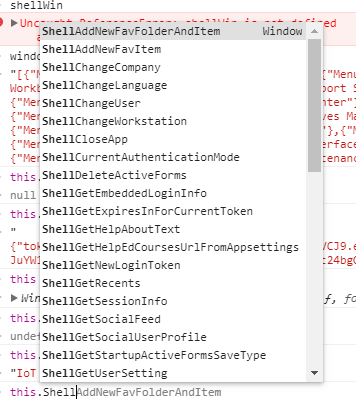
Lastly, you can use regardless which type, a few functions to launch forms and so on.
Thanks, so there are two options for the Website Widget. How does this information get sent to the web page (I assume as url-encoded parameters on the url. But that would work for non-embedded pages. What do you do for pages embedded as a iFrame?
Select the Send ERP Token check box to configure the Website Widget to use authenticated visitors.
Select the Send ERP Context check box to send ERP Context.
erp context will send company, site, and other similar items (on querystring) - erp token will send a token also over querystring which you can use to do rudimentary SSO with your web app. That works for iframe though know that we will reload your page as context changes. Pretty sure this works for the embedding mode and the link mode in the same way though we won’t auto-refresh the link mode.
ps. @hkeric.wci congrats you’ve figured out our observable over post message comms mechanism. You could make that work btw, but we’re almost certainly going to break your implementation. How we stitch together many separate web application is still evolving.
@bconner agreed, I think its too early to use, until it stabilizes - for example if you built something on Kinetic 2.3 which was few months ago, you are already on Kinetic 3.x and have made significant changes. Its too fragile and I think it’ll be smoothed out within a year or two.
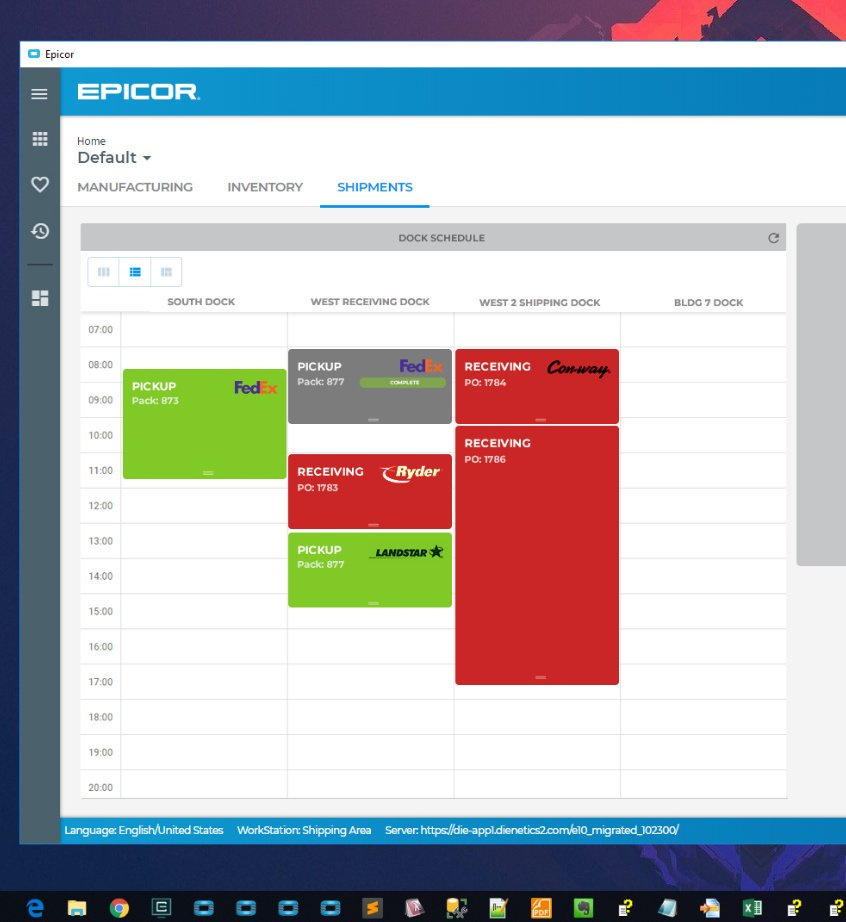
The one that I think I will use the most is a Menu Item that loads a URL instead of a Tab on Active Homepage. Similar to what I did in E9 few years ago with CEFSharp:
token expiry is in seconds. also you can adjust the expiration timeout on them in the erp administration console and you can get a new token with a rest call given the prior token before it expires if you need to renew.
 Please accept our apologies for the tantalizing video which you can’t actually follow yet - it was posted by mistake and is part of our internal training series for developing custom kinetic apps “the hard way.” As