I have 3 BAQs I added to an RDD and create the new report. My issue is I don’t see 3 datasets in the report, just 2. Missing “TopLevel”. I checked the datasets to see if the data was hiding in one of those but it’s not, just the data from each BAQ.
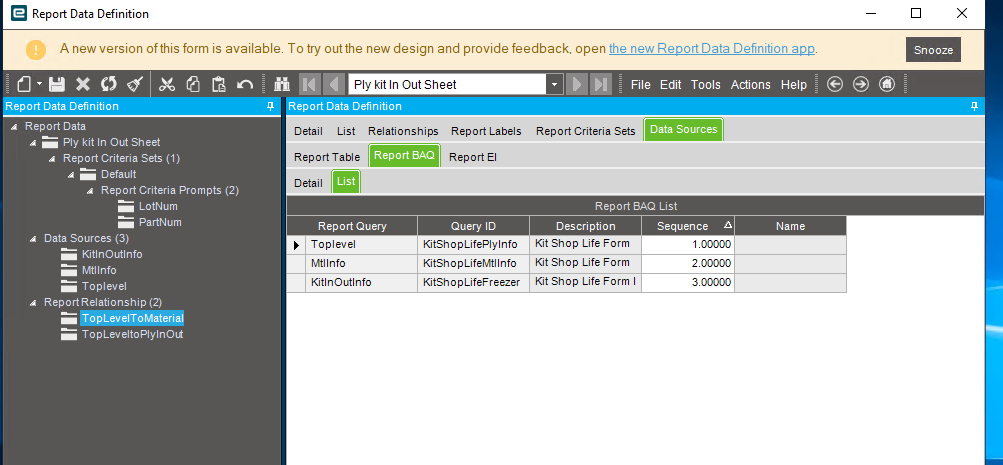
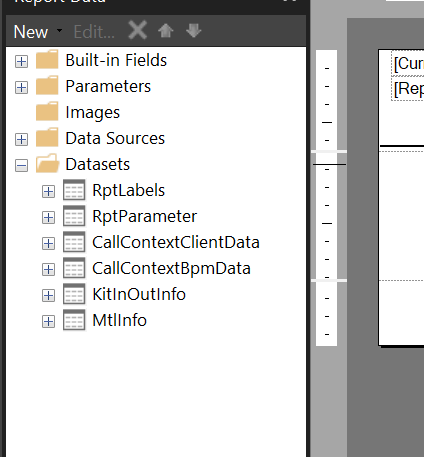
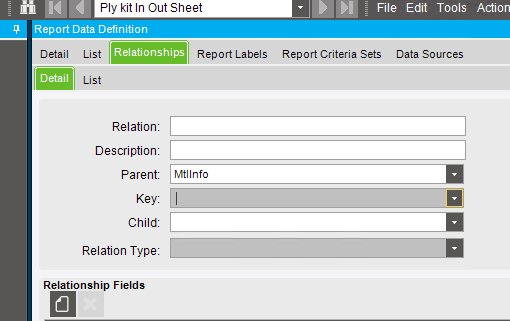
Show the relationship details
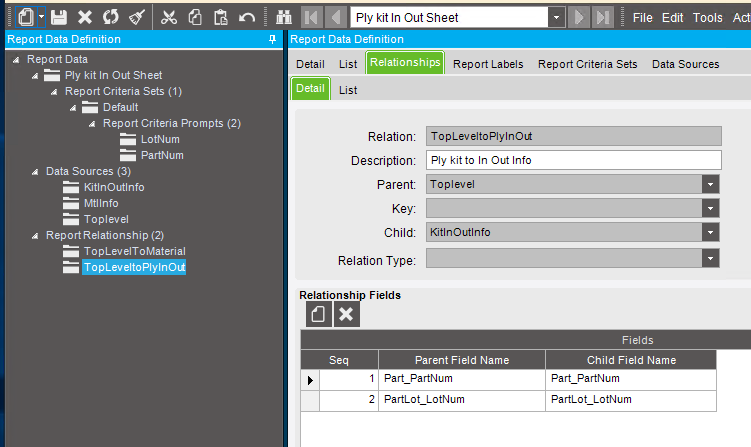
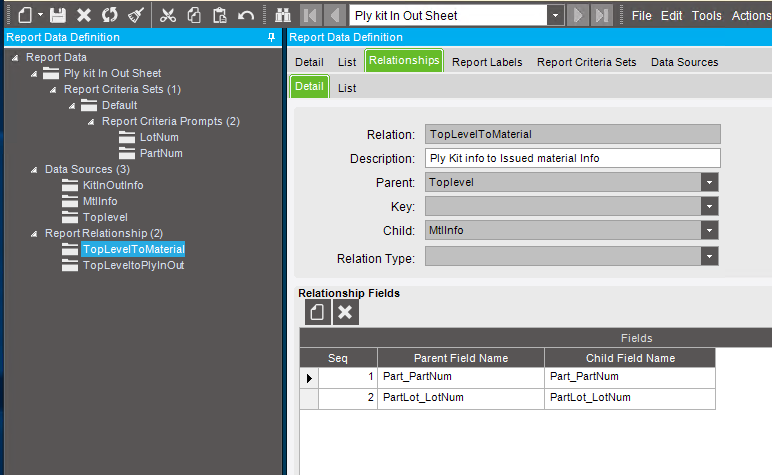
Relation types are not filled in?
Maybe you just need to add the dataset to your rdl manually?
I found that if you use BAQ Parameters instead of “Relations” then you will get 3 separate Datasets and you can do the join in the SSRS Select.
DaveO
That’s usually how I do it too, just curious to hear if it can work with the relationships instead.
Hi,
Should I put the parameters in all 3 BAQs? I have them in the TopLevel BAQ.
Ms. Melissa: Yes generally all three. It depends on what each baq needs to run and be in Sync with the main BAQ.
DaveO
I am uncertain about the version you are referring to, but in the latest version I tested, the parameter for the top-level BAQ will be sufficient, and you do not need to repeat the same parameter for each BAQ. However, if you have a correct data relation setup.
Interesting thread, never tried to join the datasets from there.
Steps to Create a Report (Example)
Step 1: Define the BAQs
- OrderHeader: Top-level BAQ with Parameter OrderNum
- OrderDetails: Second-level BAQ
- OrderRelease: Third-level BAQ
Step 2: Create the Report Data Definition
- Name: OrderDetails
- Data Source: All three BAQs defined above
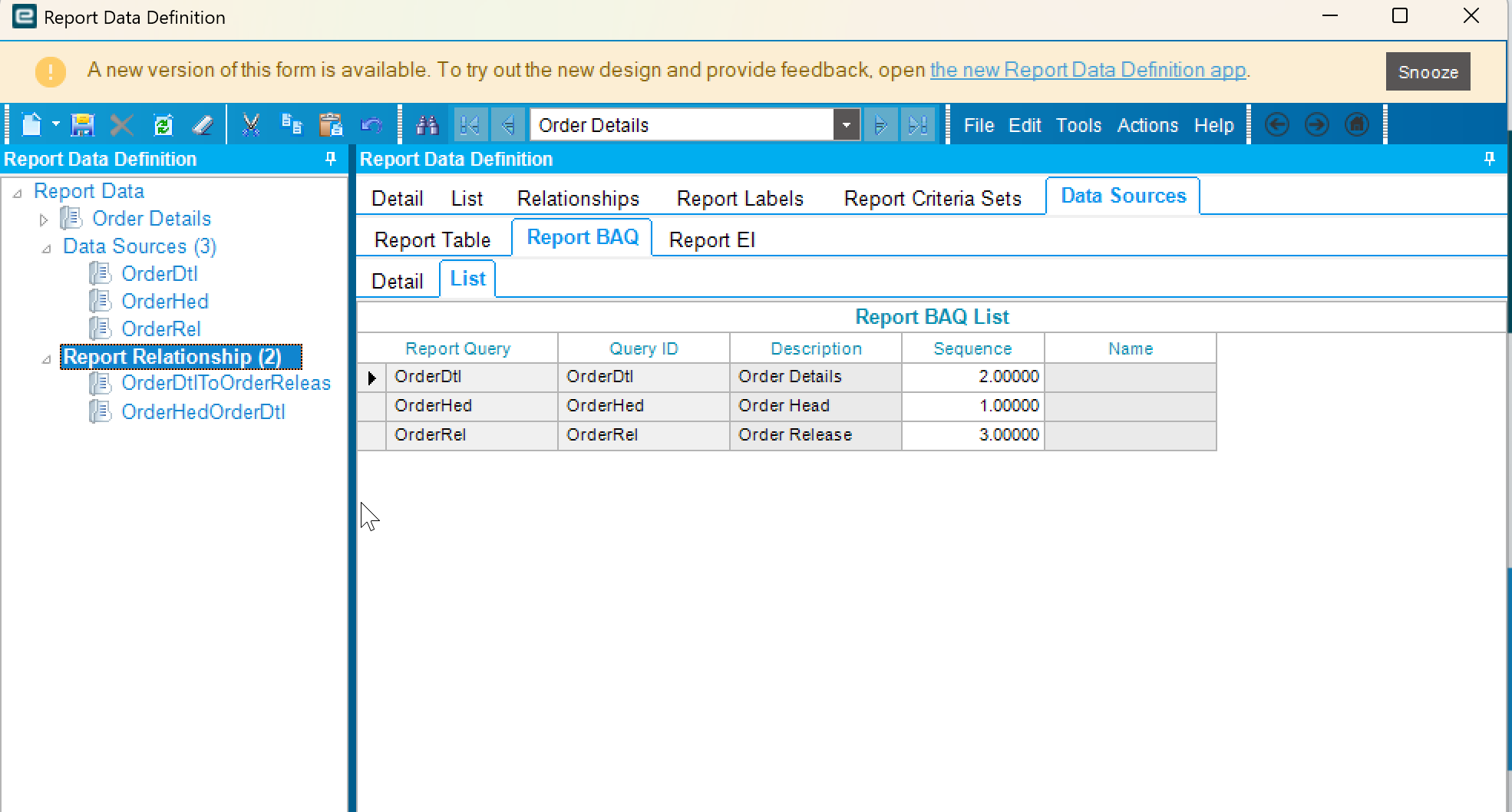
Step 3: Establish Data Relationships
- OrderHeader to OrderDetails: One-to-many relationship
- OrderDetails to OrderRelease: One-to-many relationship
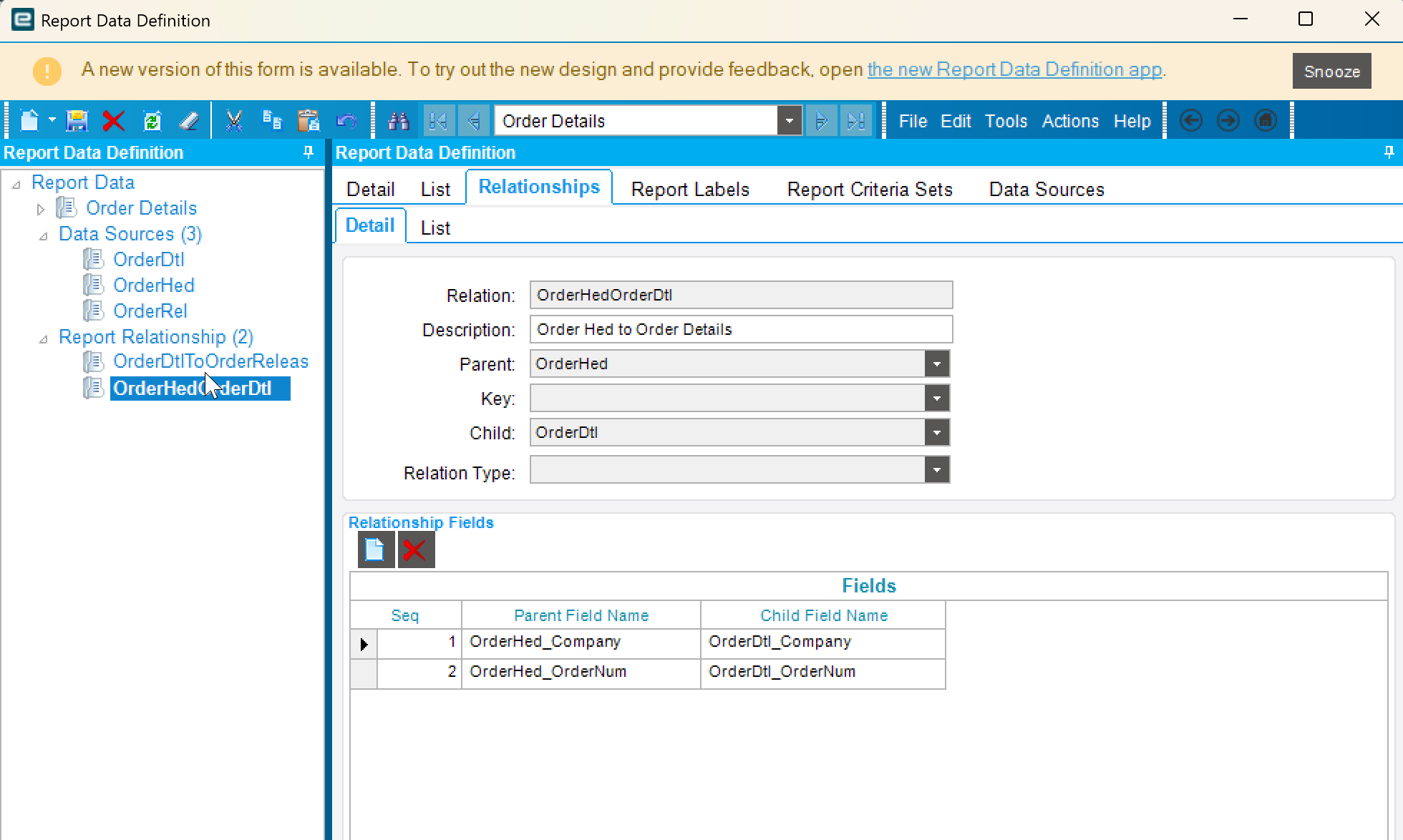

Step 4: Add the following criteria to the set Filter:
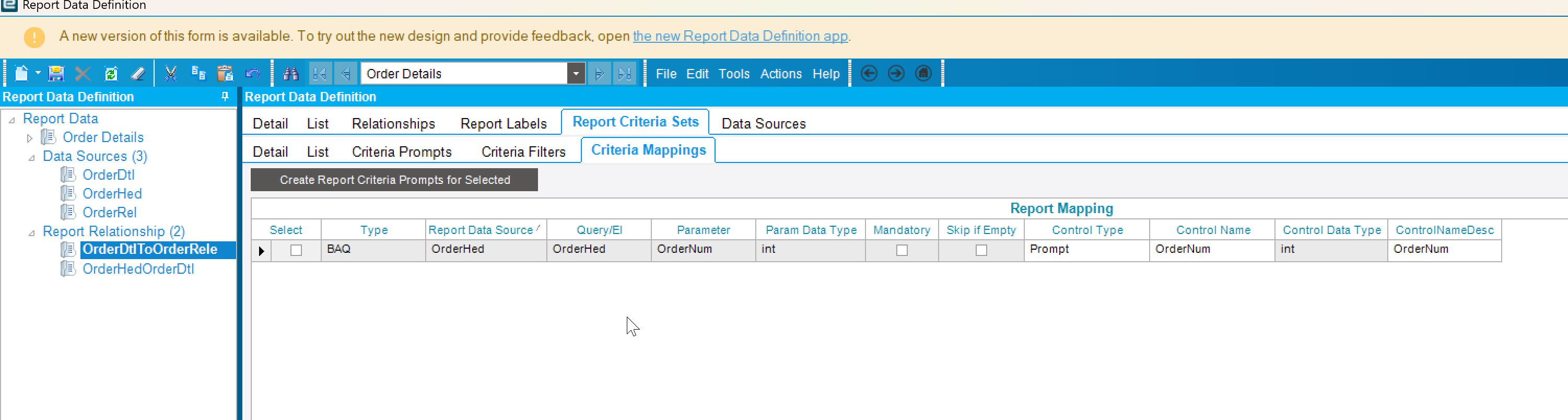
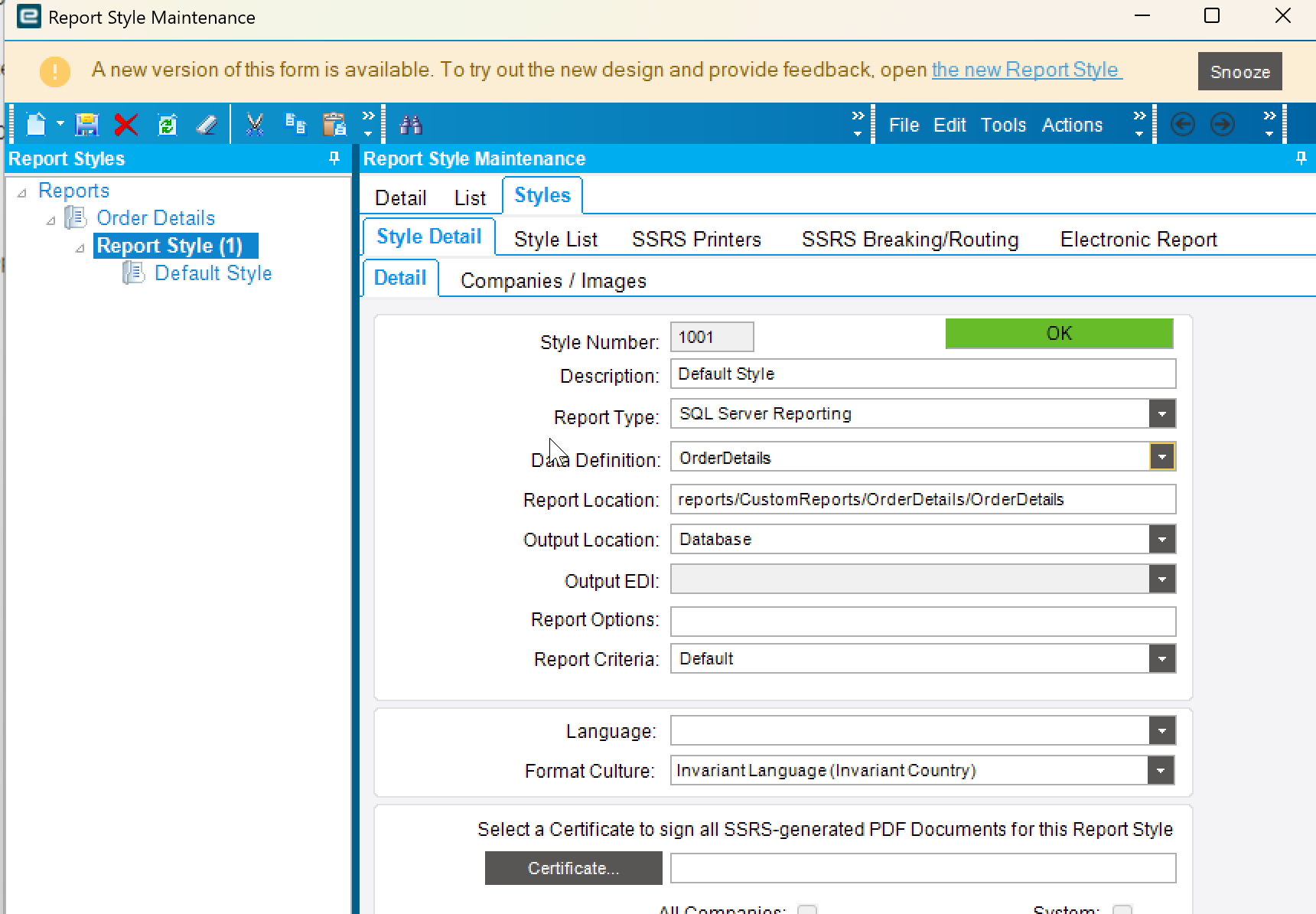
Step 5: Create the Report Style as shown below
Step 6: Open the RDL file in Report Designer as shown below
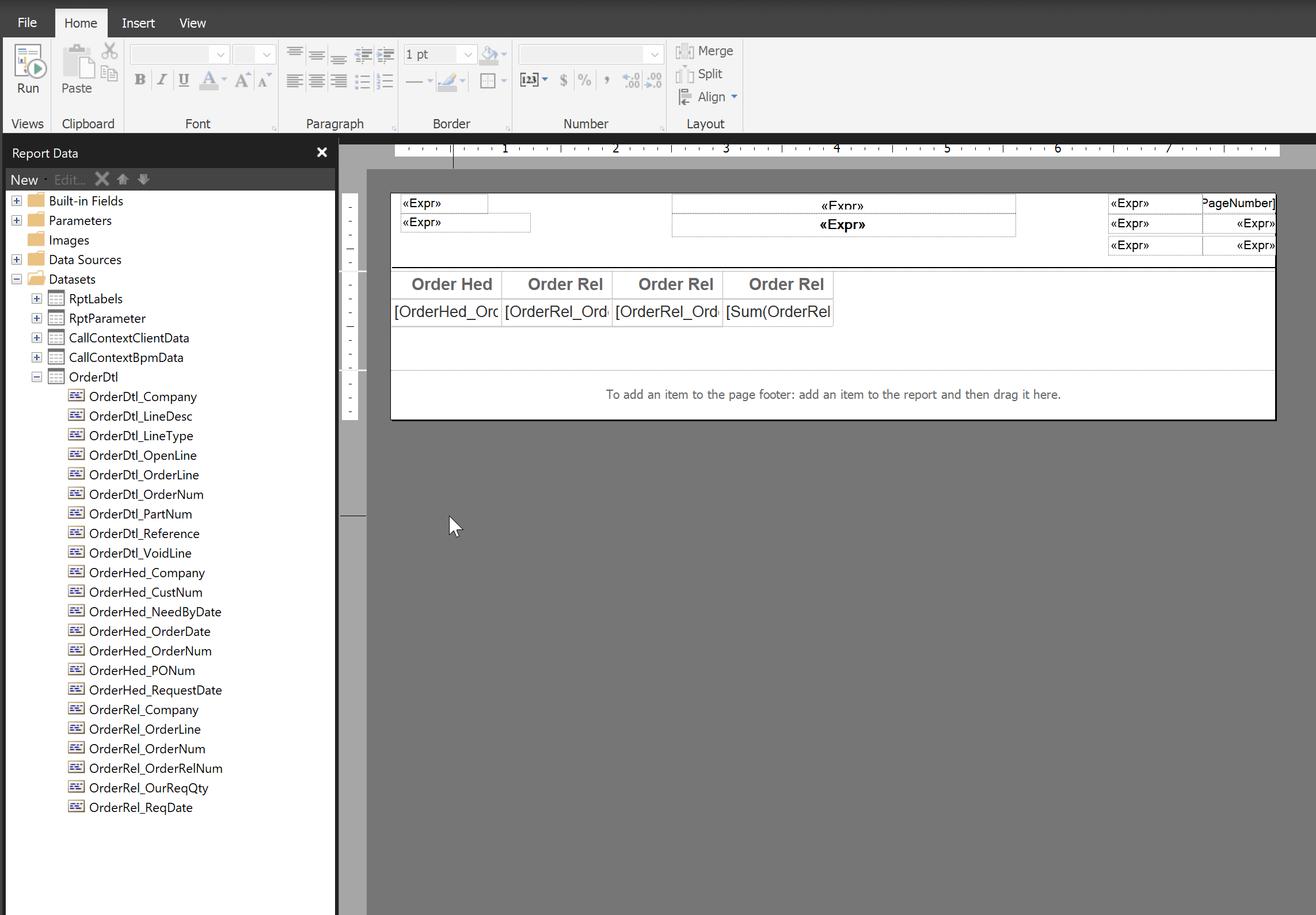
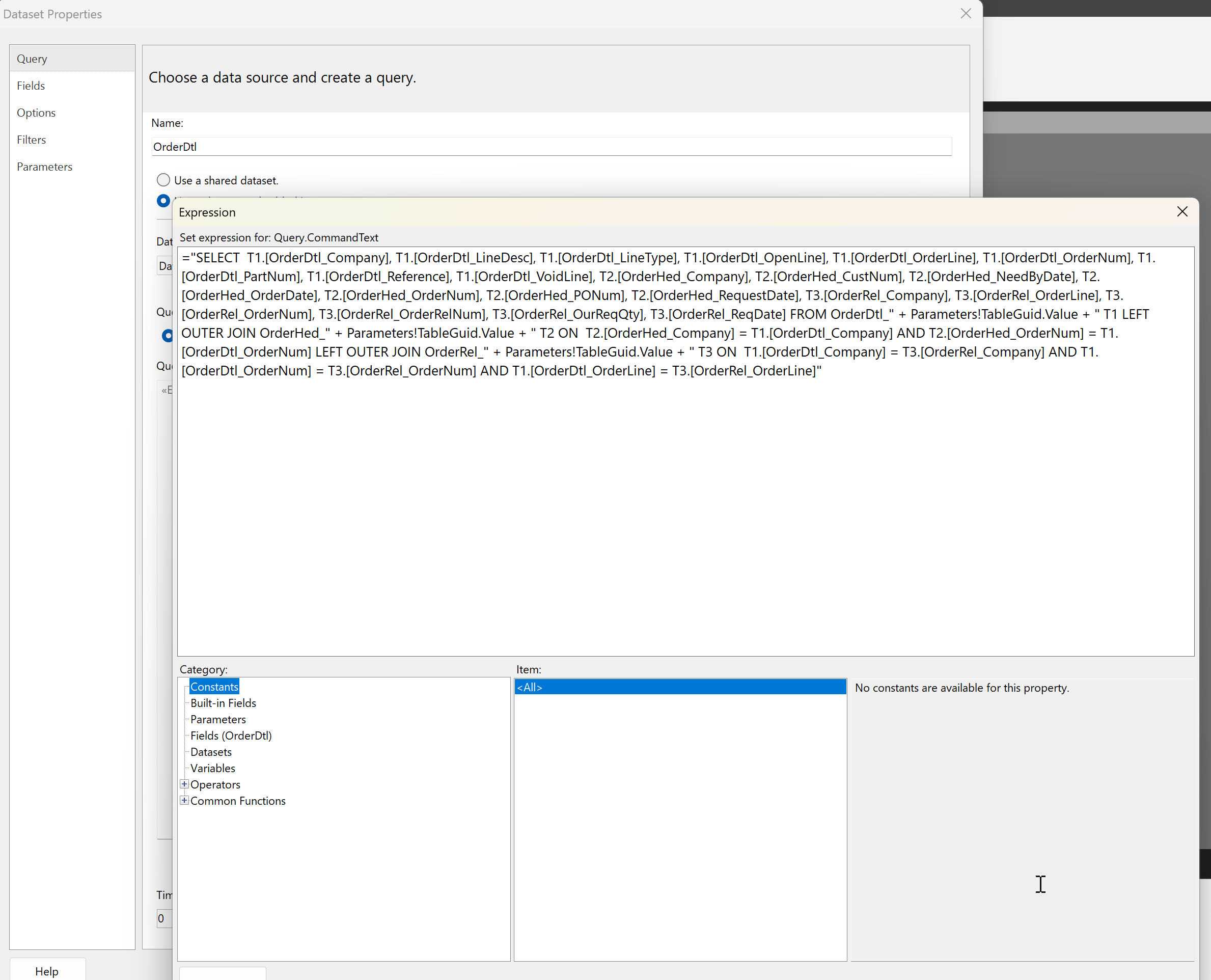
Step 7: Added the report to the menu
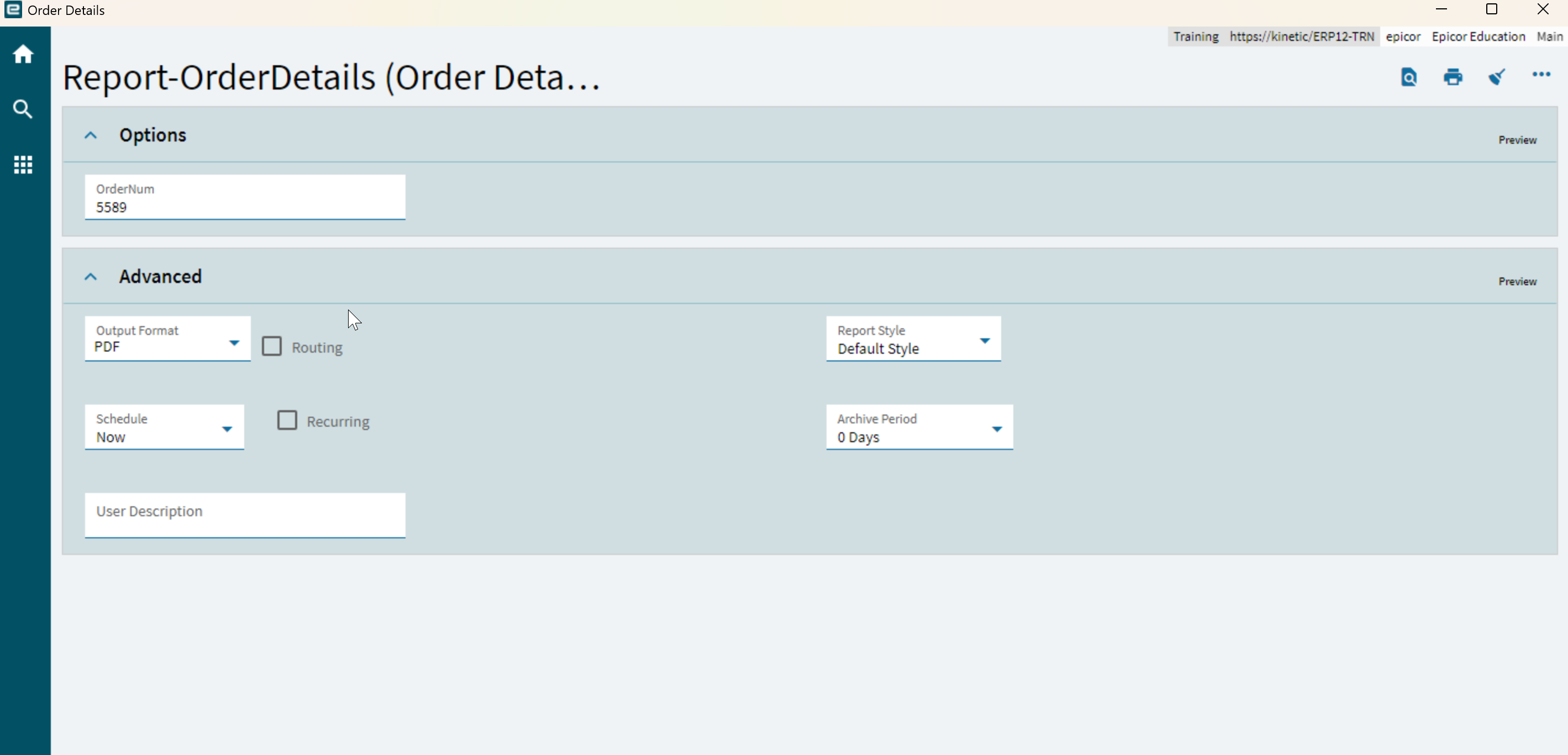
Step 8: Tested the report and verified that it functions as expected
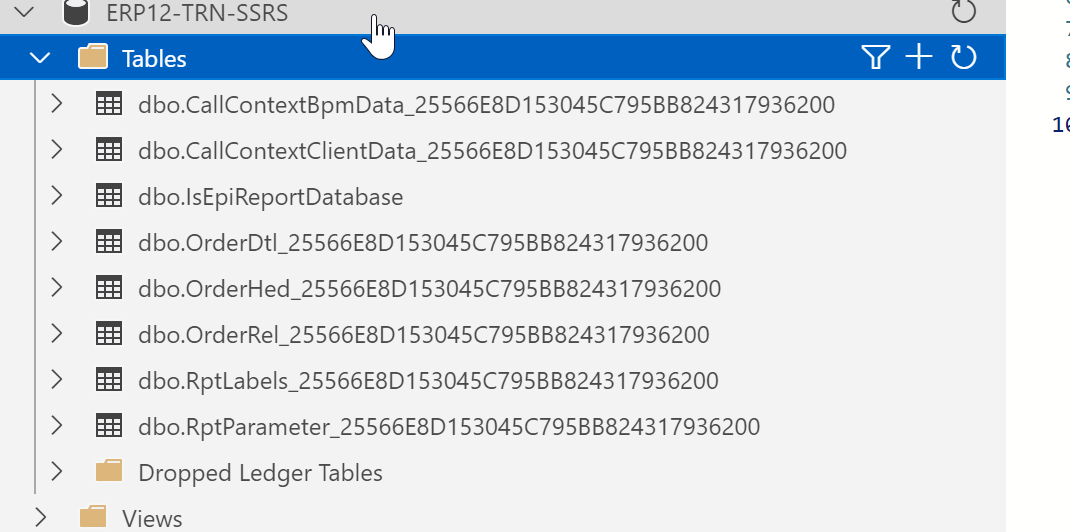
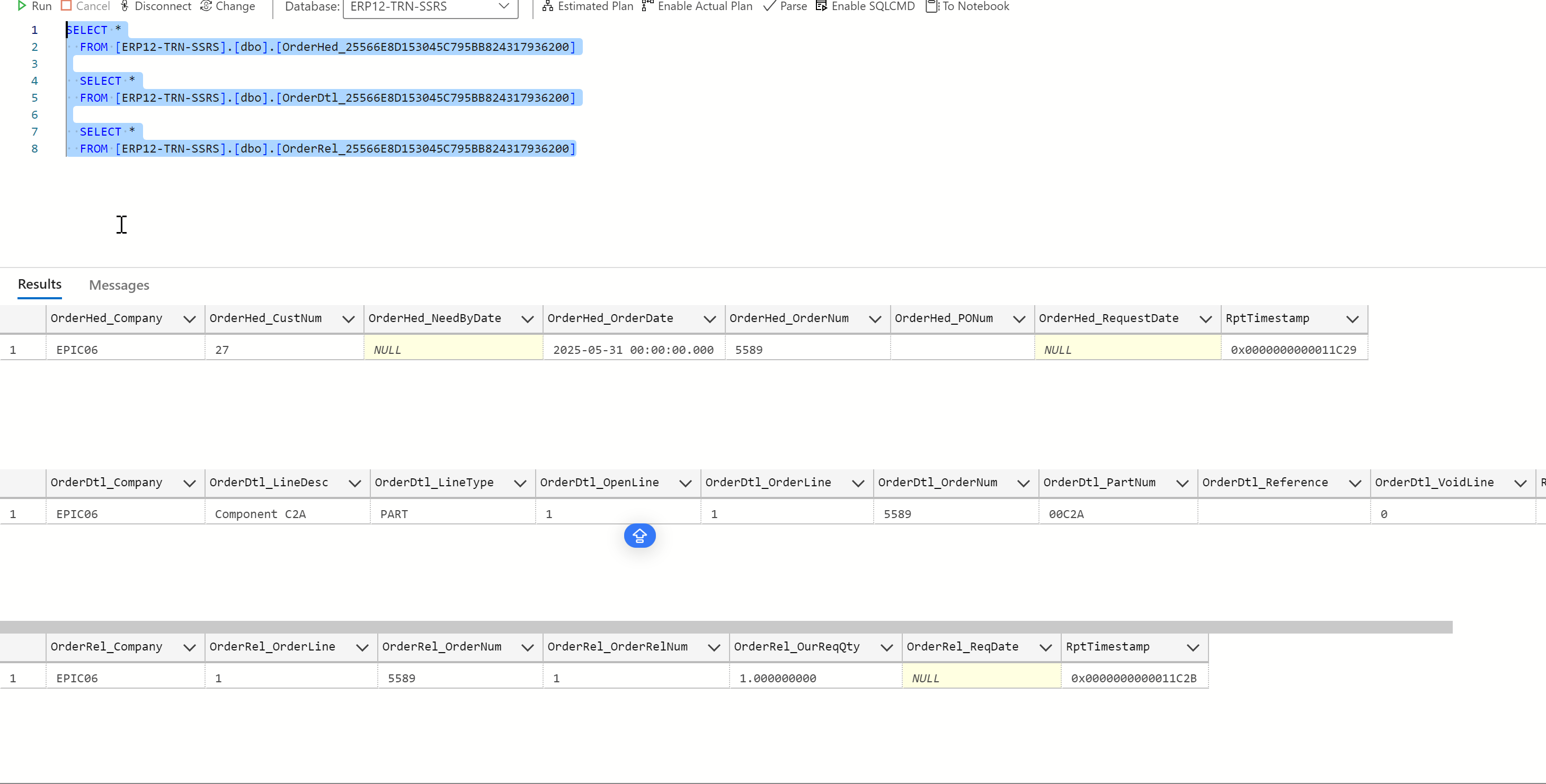
Step 9: Check the report data in database and it generated only filtered data
Wow, thanks for the write up, I will have to try this out.
This is awesome and has gotten me closer than ever!! I’ve gotten my data down to 2 BAQs, both of which return the information I’m looking for. When I open the SSRS I can see all the fields I need from both BAQs. However, when I print preview the report I don’t get any data. It renders and I can see the labels but not the data.
Do you see the datasets for each of the BAQs in the .rdl?
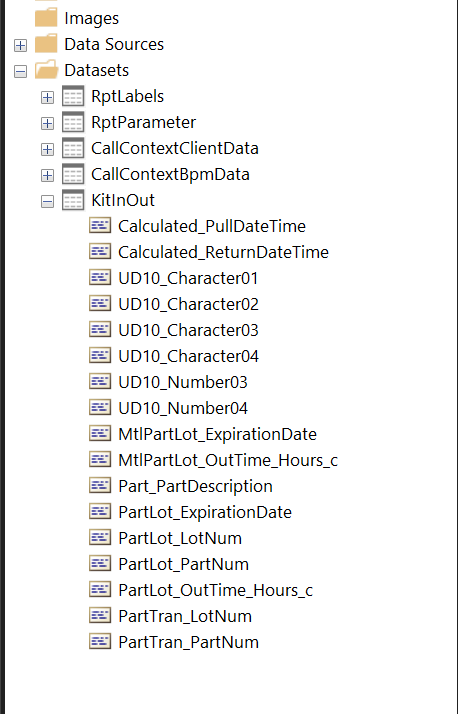
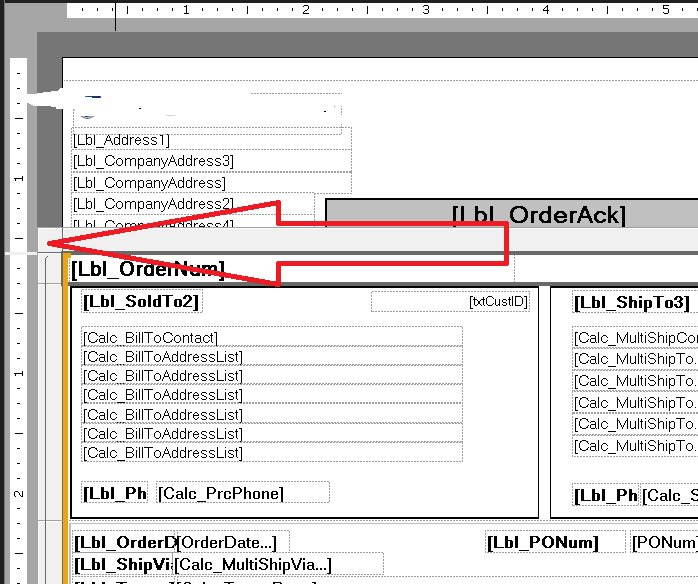
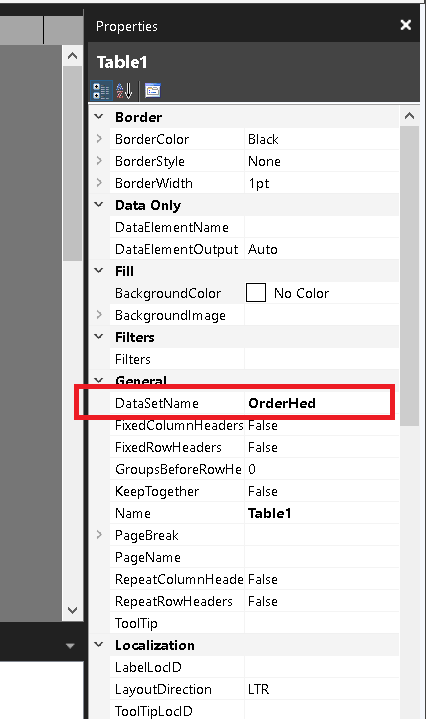
Thanks. I checked and it is in the tablix parameters. I decided to put all the fields on the report to see if any data was coming through. It looks like the secondary data from the UD10 table is pulling correctly, but not the top level data.
The partlot_partnum and partlot_lotnum are what I am entering as filters for the report.
