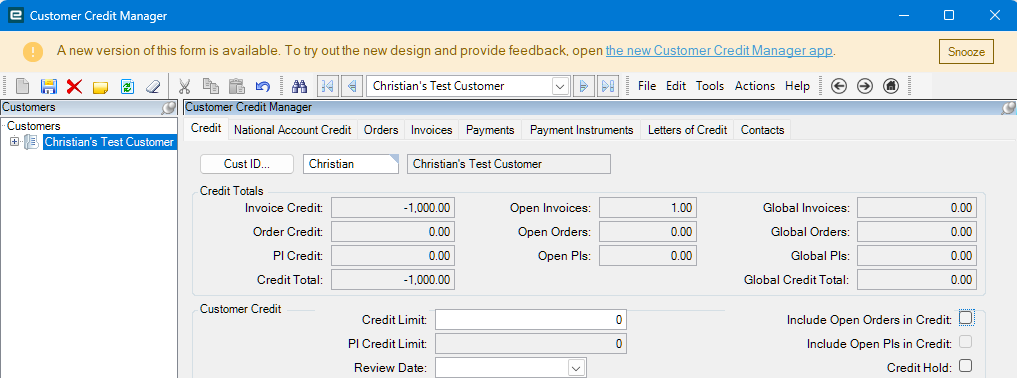
In testing we noticed that if we run them against the Customer Order (same GLs, Customer ID, etc) it does automatically pull in and show the credit offset.
Is it possible to avoid making a connection to the order and have everything offset/balance directly against the Customer ID?
I don’t have prior experience, and my familiarity with the Accounting/Finance side has been fairly limited. Learning as I go and appreciate the guidance.
Following your reply, I was able to locate the ERP Help article with the full document.
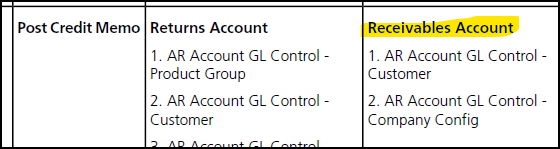
Before posting this thread, I did review Customer > Billing > GL Control and did not see any controls assigned there.
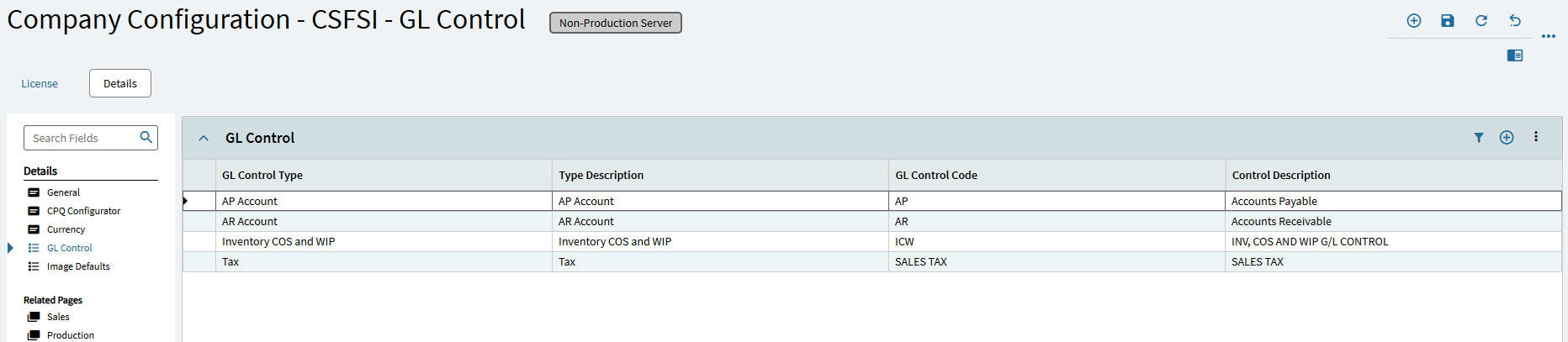
If I’m understanding correctly, the next area I should review would be the GLC (General Ledger Control) defined for the company we’re posting in? If so, is I’ve made it this far.
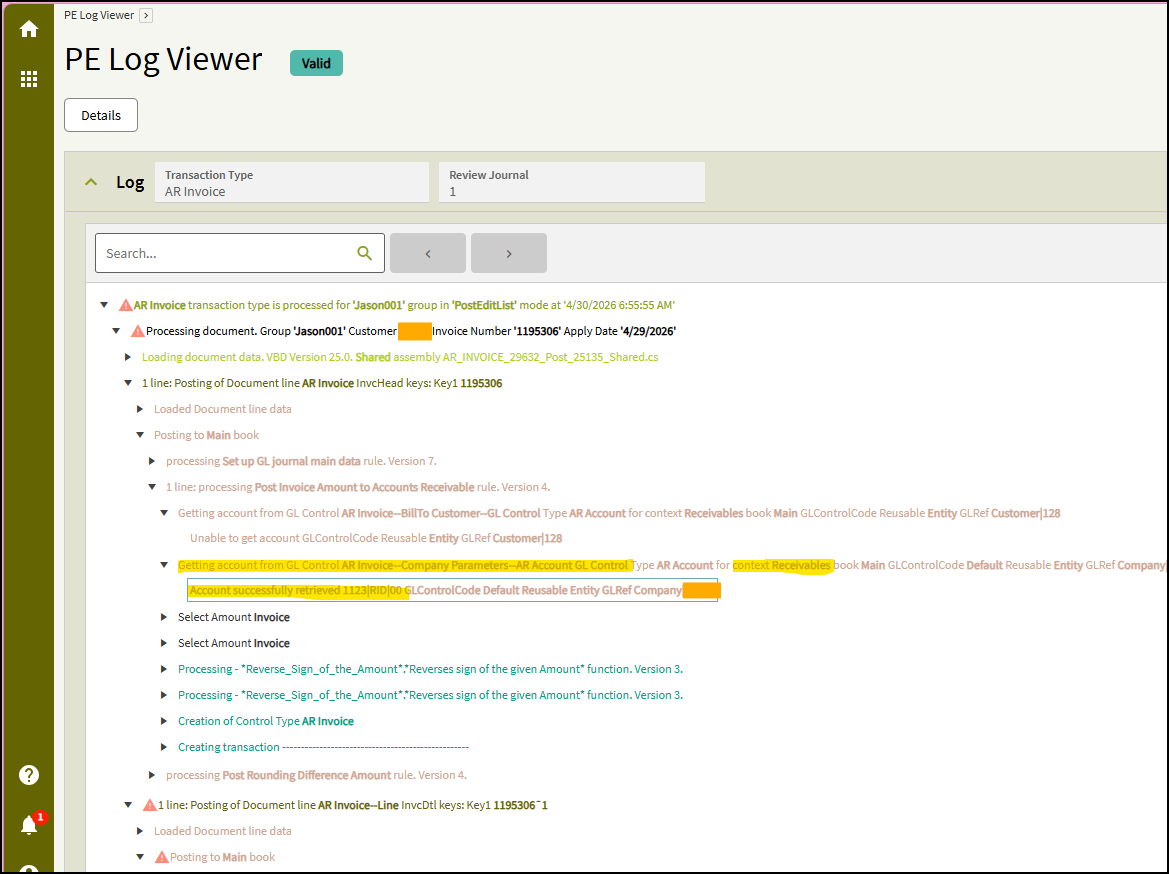
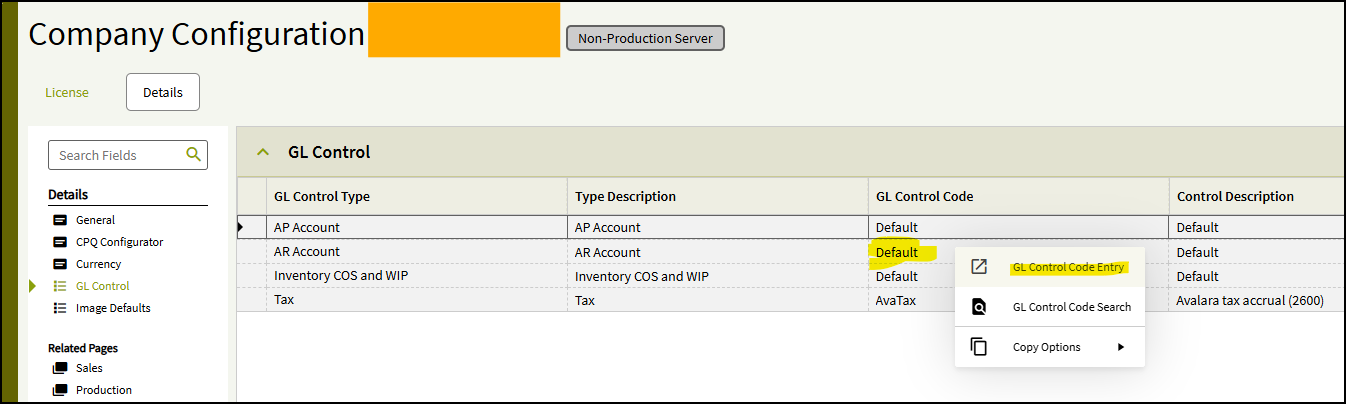
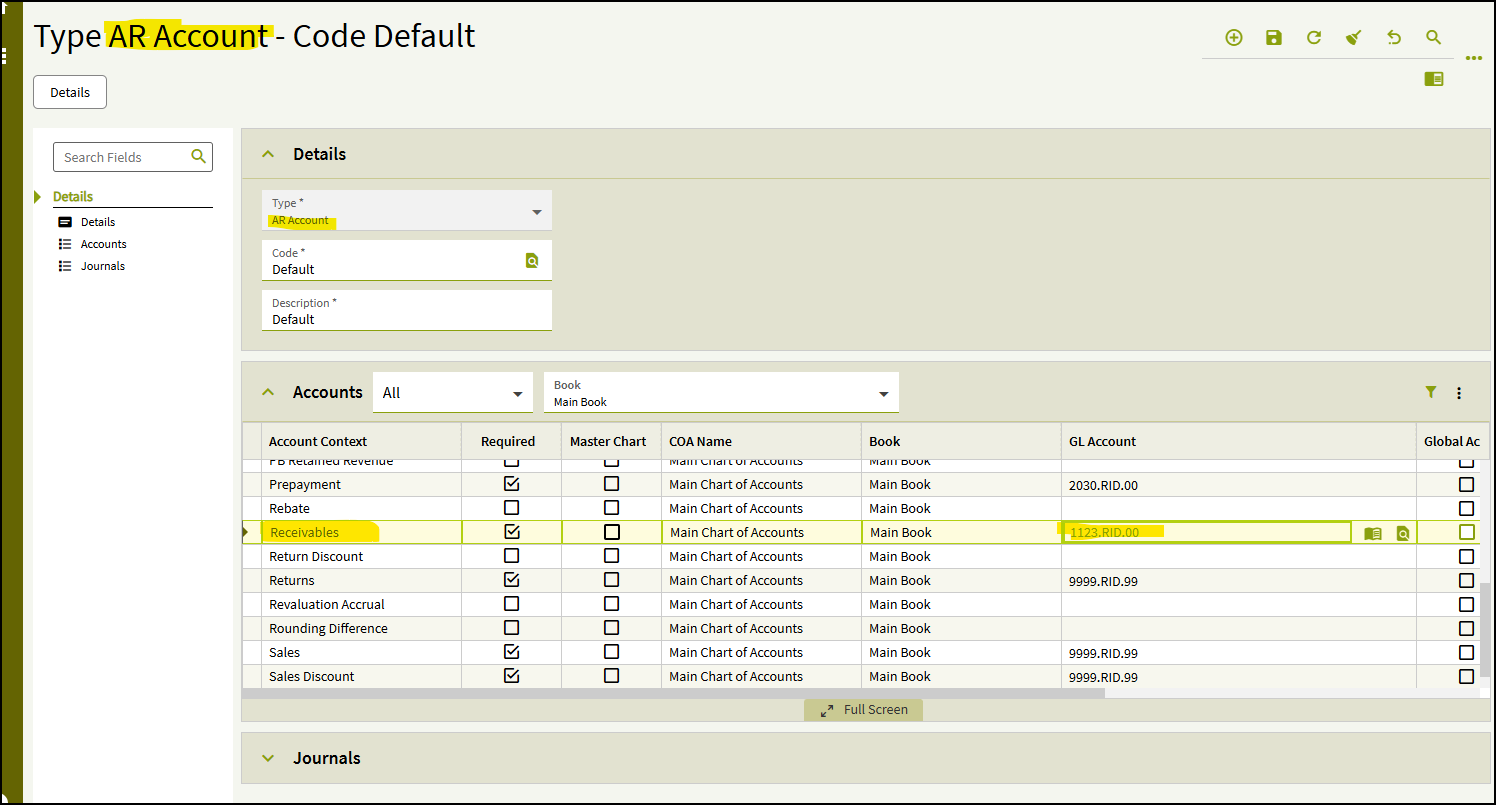
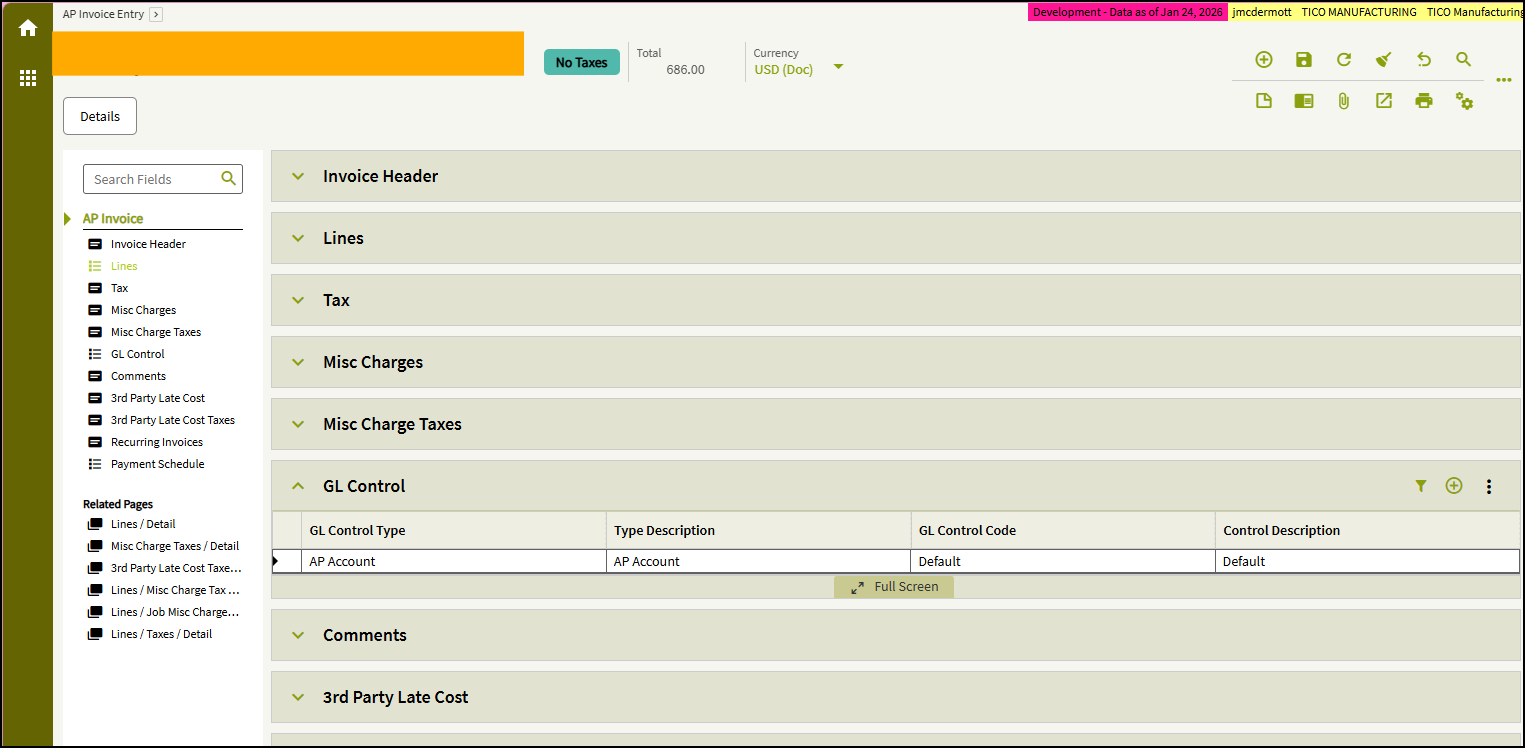
From there, like you said, go to company config; then right-click on the GL Code for AR Account, and open the Entry app. (Someone here 10 years ago decided “Default” would be a great name for everything. )
Double-entry accounting (invented in the Middle Ages) is basically a relational database. If you have no background in accounting, but do know databases, it will make sense quickly.
Every financial transaction is offset by another transaction (or a set of them). If you believe that to your core, you can troubleshoot anything.
Hey IT guy, can we make this go to this account?
Sure, but where do you want the other side of the transaction to go?
I think (think being a very strong word here) you can do this.
In AR Invoice entry, go to your lines. Hit the “Get Default” button. That will allow you to Override Default GL Account. Then type in whatever GL Account you’re trying to debit. Save and print your edit list.
Seemed to work in my very rigorous testing.
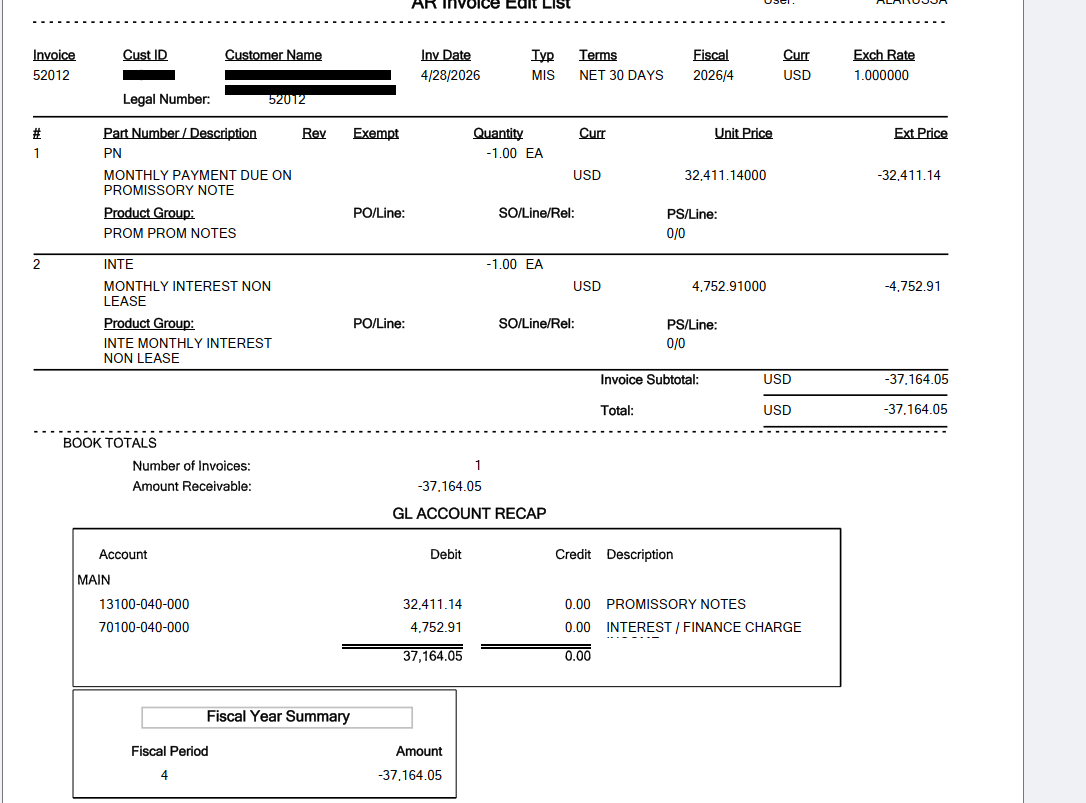
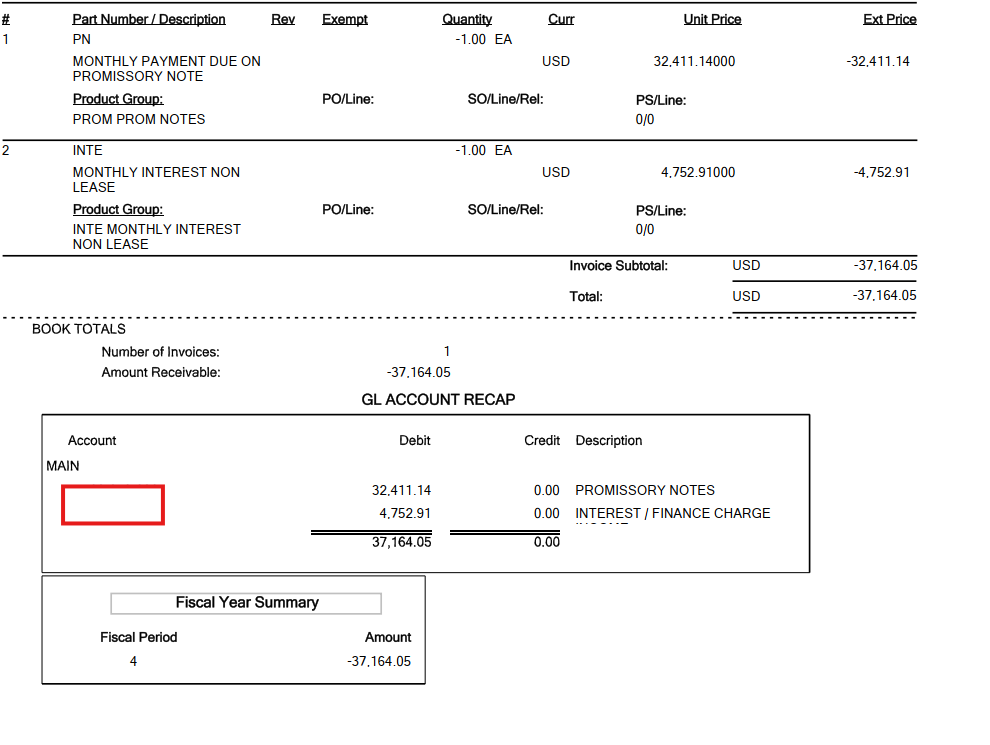
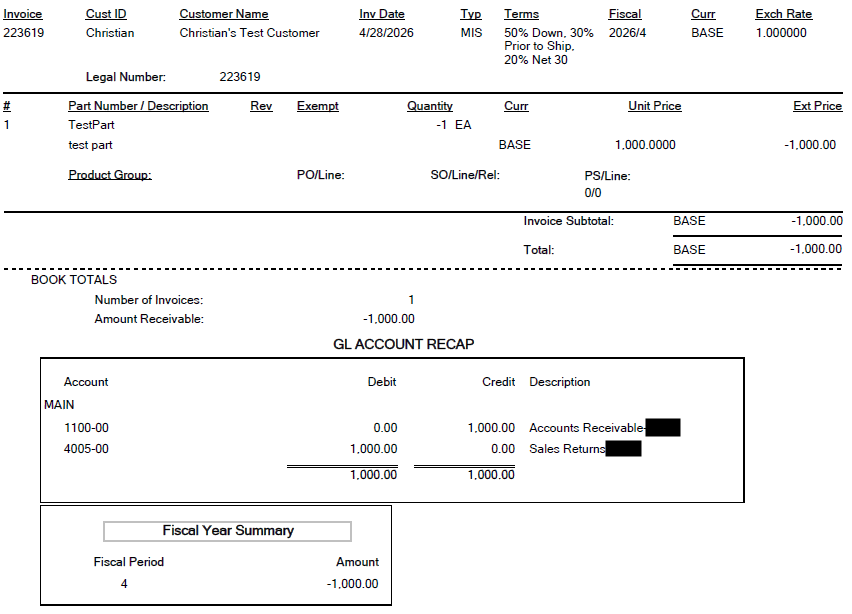
Right, that’s the debit, but I think his issue is that there are NO credits in the invoice. That’s the customer/company setup.
For @mpot don’t read this next part lol; it’ll confuse things.
But, I learned along the way that the AP side of the world pulls the GL Code right into the invoice, and you can delete/override it there. Having said that…
What’s interesting to me is that the AR invoices don’t have that feature.
Maybe there is sound reasoning behind it, but I always assume AR and AP will be set up as mirror images of each other.
Yea that’s because there was no debit account. If he attached a SO/Invoice line to the credit memo then it would know what GL to debit and rules would move it to credit (which he said worked fine).
I might be all wet here, and there might be something else going on with defaults/rules, but I would try and manually add a gl account to debit from and see if it credits the right account.
That’s why I put in my statement in my original reply.
JasonMcD: Double-entry accounting (invented in the Middle Ages) is basically a relational database. If you have no background in accounting, but do know databases, it will make sense quickly.
This is fantastic!
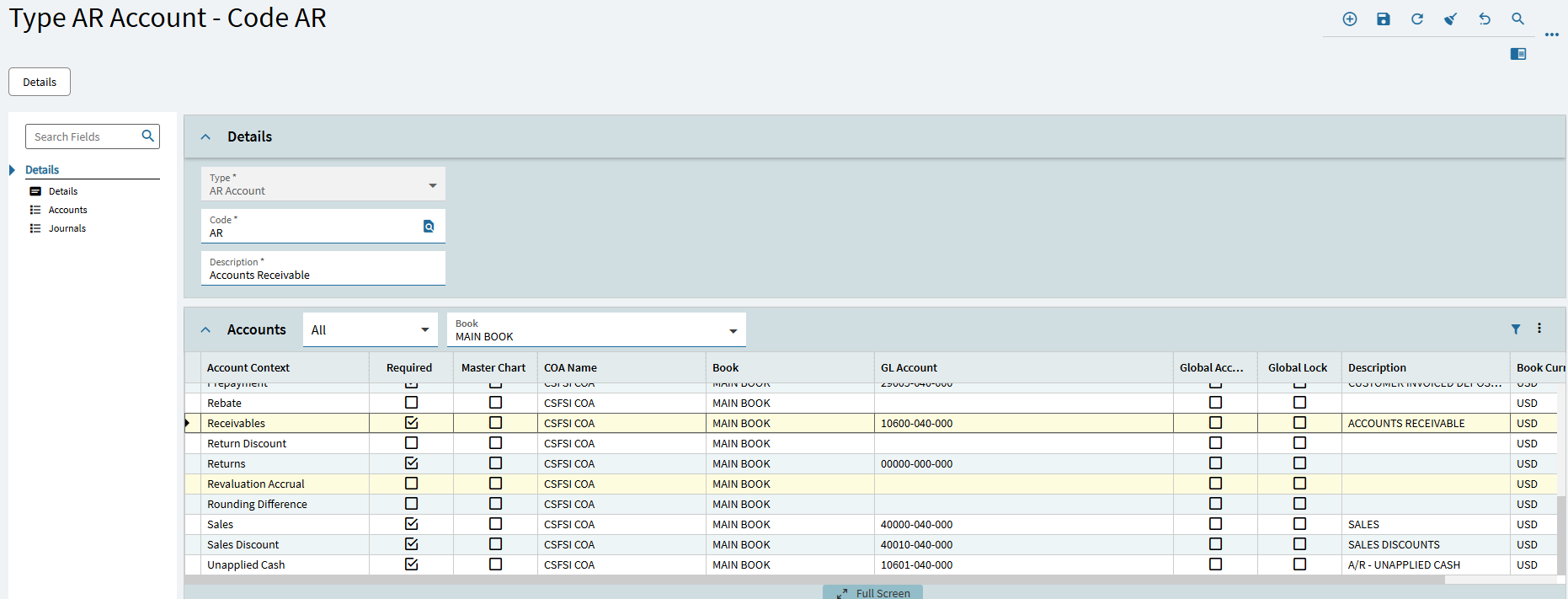
Looking at GL Control Maintenance I see we do have a GL Account defined.
oof. OK, I must’ve misunderstood.
To clarify - if you apply a credit memo to the original order/invoice then everything is good? If you don’t apply it to the order, and use the same customer, even if you manually override the GLs it doesn’t apply a credit?
OK, how about this: Is 10600-040-000 a real account? They let you mess up!
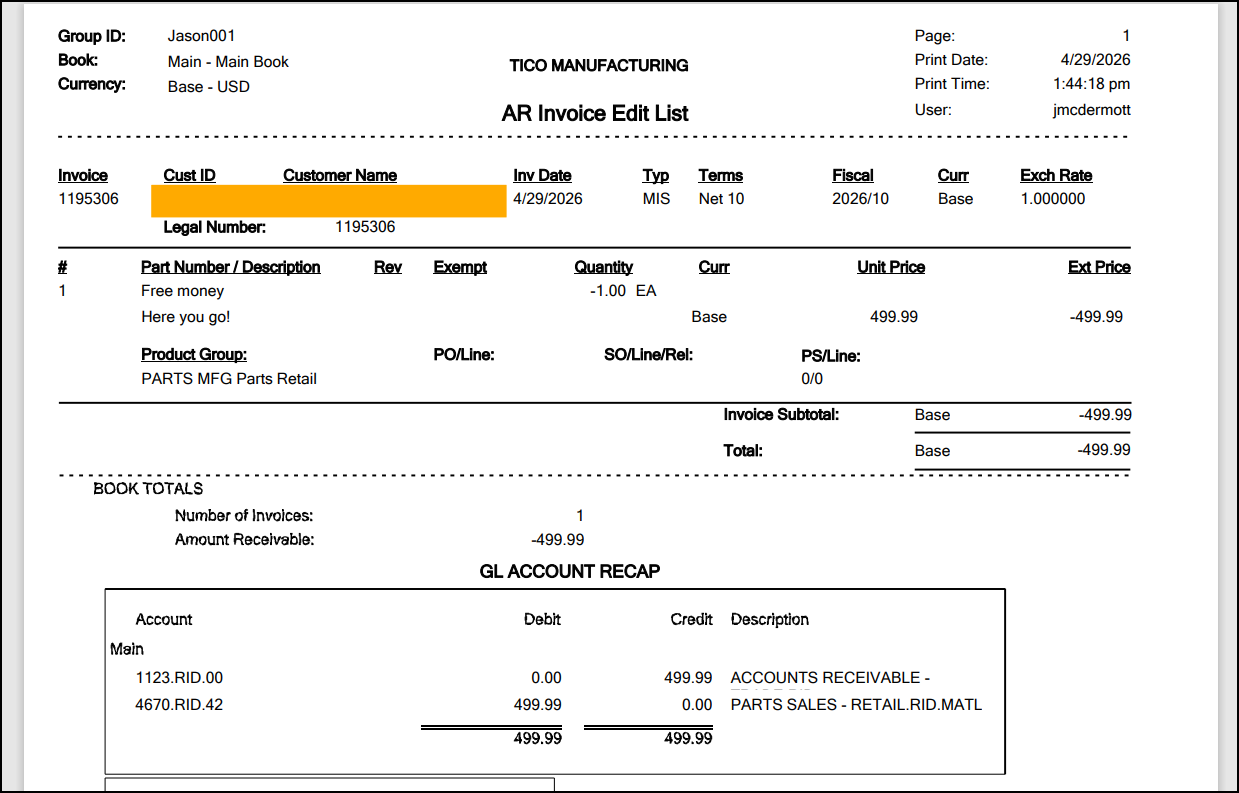
Here is an example that I just made. I set a context to an account called 1123.RID.42. This is not a real account in our system; it could be - each segment is valid. And the description makes it look valid. But…
Lol. Apologies for the late reply! Last evening I created an Epi support case for this one and we just passed along the PE Log.
I also checked that the GL was correct, active, etc. No mispellings, typos, or phantom account being used.
Will keep you all posted on what they return with and cannot thank you and @cpilinko enough for the additional context and information. Epi Support has been Epi Support and this thread has really strengthened my overall understanding
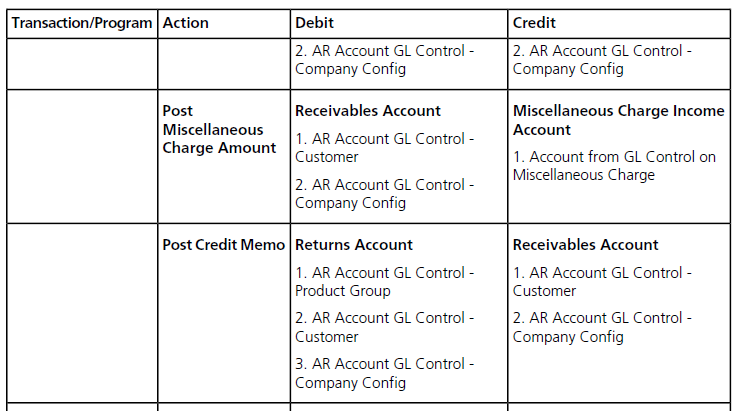
 )
)
 statement in my original reply.