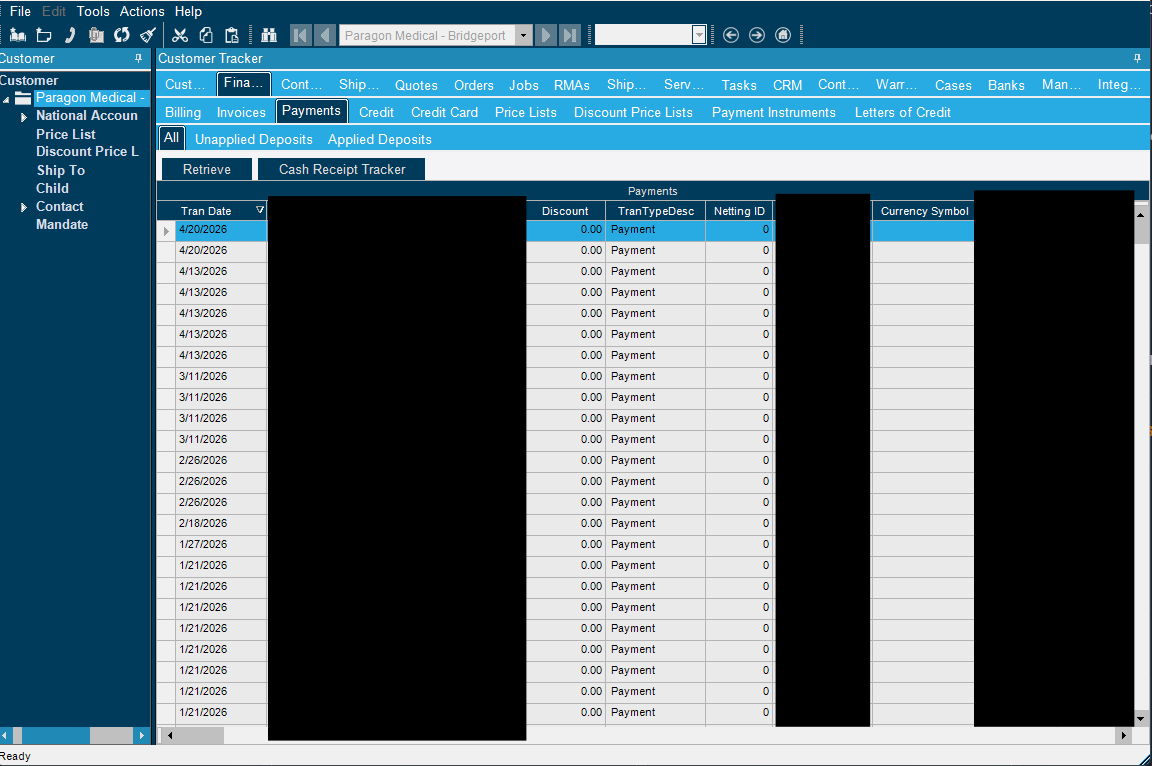
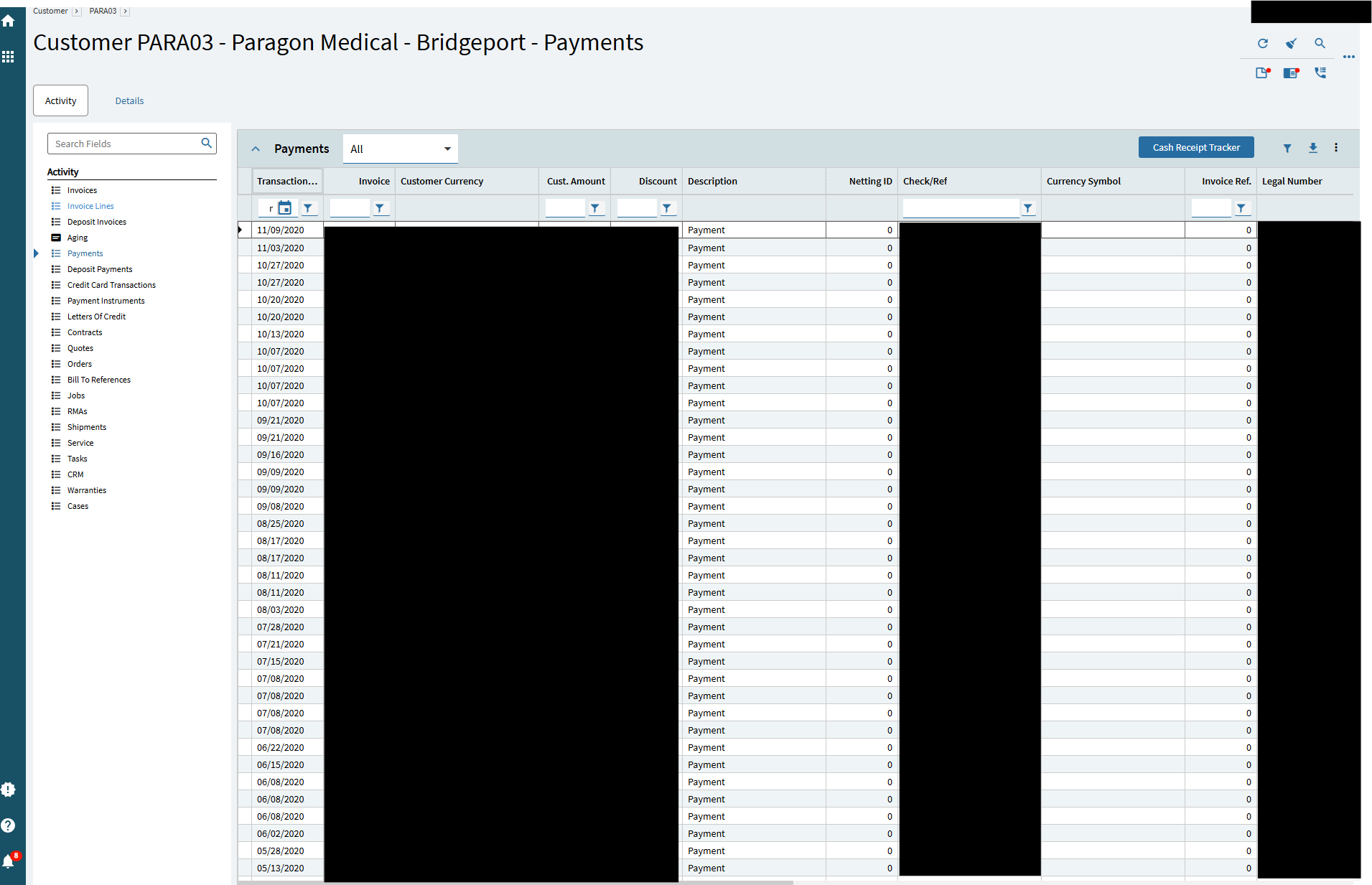
Can anyone tell me what Epicor decided to use as the initial sorting column for this panel card table view? Because in 10.2 you would go to payments and “Retrieve” and it would show you all payments in descending date order. Now it just loads random records and if you modify the sort function you then need to scroll all the way to the bottom to have it cache all the records and sort appropriately. I just want the latest transaction to be at the top…
I’m guessing customizing this Tracker is the only way to accomplish this?
Thank you for referencing that… I couldn’t find that when searching so that’s why I started this.
SO you can follow up on that ticket and report that 2026.1 did not fix it since that’s the version we are on and it still only loads a few records and not the most recent ones. Granted it is using server paging, but still.
I think I also corrected it with a customization layer, I just need to test it a couple more times to ensure it’s working correctly.
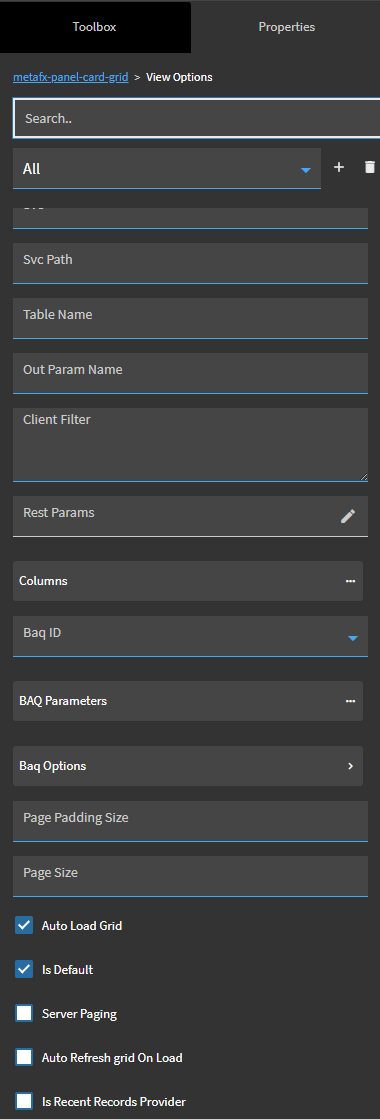
Tested a few more times and confirmed just checking off the Auto Load Grid box on the All View for the payments panel card loads all of the records and they are sorted by newest first without even adjusting the grid sort. EDIT, make sure to also check off server paging and uncheck it on this page before saving and publishing… It didn’t work until I did that… ugh…
However this has opened another can of worms… I decided to check an see if other sections of customer tracker functioned this way… Oddly Invoices load all records associated with whichever view you pick. So I decided to try it on a customer that I know we have thousands of invoices with and I picked the “Closed” view and basically froze the screen for minutes trying to load data, came back blank so I clicked Refresh Grid and it did the same, came back blank.
That Customers invoices tab took 76 seconds to load after clicking on retrieve in our On Prem 10.2 live environment.
Started a ticket with Epicor regarding the Invoices panel card attempting to load all records and failing on customers that have extensive history with us. CS0005628900 Not sure how well this is going to go because I don’t think they understand what is happening at all.
It’s the opposite problem of the Payments tab, that was utilizing server paging, but in doing so it messed up the sorting. The only way to fix the sorting was to force it to load all records, which creates the same potential problem as the above, if the record count is extremely high.
Why oh why did they have to mess up these grids so much!
For reference, the Customer I’m working with has 9311 invoices in the last 2 years.
Oh I forgot to mention @bparsons there is no “Transaction History Range” option in customer tracker like there is in supplier tracker.
So, there is already a problem number for the closed invoices issue but there is no planned ETA
PRB0314314 < Not public can’t be found in repository, not sure why.
Now I wonder if I can get them to accept the fact that there is also a problem with the Payments tab just like there was on the Supplier Tracker module.
*Edit Found the problem for Customer Tracker Payments panel card PRB0304233 < Public in the Problem Repository
Currently in testing.
I was out last week and apparently this problem has escalated and is now tagged as in release planning.
According to the problem ticket, I’m not the main originator of it… It references a company named SS WHITE BURS INC as the original opener over 6 months ago, and they found this in version 2025.1.11. I can’t believe it’s taken until now before they are looking into fixing this. This is for the Invoices grid display.
I don’t know if it’s searchable in the problem DB, but this is the latest update I got from it.
System
2026-09-17 16:55:49 Communication
Problem has been updated by: Development Notes
Problem PRB0314314 have been updated:
PD State have been updated to: In Release Planning
I think we had a similar or related situation here. Opened a case and PRB open back in January 2026 to report some Kinetic grids not loading all records.
I don’t see a date for the fix though on our PRB.
Able to duplicate in current code 12.2.100
Problem Description:
Payment card is capped at 80 results (payments) for Supplier/Supplier Tracker
Initial call to Erp.BO.PaymentEntrySvc/GetRows is executed and no additional calls are made
The request paylod includes:
pageSize = 80absolutePage = 1
Path:
Menu > Supplier > Activity > Payments
Expected Behavior:
New requests to fetch additional rows should be made as user scrolls down the list
Expected network waterfall behavior (supplier with 200 payments):
*
So this issue in supplier tracker was supposedly fixed in 2026.1 and I was able to verify that it works correctly.
This issue I’m having with the payments is in customer tracker, which responds differently than Supplier. The problem number (PRB0304233) I noted on Sept 2nd is still active and hopefully going to be fixed soon along with the Invoice grid of Customer tracker.