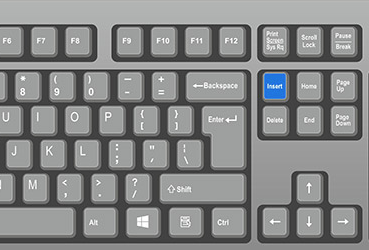
I am sure there is an easy answer but I’ve noticed after the last update or 3 that when I paste text into my customization it overwrites existing text instead of pushing it down which I do not recall happening at my previous job.
Is this a setting or a bug? The text being replaced is not highlighted. If I paste into a blank line above or below it just overwrites existing code instead of moving the rows down like most other editors.
If I am moving around code to make it more efficient or elegant I have to put a bunch of blank lines in before pasting anything.
I am not using anything close to a most recent update, but did you by chance hit the “Insert” button? Let’s eliminate user error before going for the update
I can confirm this happens to me too, in Live and Pilot. I didn’t have time to report it when I first noticed, and now I just deal with it.
Yes! I do the same thing. After I realized what was happeneing, I started putting in a big chunk of empty space so that my pasted code wouldn’t overwrite what was there already. Strangely it overwrites, but keeps some of the brackets in place.
No help from me except to confirm the same thing. We just upgraded from 10 to the latest 11.2.400.6 so I can’t say when it broke but it is now. I just need to remember to insert a bunch of blank lines before I paste.
I’ve never encountered a similar pasting bug before. It’s weird.