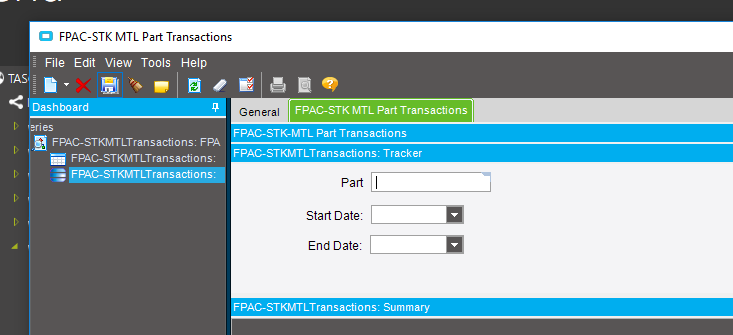
I wrote a BAQ/Dashbaord for purchasing on the Part Tran table for STK-MTL transactions. I do have a search option for Part Num or Date Range. If they run it wide open will it limit the rows it will return? I was thinking this was a new feature in Epicor 10 to avoid those run away BAQs.
Thanks
no on the dashboard it will return EVERYTHING
In the past I have had that lock up Epicor. Could this still cause issues if they try to return everything. I checked in SQL and it is almost 1/2 million records and growing.
Yes PLEASE limit your Dashboard force them to enter some filters or you’ll regret it
Banderson
June 21, 2019, 1:17pm
5
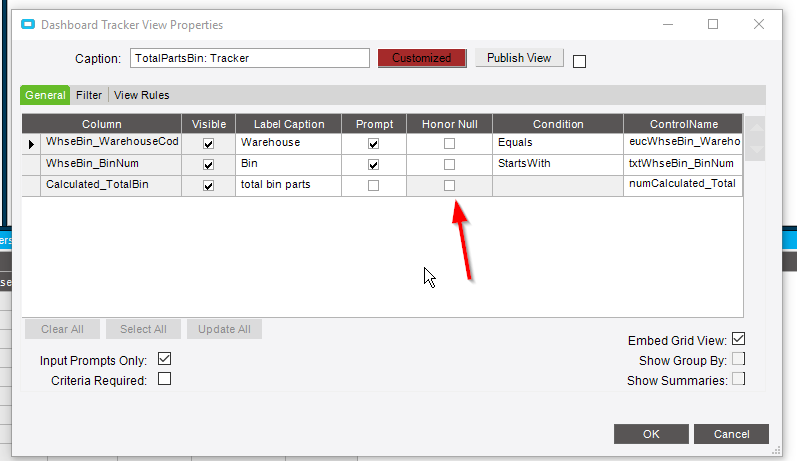
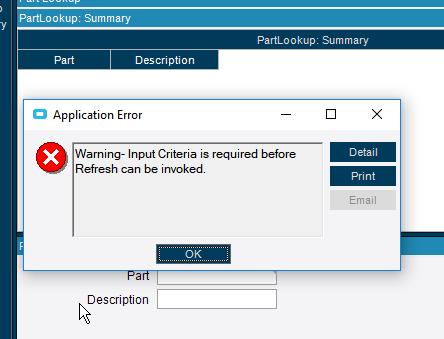
You can make trackers require a criteria so it can’t run wide open.
I do have a Part and Date Range filter. I don’t want to limit them to having to use both filters. Is there a way to force them to use Part or Date?
@Banderson require Criteria? do you mean the check box on tracker properties?
Banderson
June 21, 2019, 1:22pm
7
yeah. But, I don’t know of a way to require either
So if i use that check box it will force them to use both filters?
Update: @Banderson I checked that Require Criteria check box and it I only entered the Date and it let me run it using only one of the filters
Banderson
June 21, 2019, 1:39pm
9
but that means you can’t just use a part number with no date right? Because you only checked the box for the date required?
No I can use either but must have one or the other.
The user change their mind and only want a a date range.
Banderson
June 21, 2019, 1:42pm
11
Also, I quoted the name wrong. You would want honor null. Which would essentially make it required if you don’t have any nulls in your data.
I guess I haven’t use the criteria required box much actually. So maybe it does only require something in any of the boxes… Good to know.
**edit **Yup, did a quick test, and it just requires something . I can’t believe that I didn’t know this!