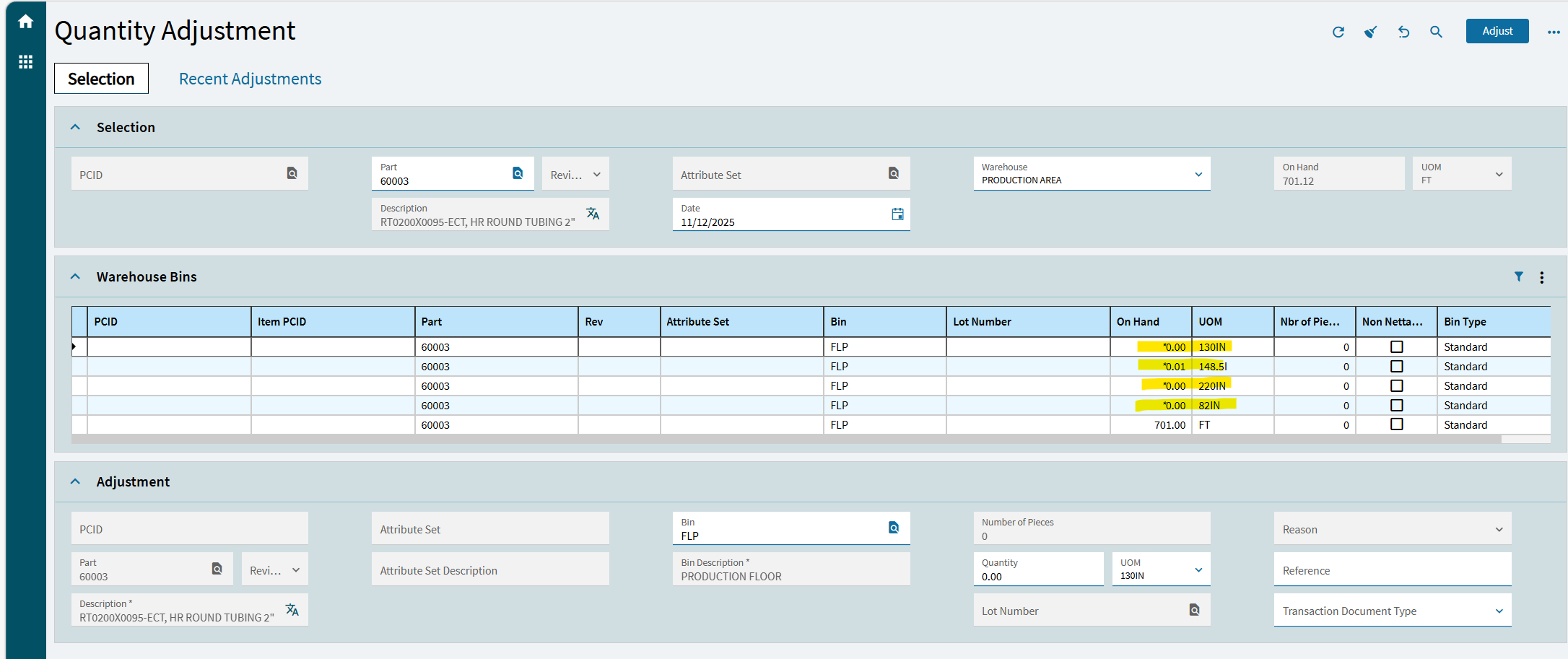
We’re encountering UOM-related issues since we launched epicor 8 years ago, particularly conversion rounding errors on many steel parts. Has anyone found an effective method for clearing residual inventory? Standard approaches such as quantity adjustments, cycle counts, and DMT uploads have not resolved the problem. Ideally, we’d like a solution that can be managed internally without requiring an Epicor data fix.
I currently have an open case with Epicor, but their support has been less than helpful so far. Any insights or proven workarounds would be greatly appreciated.
This screenshot doesn’t necessarily show a decimal issue from receiving (This is just the residual material), though that could be a factor. We purchase steel by weight (LBS), while the base UOM in Epicor is Feet for tubes and Square Feet for plates. We have hundreds of UOMs for different tube lengths. For example, if we purchase one tube weighing 800 lbs and the length is 32 feet, we stock it in Epicor as 32 feet. However, since the base UOM remains Feet (we don’t have the Advanced UOM module), the purchased quantity in pounds doesn’t always perfectly convert to 32 feet. This leads to residual decimal quantities, which prevents the material from being fully issued.