I’m have been working with a client that has Epicor PLM Pro.File (ProCAD) V8 for the last week; for the first time. I’ve never seen this DB before.
Goal
I need to write some SQL Server queries to:
- Determine which Pro.File Parts do not have a relationship to a CAD Document
- Determine which Pro.File Parts have and do not have other document types related to them.
- Verify that the Part and the CAD are in sync.
This will be used to clean the system up.
Lastly, I’m having a real challenge trying to translate or apply the German acronyms used for the table names so if there is an acronym list out there that would be very helpful.
What have I been able to figure out.
I have found the DOKTYP, DOKSTAMM, TEILLIST, NFSTAMM, for data.
I’ve written a query that gives me document counts for each document type.
I’ve written a query that gives me the row count for each table.
I have all the Part Classes with row counts except: RACR, VPKR, and URAW.
I found the EDM_FIELDPATH_XLAT which all the Tables and Column names with English titles.
So the last part of my discovery I need help with is;
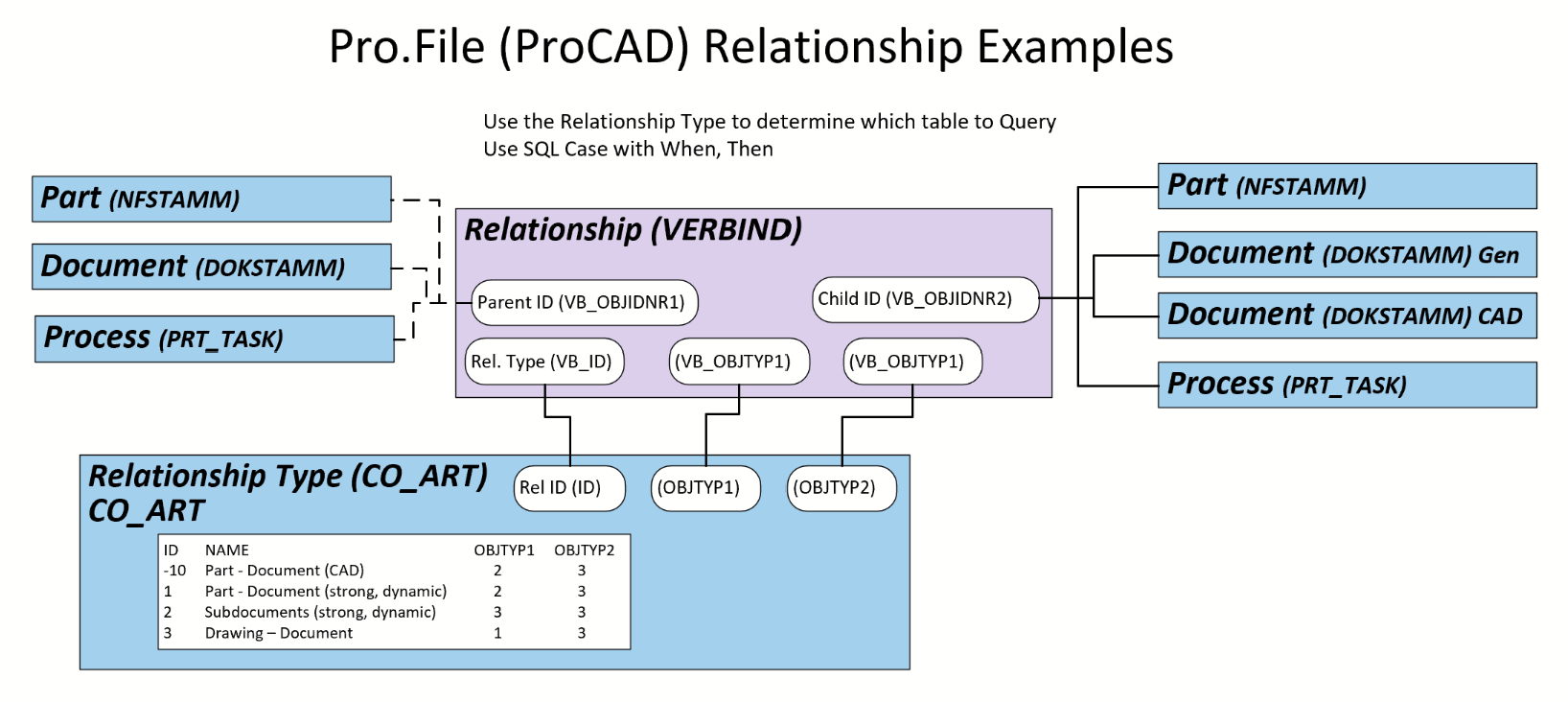
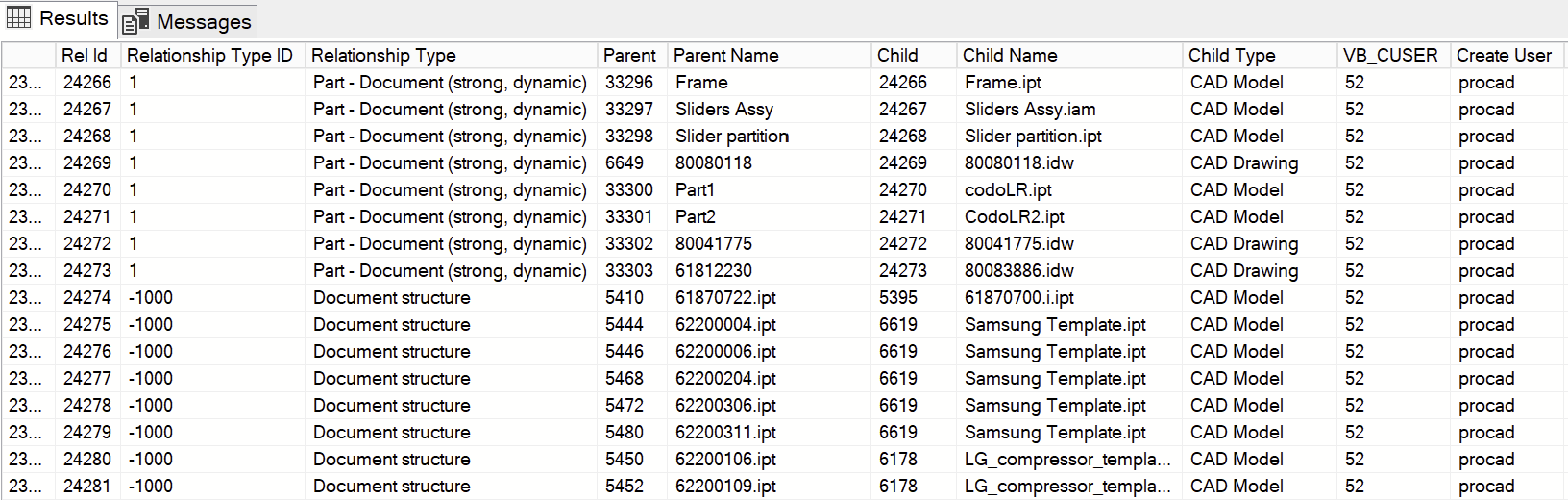
- How does ProCAD create relationships? What is the data model pattern?
- How does ProCAD relate a CAD Model, or CAD DWG, to its Part.
- How, for the Part and CAD, do I get the current version.
I have combed the DB but have not had any luck.
I have worked with PTC’s Windchill & FlexPLM, Dasault Enovia, Aras Innovator but I just can’t figure this out.
Thanks in advance.
Scott