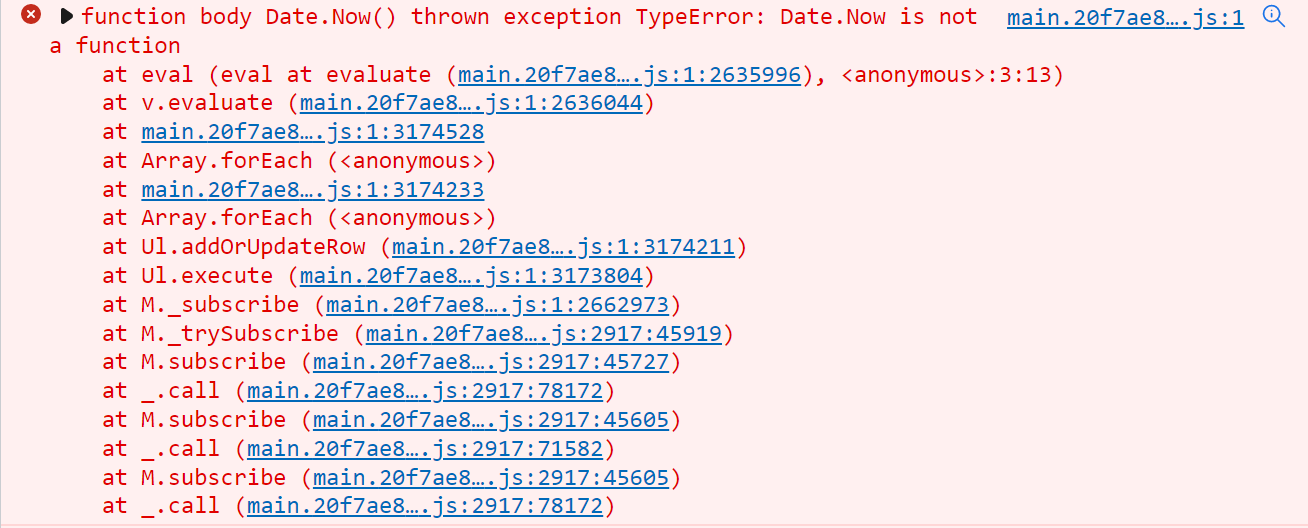
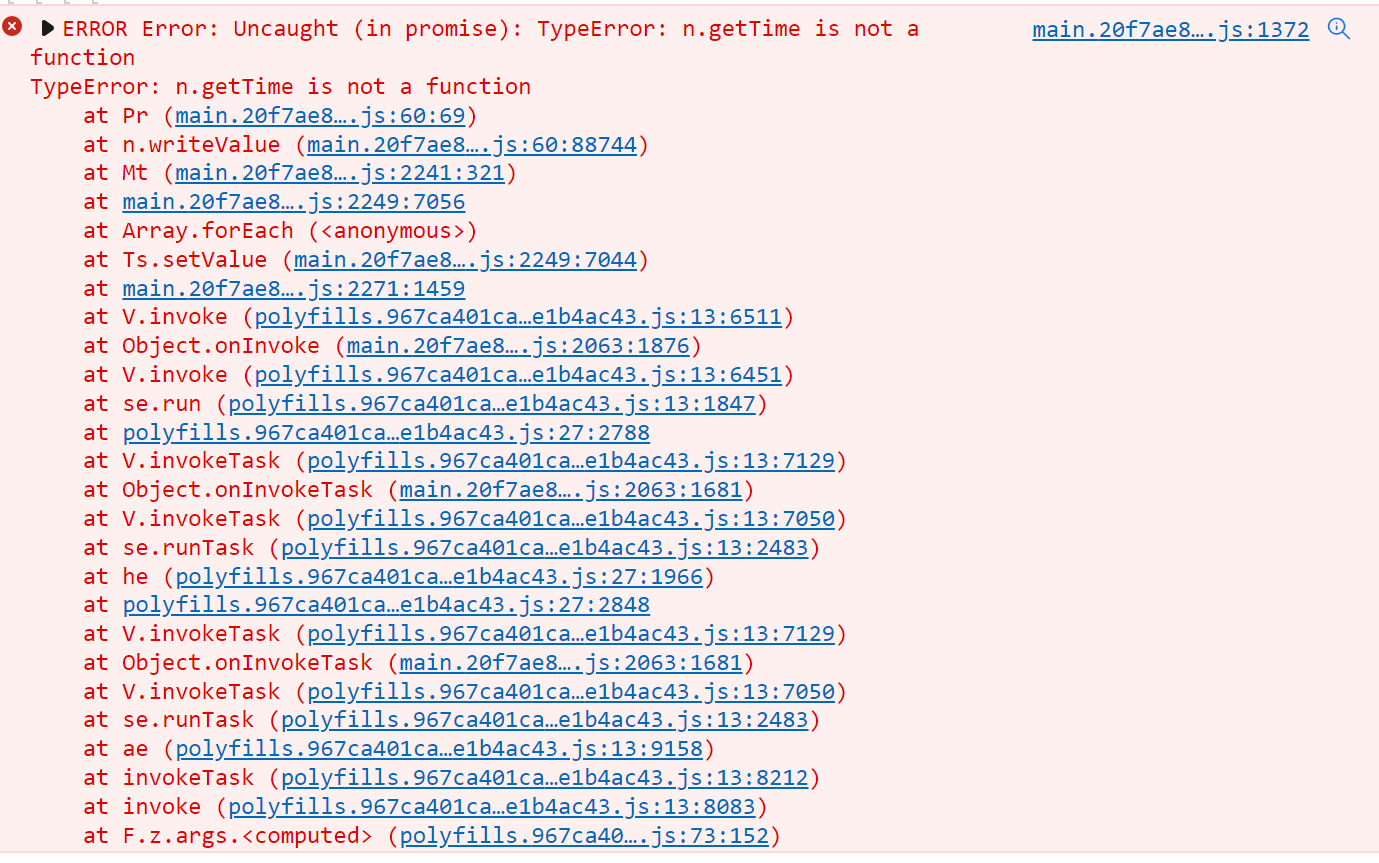
Anyone know how to set a value or compare a value to a DateTime.Now in application studio?
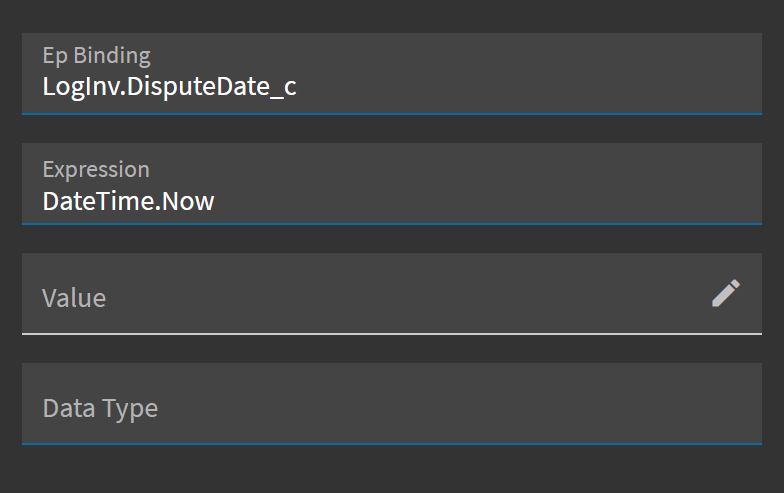
I would like to set this variable to the DateTime.Now value, but off course this way it doesn’t work.
@hmwillett ? 
Anyone know how to set a value or compare a value to a DateTime.Now in application studio?
I would like to set this variable to the DateTime.Now value, but off course this way it doesn’t work.
@hmwillett ?
That expression field is JavaScript.
Try Date.Now() Scratch that.
Ah yeah, that definitely brings me closer. It now does something with a getTime 
Still one thing to fix
Instead of JS, set the value to this instead: “{Constant.Today}”
You’re right. That’s way more easy! Thanks alot!
wild!
I am comparing the ShipDate value with Constant.Today and expression is ‘%value%’ == ‘{Constant.Today}’. I have used this code in condition and getting below mentioned error
{expression: “‘%value%’ === ‘{Constant.Today}’”, onSuccess: Array(1)}
main.4ea282175936f70a9698.js:1 expression: ‘‘2022-10-14T00:00:00’ === ‘2022-10-14T00:00:00.000’’ evaluates to ‘false’
Try removing the single quotes.
@hmwillett , Getting same issue.
Ah, I just noticed that one has the milliseconds and the other doesn’t. Try this:
{Constant.Today}.getTime() === %value%.getTime()
That will convert both dates into a numeric value to compare against.
If it doesn’t like those JS methods, wrap the whole thing in eval(<your expression here>)
Isn’t eval() a huge security risk?
Not completely. When Jose and I discovered it, we tried to do some injection to ourselves and there are certain keywords that don’t work (don’t remember which). Also, most environments are closed from the outside world anyways, soooo… 
I think you can also do
#_{Constant.Today}.getTime() === %value%.getTime()_#
Instead of eval()
This should do it for you; put this in the expression field:
new Date('{OrderHed.RequestDate}').getTime() === new Date('{Constant.Today}').getTime()
Similar question here, can I set a default date in a data rule?
I would like to default to today, but also n another field today + 5 days. Possible? I can do it in a BPM but would rather it happened in the UI during an event
Not with a rule.
Use an event and use the row-update widget. You can do both things you were wanting with that.
So you wouldn’t want the default date rule to fire when the REST call was made outside of the UI?
In my case the users dont want to wait until someone saves to see the dates update.
With a customization it was easy. With Kinetic its messy.
And with us having to uplift every customization changing what the user has to do is not ideal. At a minimum its retraining and rewriting SOPs.
So if the screen can work the way it did before (enter date in one field and another date gets updated to 10 days later (for forecasting)) the better.
I may have to do a BPM anyway - rules do not seem to allow for this sort of thing.