Hello,
Wondering if there an easy way to default current site in the Site Drop down in part tracker on form load instead of using the drop down? any suggestion? Thanks Sang
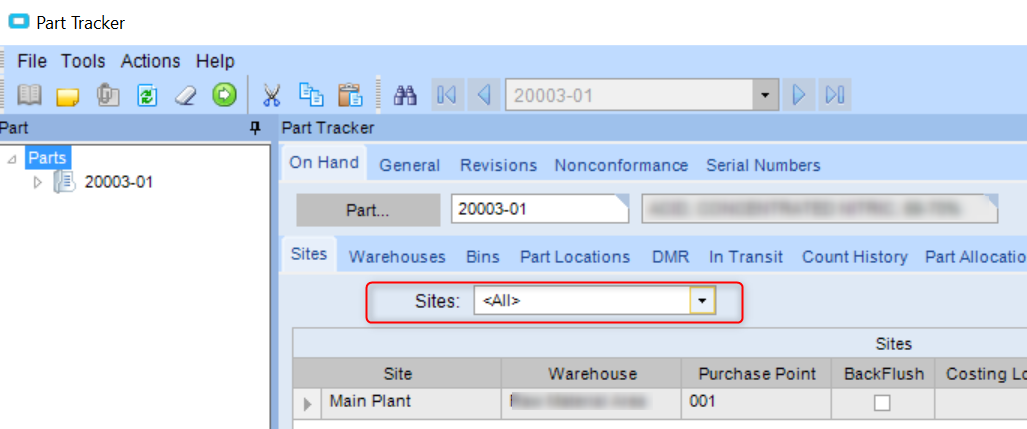
Likely a customization required there. That would also have to re-trigger the BO to get only that site.
Thanks Jason,
I did some tracing and could not find what BO it is trigger. Any suggestion?
Thanks
Sang
It’s possible that the screen brings back the whole dataset and filters it in place. Try setting the plant value on the drop down after the data is loaded. It may filter for you. I don’t have my system up to test currently. Sorry.
Jason Woods
http://LinkedIn.com/in/jasoncwoods
Just a guess here, but it kind of appears that the entire DS is pulled and that drop just applies a filter to it. You can confirm this by running a trace, changing that drop down and seeing what (if anything) was called.
If this is the case, you can write a customization to select a specific value in the dropdown based on the current plant. I think if it were me, I’d place an event on when that tab is shown.
How funny,
I had a user ask for this the other day also…Just have not got around to looking at it…
Just wondering if anyone solved this? I got the request today so reaffirms how common this is.
Thanks for any help.
Any update?
We are also multi-site and would like to default the site tab in Part and Part Tracker to the current site.
Can see in the trace log that the data is being filtered using a parameter.
How would I change this parameter or do I need to reload the data with the current plant as the parameter.
I take it I would need to do this as a customisation and not a BPM.
Regards
Richard
Richard