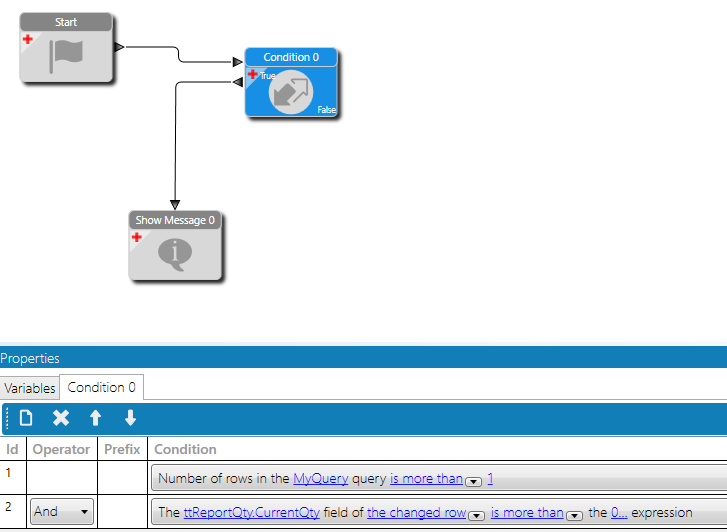
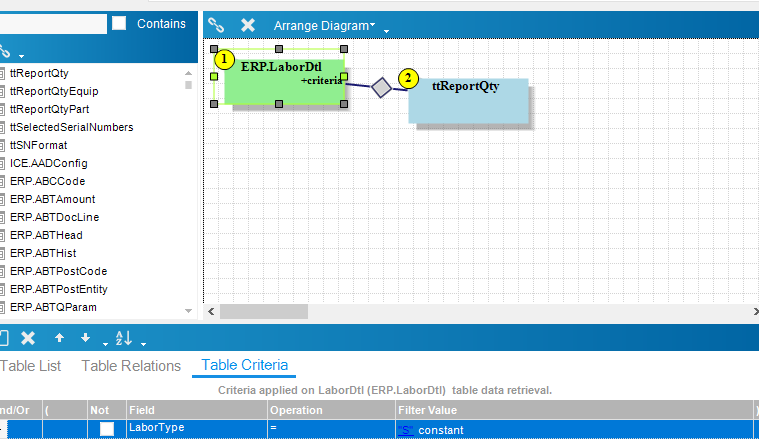
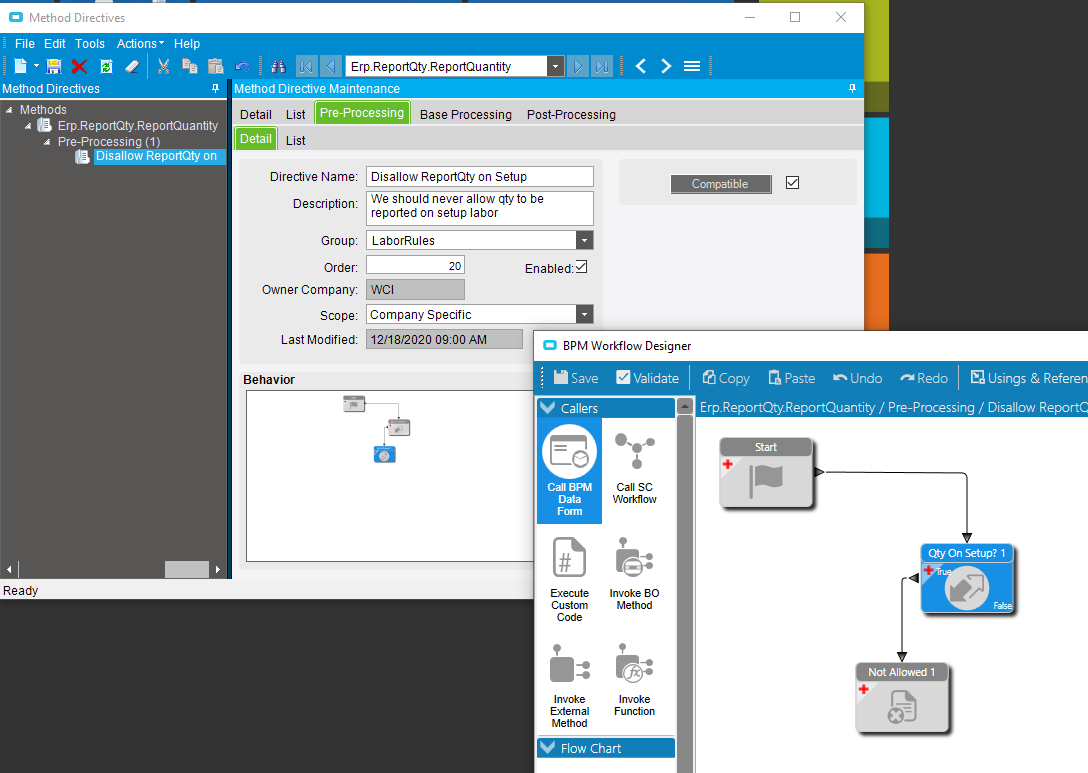
Pretty new to creating BPMs, but has anyone been able to disable reporting quantity while logged into a setup activity in MES? I’m in the Erp.BO.ReportQty.ReportQuantity Method Directive. So far we have this BPM calling out for a BAQ to check that the Labor Type is “S” to prevent reporting quantity.
It prevents reporting quantity by raising nd exception message, but it ignores the Setup condition (LaborType = “S”) and prevents reporting quantity for all labor types. Any help would be appreciated!
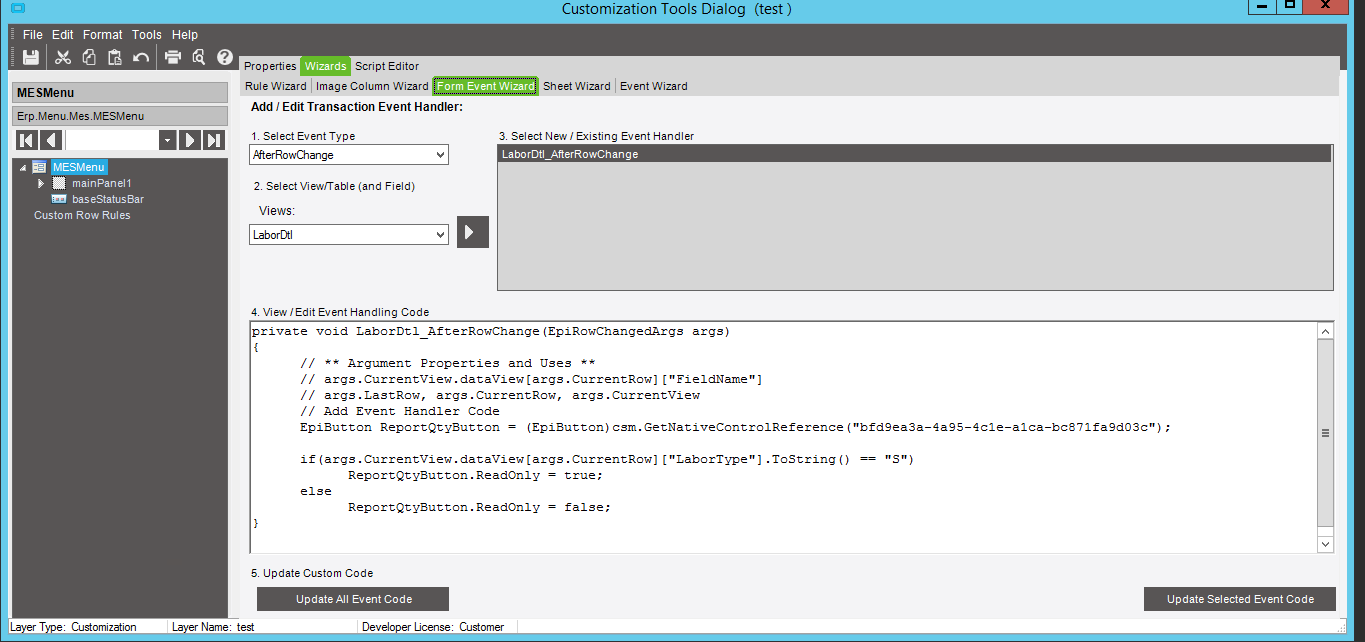
If you are launching from MES just put a rule in place in the customization that if the selected labor dtl is of type s the report qty button is disabled.
As @Jason_Woods said you can use a row rule for that by adding the rule with the wizards for the binding on that button or on EpiNotification initialize for the labor detail view see if the type is not “P” if so set the buttons state IsEpiReadOnly to true. You would need to use csm.GetNativeControlReference("[GUID]") to get the reference to the native button but it’s workable. All of the stuff in this paragraph can be found in the customization guides in EpicWeb.
Additionally for a security blanket when they click ok in Qty report look up the employees labor dtl record and see if it is setup. I would not use the baked in query stuff because you would be forced to join a tt and db table together and as @Jason_Woods that is a no no.
use something like this as a custom condition to an exception in qtyreport pre process
If you handle this in a directive, it will kick in regardless of the UI calling. It is possible to report quantity on setup operations in Time and Expense Entry, as well as MES, so a directive would cover both of these cases(and any future extensions). The right answer depends on the requirements,in some cases you only want it handled in certain UIs.
If you only want to handle it in MES, you could use the following event and logic…
It is possible to for the same employee to have both setup and production active at the same time, on the same job.
I suggest matching on the LaborHedSeq and LaborDtlSeq rather than just job number.
You are looping over all labor details in the database (Db.LaborDtl), in your foreach, which explains the locking up.
The example code is looping over the temp table of labor details records being passed to the method.
The sequence numbers are passed as parameters(hedSeq and dtlSeq).
The above code checks if the current job has any non-production activity active and prevents what is currently being reporting on from completing(which may or may not be the non-prod activity found). This will prevent someone from reporting quantity on a production activity, if they happen to have both production and setup active when trying to report on the production activity.