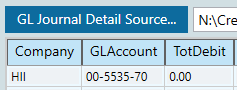
Hi, process has been in place on my end for a few years now - no issues. In January I tried to import data into a GL Journal Detail and the GL account comes in wrong. DMT Shows it correctly from the source file
Comes into the Journal Entry like this
It did this in January and now again in feb. I’ll correct the 31 lines - but this is annoying. What changed? Why would it show properly in DMT but be garbage in Epicor?
Aaron, even in 10.2.500 I’m pretty sure I had to play around with the character separating them, whether it was a hyphen or a pipe | or a dot, I forget. Can you play around with that?
I think the order of them as well matters and it might require you to put them in in a different order than is displayed, ie. 70-00-5535 instead of the way you have it.
It’s been a while for me, sorry you’re dealing with this, just trying to give you some ideas.
I didn’t put a ticket in. My account order is Segment 2 - Segment 1 - Segment 3, it’s probably due to that which is now causing this to fail. Worked for years like this though… I think I lose DMT in 3 months anyway when they kill the classic client and I haven’t seen the replacement, I’ll probably just hand fix these 3 more times and focus my efforts on whatever comes next
I have no idea how to get Power Tools. Where do I get it? I just know the rug pulls out under me in May. I haven’t gotten to my figuring out how to work after May yet. One man shop, plight of the poor American worker, etc. etc. etc.
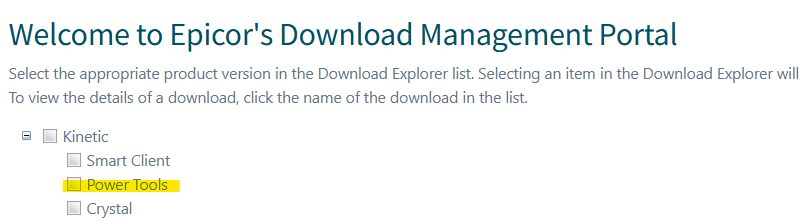
You need to go to Epicweb and download the power tools, I have no idea if the power tools version/patch is supposed to match with the version, release, and patch they are on… maybe @aosemwengie1 can answer that? In any case there is an install guide there for you when you click into that highlighted section below.
I would not bother with power tools. There is no need as the classic client is not gone yet. Not only that, they haven’t added auto update capability to power tools, it has to be manually reinstalled for every dot release.
That answers the question @guruzim, you have to update it with each release.
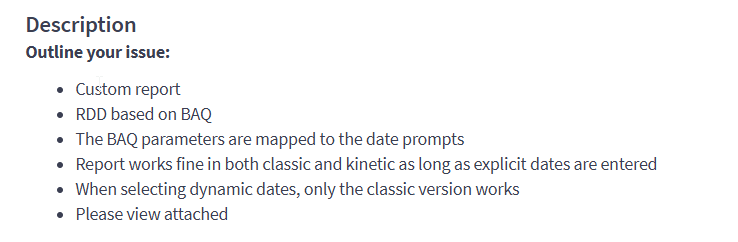
@aosemwengie1 another question real quick… was it you that was saying Dynamic dates don’t work on scheduled reports like when you schedule it with the task agent?
@utaylor is correct, go to login to Epicweb, go to Products > Kinetic/ERP > Downloads > Cloud, expand the Kinetic entry, select Power Tools. Click the version that matches your Kinetic version to download.
@aosemwengie1 is also correct, the “autoupdate” feature doesn’t work, so you have to go through this exercise every couple of weeks.
Even if you still CAN do it through the smart client, it is best to at least practice how you’ll have to do it going forward.
Why? They are literally the exact same dlls you are running through the client. The only difference is the menu (and the installation pain, which is supposed to be rectified in 26.1).
Both true. BUT the OP was that he didn’t know where or how to get it. Solve that problem first, know how to use it in the future (the installation is also something that will need to be done, and it’s different than installing the smart client), and THEN decide if between now and then he wants to continue with the smart client or get more familiar with the Power Tools. I also have an opinion on which I would do, but he can make up his own mind.
I appreciate all of the feedback from everyone, and your help. I use DMT once a month during my close, I will try it again next month and hopefully it works by then. otherwise sounds like I’ll want to install power tools the day I want to use it since it does not update - so I’ll try that after DMT fails. Thank you everyone.
Running DMT through power tools is no different than just . . . running DMT. There is no difference. If you are having an issue with the DMT load, using power tools isn’t going to fix it.