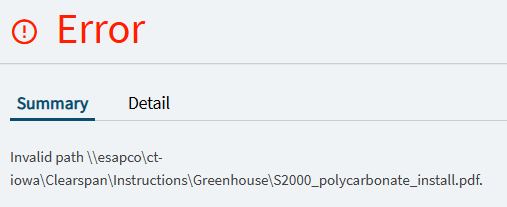
TLDR; Why did my DMT to switch from attachment links to file system documents not work? I can open it in File Explorer, and if I attach the file from scratch, Epicor adds it to the base URL file path (which is not the file path of 90% of our attachments), and it works.
How do I switch all of our attachments from links to server side? I was hoping I could do it with the ExtFileRef DMT template, but am striking out.
We’re deep into our quest to migrate from Classic to the Kinetic UI via the browser. One of our large road blocks has been getting attachments working from the browser, without the Edge Agent. With the good help from the Sharepoint Migration thread, we got sharepoint working, and then got server side file attachments working even easier…
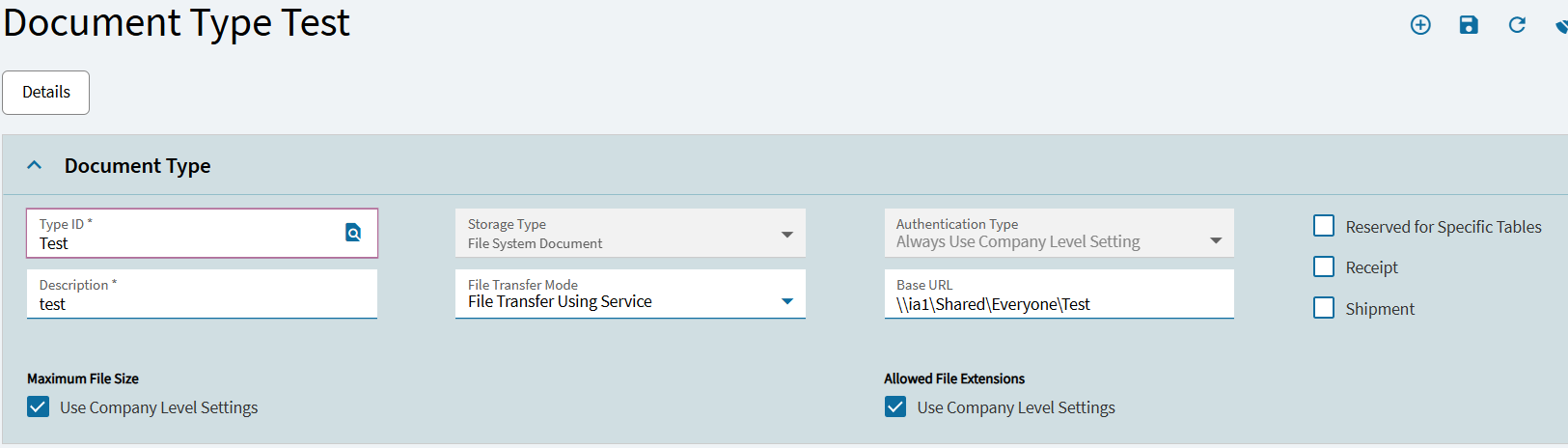
I can now attach a new file to my test customer via the browser, and open it via the browser as long as the Document Storage Type is ‘File System Document’ and the File Transfer Mode is ‘File Transfer Using Service’. Woohoo!
Our next step is to ‘fix’ hundreds of thousands of attachment link to work as server side links.
I took one attachment link file on one test customer, and with the Ext File Ref DMT template, changed the DocTypeID to ‘Test’, my File System Document type. Unfortunately, it does not open. I can paste the file path into the browser URL bar, and it will open the attachment. What am I messing up?
I suspect base file path has something to do with it.
Whoa! I never knew about that. Thanks - will check it out!
Update:
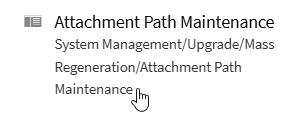
This seems to update the base URL for attachments that use that doc type. Unfortunately, our linked file attachments are all over the various folders, and doesn’t follow a consistent base url. It does look like a nice front end instead of doing DMT, if the situation worked.
In Document Type Maintenance, I changed an existing doc type from Storage Type ‘Attachment Link’ to ‘File System Document’, and then set the File Transfer Mode to ‘File Transfer Using Service’ (e.g. FileTransferMode = 1). This results in the error when trying to open existing attachments.
If you set up a new file server to store your file attachments, you need to change the base directory path to this file server. You can do it through File Attachment Maintenance. You update the base path for a group of file attachments that use the same document type, preserving the links your records have to these files.
Note that this app only updates the internal directory path to these files. It does not move these files, so you need to manually place these file attachments in the new base directory on the file server.
It sounds like your set up is not uniform, so there wouldn’t be any out of box logic that will fit your scenario.
You probably want to go the function route and tie directly into the Db object to do some read/writes here and build out your custom logic, iterate through each attachment, evaluate what action to take, and alter it in place appropriately.
You can set it up to do a mock run and not actually update (just output what it would do to console/log) - then fire it when you’ve got it right.
@GabeFranco - I think I get what you’re saying… Basically delete and then re-add each attachment. I was hoping we wouldn’t have to do that, but if that’s what’s necessary…
We should be able to do that with DMT (x 100k records - eek!).
Do you need to delete and re-add? I was suggesting to update them in-place vs. deleting. But if that isn’t an option, then yes. If the row stays in the same table with the same key, you should be able to update it in-place. (I’m not the most familiar with the layout of the attachment tables)
The logic would be something like
(create transaction scope)
(loop through each attachment record)
(look at the baseurl and determine how it needs to change to correct it, change it)
(update the record in place)
(end loop)
(Db.SaveChanges())
(close transaction scope)
Leave the Db.SaveChanges() bit commented out and instead dump out your resulting baseurls to log so you can build out your logic.. when it’s built out, uncomment savechanges.