In general I think I like them, but the stock pages are too slow to load and the datasets are often irrelevant to the user who will just go straight to search because the record they’re looking for is rarely in that landing page initial load.
Is it worth the effort to customize landing pages for a handfull of top screens? Do you use a BAQ as the data source? (Last time I tried that several versions ago it did not work well, hopefully it is more stable now)
We customize our landing pages and it works well for us. We use BAQ’s and adjust the DataView that the landing page uses. We’re Saas and currently on version 2026.100.9
Depending on the form, there can be a lot of value in customizing the Landing Page.
Instead of hijacking the stock LandingPage grid… I will typically hide it and then just create my own grid tied to a BAQ/Dataview. Seems to load quickly and I can add/subtract fields within the BAQ any time.
Landing pages are primarily “header” based information. So, Quote entry for example, you’ll see one row for each quote number. But, my users wanted to be able to easily search what part numbers were included in each quote. Using a BAQ and custom grid, they can now filter by PartNum in a column and see every time a specific Part number has been quoted, price, qty, etc.
In this case a quote number might appear in (5) rows… because there were (5) line items on that quote. But the users don’t mind this.
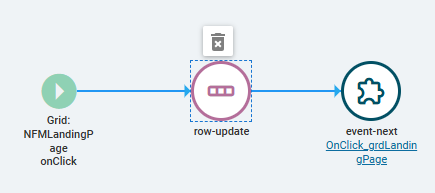
I still only use the quote number as the “linked” column… and onclick of that column/link I row-update my BAQ’s column’s QuoteNum value to LandingPage.QuoteNum and then event-next with the native onClick_grdLandingPage event… so base functionality takes over from there.
What is your philosophy behind the BAQs you’re making?
My thought is to guess “what is the most likely record a user is trying to get to” and try to get that to return in the default BAQ landing page load so they can click it right away without having to search. So things like recently entered quotes/orders, maybe adding in some filters against the current user (e.g. the user’s Purchase Orders where they are the Buyer, etc.). But for something like Part idk what to do.
Yeah, pretty much get out of the dev mindset that Epicor seems to have of “Just return anything so I can test my code” and get into the users and and figure out what they would be looking for.
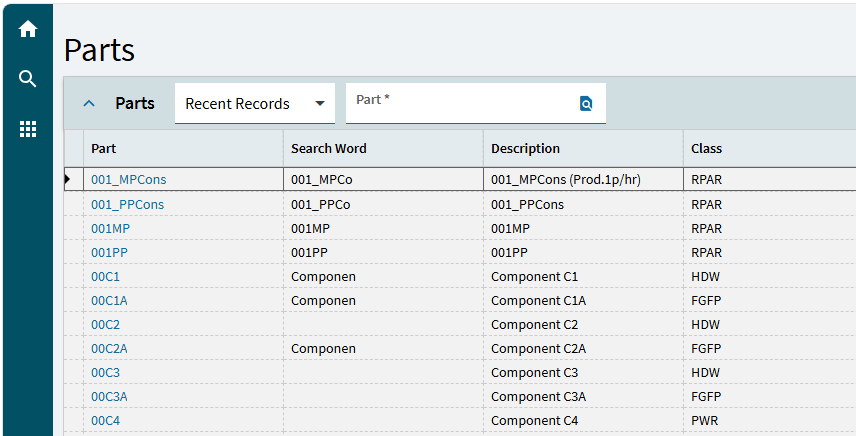
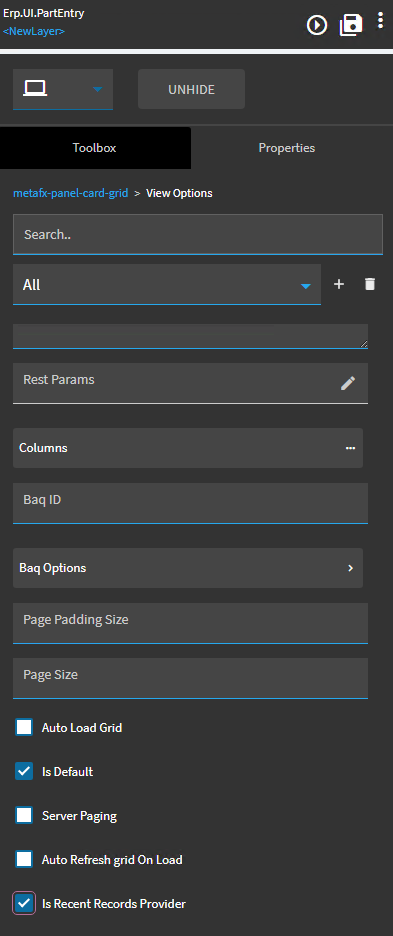
Not always what the user might want, but it’s a start. I’m not sure if it’s wired up or not. In the Panel Card Grid | View Options, there’s a place to check if the view is marked as “Is Recent Records Provider”, which I assume means it will record parts retrieved and stored by the user ID.
One really good basic reason is to re-enable filtering and sorting. Where it’s disabled for some fields on stock datagrids, it’s for good (for contextual definitions of ‘good’) reasons. Some stock datasources struggle to deliver data at all and can’t handle applying a more than trivial filter or sort. I’ve never encountered the same problem in BAQ / SQL datasources, and they get the data to the client 10-100x faster without worrying about performance tuning.
Taking the opportunity to prune out duplicated or irrelevant fields can also reduce transfer volume substantially. Even ‘always empty’, ‘always hidden’ fields carry significant metadata and grid structure baggage.
Hidden datagrids can still load their data and do presentation things with it, so I feel like it’s worth mentioning that telling it not to can improve performance.