Hello,
I have exhausted much of my resources in attempts to create a new ‘custom’ JSON web service datalink in DocStar without success. At this point I am trying to get any Epicor API call to work, even one which requires no params and just returns data, Eg. Erp.BO.CustomerSvc. I am new to all of this so I don’t quite understand how these work. From my research it appears as though the DataLink Connection configures the…connection…and importantly holds authentication information and the DataLink lower on the page is the call itself. I don’t know what is required/optional in these calls to get them to work properly and am unable to find documentation which explicitly states what’s needed. Below I have included what I currently have configured for my Customers example.
I have reached out to DocStar support and unfortunately, they only had a single, very old, document which didn’t provide any help. Additionally, I have looked through EpicWeb and EpicLearning with no great information here either. I have also gone through some of the resources here on EpiUsers which has been quite beneficial but many of the discussions have been overly complicated for what I am trying to achieve or are a bit dated.
Again, just looking to get anything to work so that I can dissect it and really understand the how so that I can move on to creating more complex calls.
Does anyone here have any good documentation on JSON Web Service DataLinks that they can provide or maybe a simple example (which would be amazing)?
DataLink Connection:
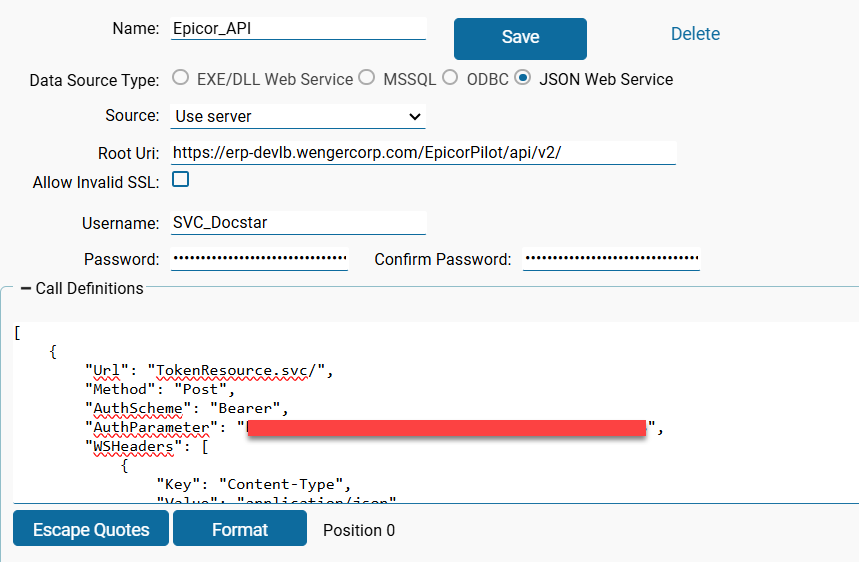
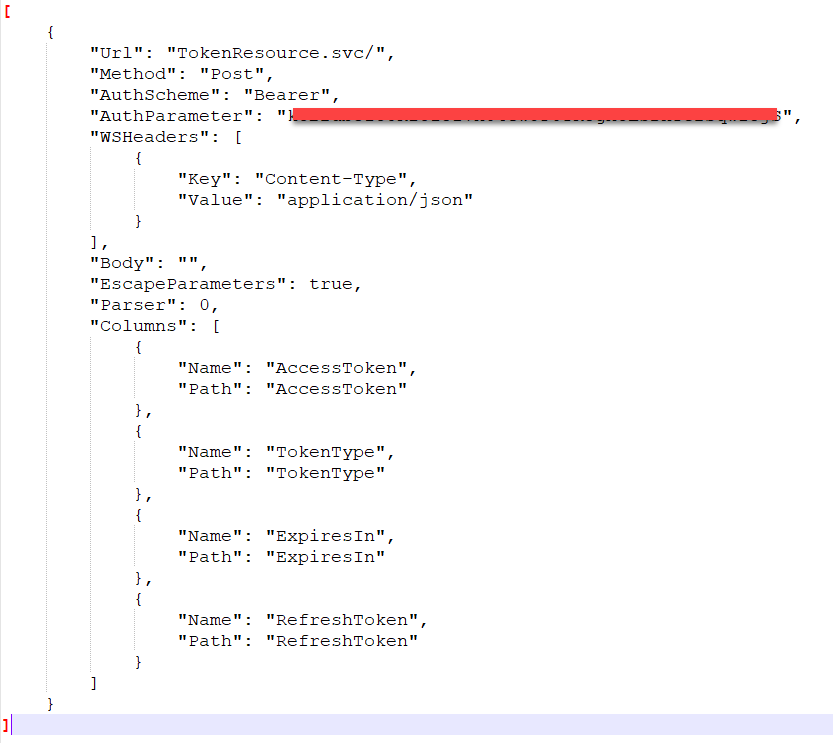
DataLink Connection Call Definitions:
DataLinks:
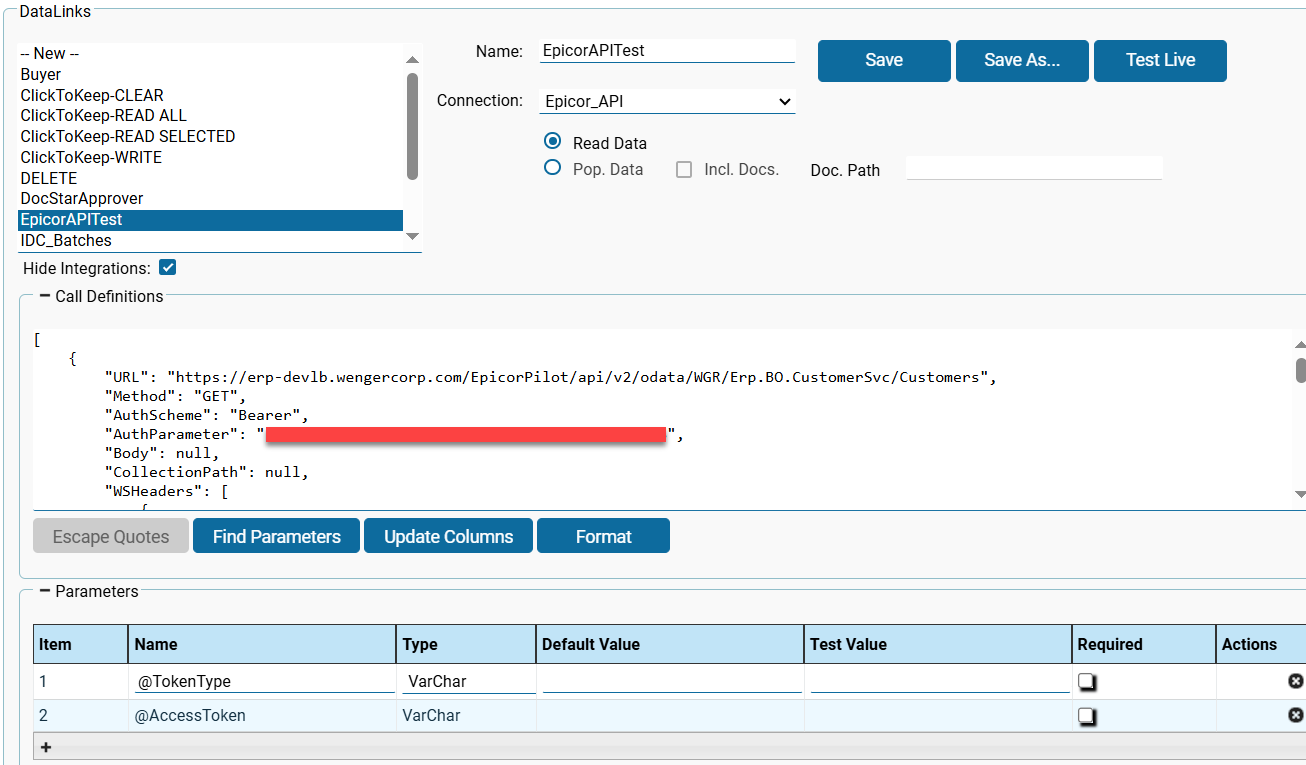
DataLinks Call Definitions:
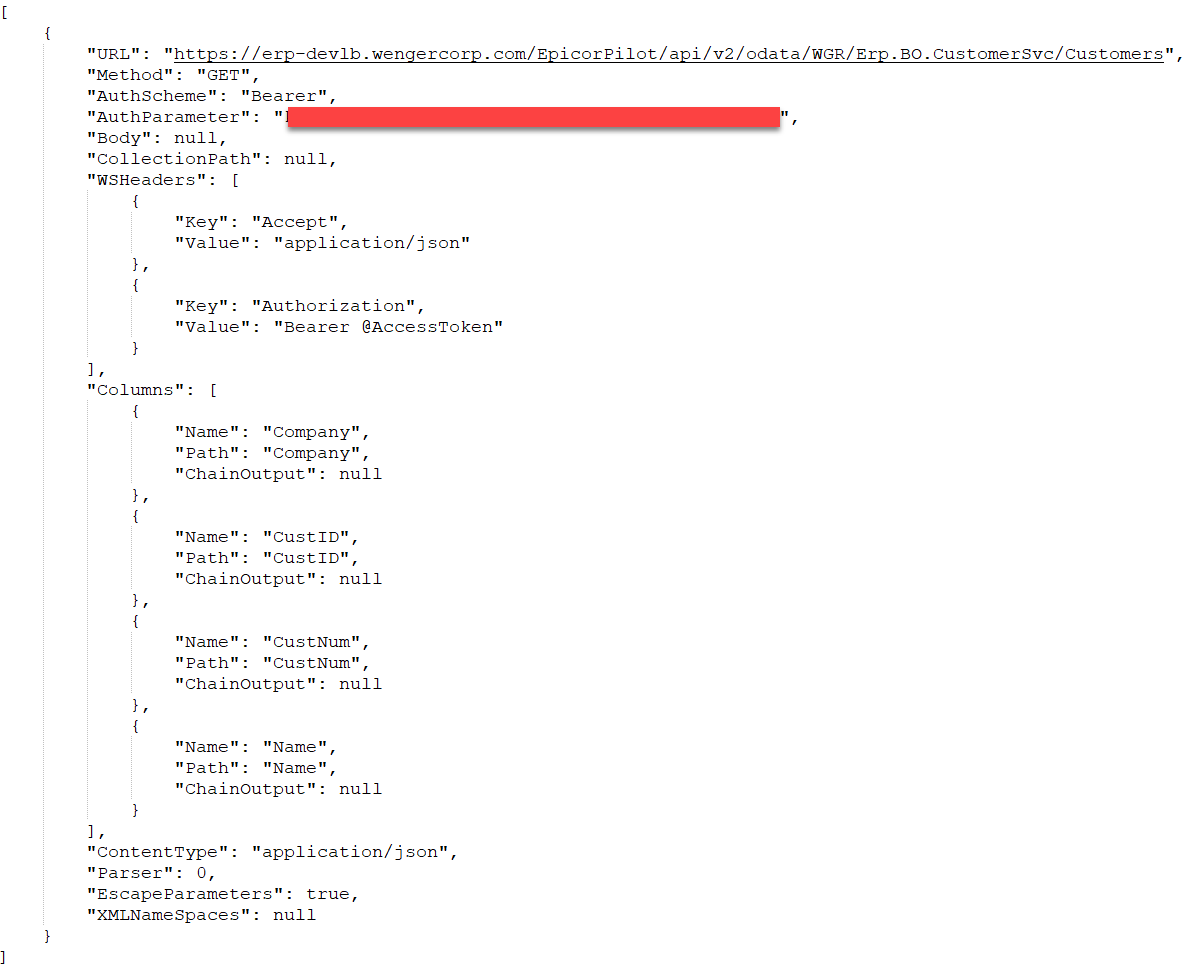
Error when clicking Test Live (The only error that displays after making any changes): “Misused header name. Make sure request headers are used with HttpRequestMessage, response headers with HttpResponseMessage, and content headers with HttpContent objects.”
As usual any help here is greatly appreciated. Thank you all in advance!
Brandon Kveene