I am creating a bunch of Kinetic dashboards as we prepare for the inevitable classic to kinetic transition and I have just one thing left. Dynamic dropdowns. I know how to be able hard code a dropdown through a combo box and have that bring up a result, manually writing in each option, but when I have a dropdown that I want connected to a table that has tens of hundreds of options I want to be dropped down as searchable options, I am lost. Does anyone have any insights or tips on how I can give a combo box the option to be linked to something like that to give the user many drop down options? Thanks.
Create an empty dataview, give it a name. Set the combobox up to pull the data from the dataview like this:
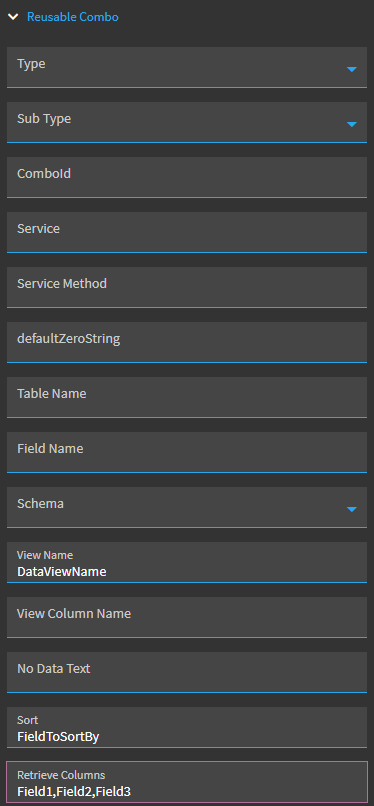
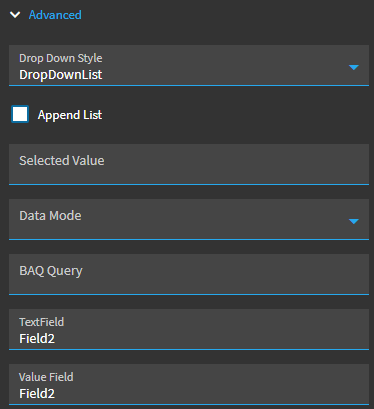
Now, get rows of data into that dataview, each row will be an option in your combo box.
You could do this by using a kinetic-baq widget to pull data into that dataview, for example. Just ensure that it’s pulling in column(s) that your combobox is set up to read in the resuable columns section. You can pull in multiple columns if you want your combo box to have multiple columns.
2 Likes