I’m working to implement EKW in the Warehouse. We want to use Material Queue to complete Inventory Move transactions. We’d like to be able to scan the barcode for the Part Number. We have the scan of the Part Number set to be required in Outbound Order and are trying to do the same in Material Queue.
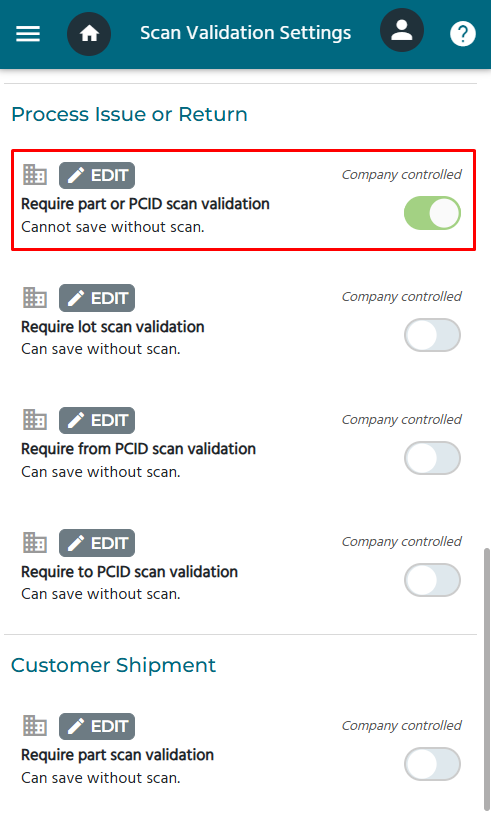
It’s been a little while since i’ve had EKW in front of me. Anything in Settings > Scan Validation?
What sort of transaction did you want to lock down exactly, STK-STK? MFG-STK? PUR-STK? It may facilitate some inventory transactions but i don’t recall a STK-STK scan validation on Part existing.
Last I checked Material queue should do that automatically though if you have increment scanning turned on it will do that as well. We created package codes so that the scanning went in box quantities instead of individual pieces.
You might want to look into the barcode. It’s been a long time since I’ve looked into this but I think the barcode needs to be a certain barcode style and be encased in asterisks.
Answered the first time without enough caffeine…I thought you wanted to force the Part to be scanned.
If it’s just being able to scan a barcode in the Part then yes, this should work out of the box.
Download Data Works Bar 39 font to create the barcodes and wrap up the data in asterisks as advised by Max.
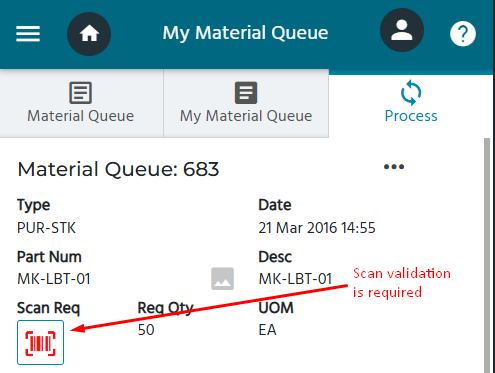
Scan Validation is where you are forced to scan a field before the transaction can be saved.
Part Scan Validation is not available for material queue transactions. (It is available for customer shipments though.)
If you are simply trying to scan an existing barcode when using the material queue, that should be an out of box. EKW is compatible with Code 39, Code 128, QR, Data Matrix and more. If your device appears to be scanning and it’s not registering (common with Zebra devices), you may need to configure the data wedge.
If your barcode contains multiple pieces of data, for example, a part number and a quantity, you need to set up your scan templates.