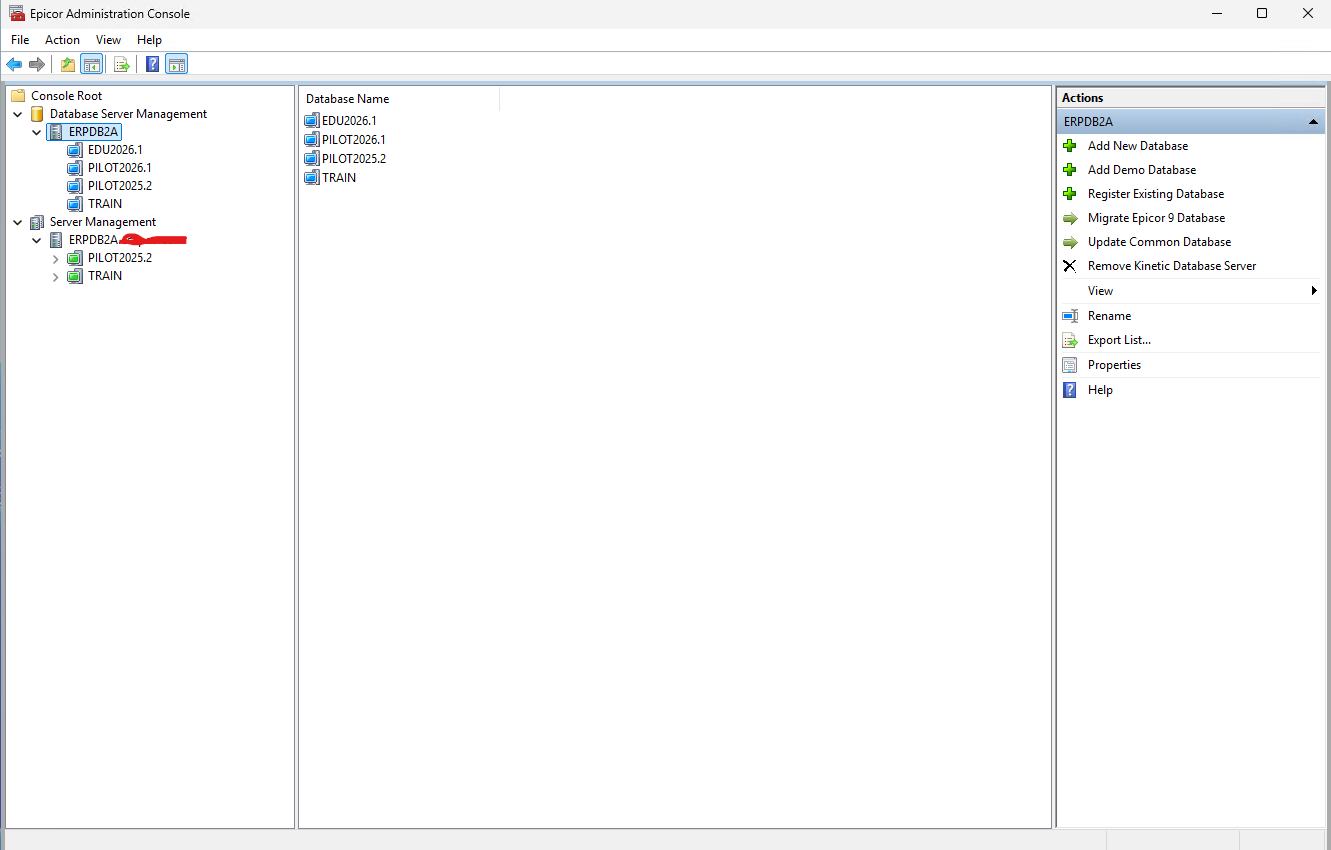
We were uploading / tweaking our EOM database for the Finance department and when I remote into our server, and open the Epicor Admin console, the EOM database does not show.
Despite it not showing I have already been able to access and reach the refreshed EOM environment on my PC successfully.
I have two main questions:
Why would EOM no longer show in the Admin Console. We do not normally need to reregister the App server. Also our admin is on vacation and I’ll be responsible for fixing, so any advice or gotchas appreciated!
Is there a need to hold off finance from getting in there? Company config settings is 'Is LIVE; is unchecked but we cannot access the ‘Production Status’ in EAC. What is the difference?
You have to be connected to make a change in EAC, but if you can see the Set as Production the app server exists. What happens when you do Connect to Application Server?
Do you date your EOM in the company name so you are sure it is the latest?
To my understanding I cannot Connect to Application, EOM suddenly does not exist an option in EAC. However it otherwise appears to have been refreshed and is otherwise accessible for the end users.
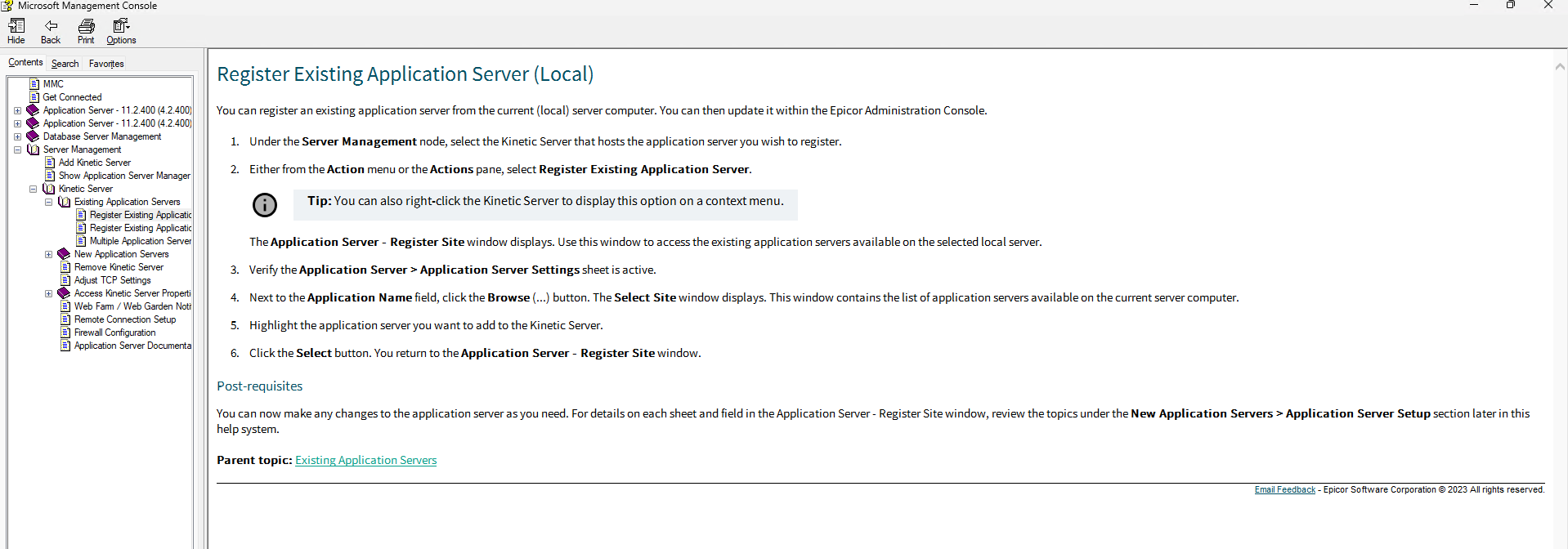
If you right click the server under the server management node and choose register existing.
then on the app server configuration panel that shows I believe it is 3 dots / button to the right off the instance name. That should give you a list of instances on that server. If it is there choose it and then click register.
Thanks Ben, I was able to follow these steps and add it to the list. It looks like EOM is missing from the Database Server Managmement is that a problem?
Also to @gpayne point I was really suprised to find that the environment was accessible to end users but not registered. Do you know why that would be?
Same thing for database management. Although you also have to point it to the server files location for the version.
the admin console is only for administration. It does not have any influence on the environment running. That is all handled by IIS and the web server files location.
it could be that the admin console configuration files got corrupted. Or I see that you have a db registered indicating 2026. Therefore the EOM environment may have not been imported to the updated admin console from the install of 2026.100.
with that second point in mind when registering an existing environment ensure you select the correct version on the admin console extension version window that should pop up if you are managing multiple versions on one server.
the admin console is only for administration. It does not have any influence on the environment running. That is all handled by IIS and the web server files location.
Good to know, thank you!
Now that you mention it I do believe my colleague had to redownload the Admin Console as part of a troubleshooting step for a .net10 error on the 2026.100 environment.
Just havent been in there since to know whether everything was reregistered nor do I have any experience in actually registering any of this stuff before.
Was a fun Monday morning brain teaser and I appreciate both you @gpayne for the assistance!