Where do I find the FOB setting. Currently its set to Dest and I need to change it but I am not seeing it at all at this point.
FOB should be on the Customer Maintenance form under the Billing → Detail tab. This screenshot is from 2023.1 but my training docs from 10.2 say it should be here as well.
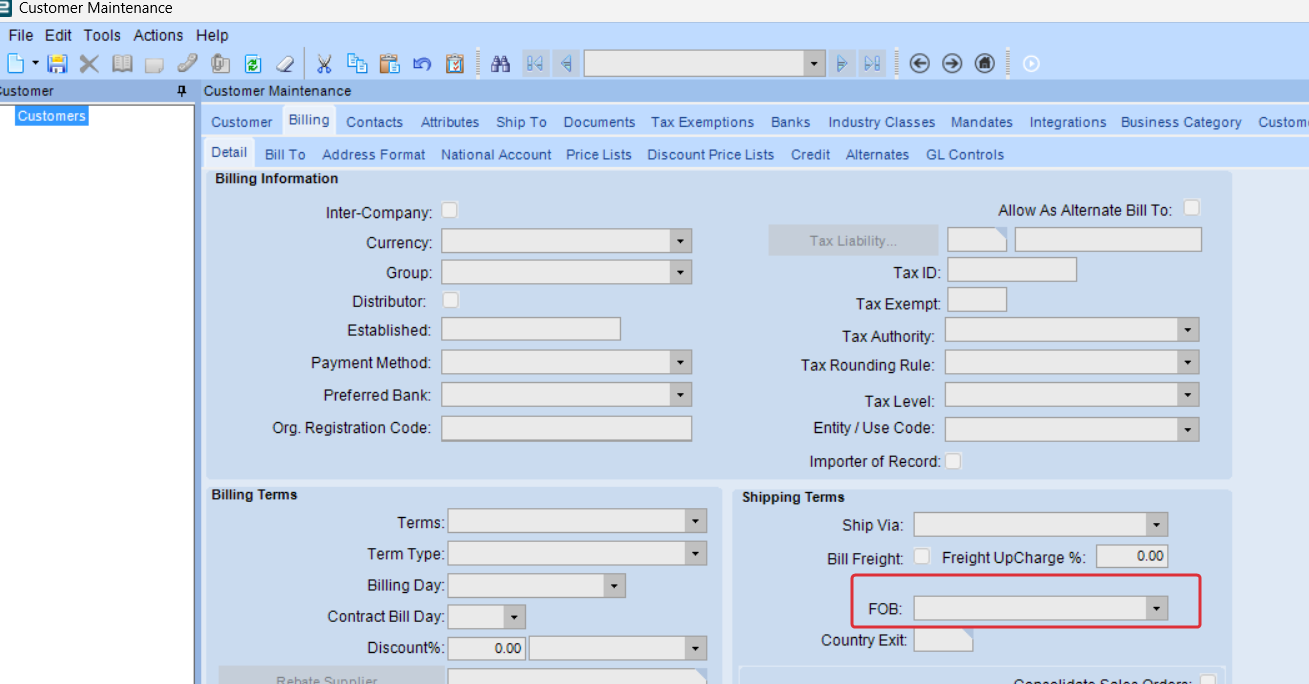
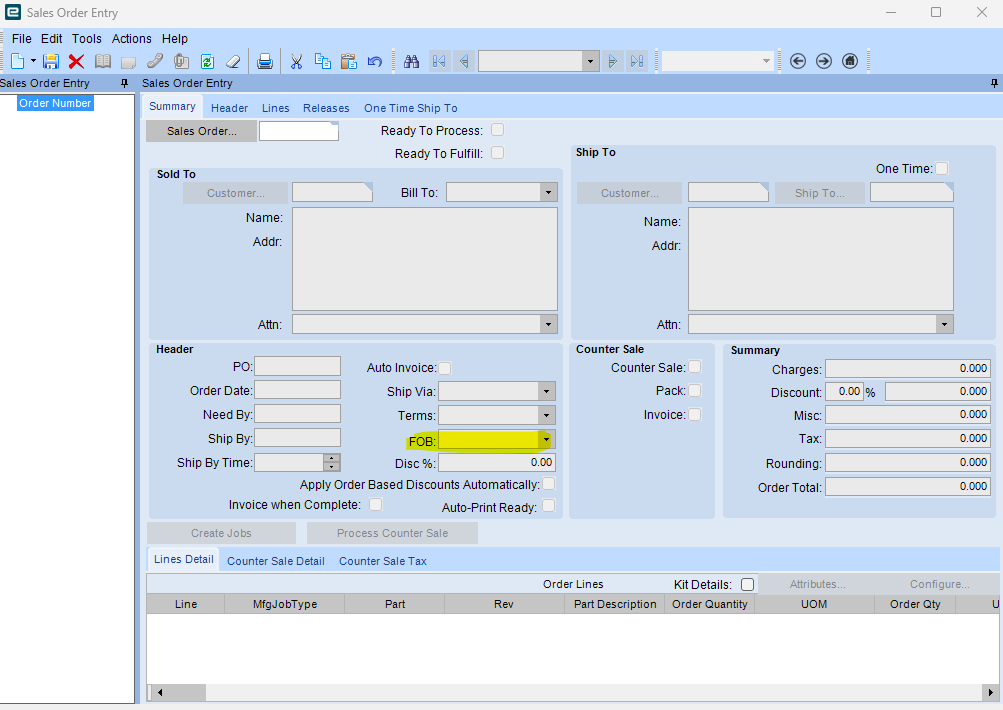
Am I correct in thinking that Epicor 10 does not default to any thing here. I was asked to clear this field as currently we see DEST on our documents
I don’t see a default under company config or anywhere else. Here is what the help states about FOB maintenance.
“Use Customer Maintenance, Supplier Maintenance, Sales Order Entry, and Purchase Order Entry to select FOB codes. The selected FOB code defaults in AP Invoice Entry and AR Invoice Entry”
1 Like
Hi Michael,
You do not have to have a value in the DefaultFOB field on the Customer. Any value that is set here is defaulted into the FOB on any sales orders for that customer, though it can be overridden.
I can’t see a Company or Site wide setting anywhere for this.
Many thanks,
Nathan
1 Like
[quote=“ServantOMallard, post:6, topic:131327”]
Def
Thank you Nathan,
I am trying to see if we do have a default selected. Management doesn’t want one selected. My problem is I cant find where to even look to see if one is being defaulted.
If you have access to create BAQs, you should be able to fire up a quick query to give you the list of customer IDs and names with a DefaultFOB value set:


Many thanks,
Nathan
Is the FOB a global field or per customer field?
There’s no company or site-wide setting that I’m aware of. It’ll be per customer.
Is it possible they have a template setup that has the fob=dest. I see 106 customers with this value set as dest but the user says he never selects that. I am told that it auto populates. On what form will I find that field.
We have a BPM that sets ours… Maybe you have one too?
I ran a query and I dont see any customers with a Default FOB set. Everything comes back blank.