When upgrading ECM(docstar), does it need to be the same base version as Epicor (24.x / 23.x) or does that not matter? We are currently on 22.x for both Epicor and ECM but are planning to upgrade both and need to know if this is a factor. Thank you!
My is on premise solution for docstar. We have intention to upgrade as well but i do not find any guide on the upgrade although i downloaded the latest version.
Are you able to share how to go through the upgrading process?
Depending on the version you’re currently on, there may be a need to upgrade to a less recent version before finally upgrading to the latest version. There is documentation of when this is required on the download page for ECM within EpicWeb. (It has to do with the Solr indexing)
Regardless of the versions, the upgrade should be as straightforward as running the installer. It will recognize your current settings for your current version and use those for the upgrade. My recommendation would be to download and run the offline installer as this has proven to be much more successful. It also includes all of the separate installers than run for all of the components, in case something goes amiss. The most common issue I have seen is that the installer completes, but the services don’t get installed. With the offline installer you can navigate to the folder and run that installer separately, which has always resolved this issue for me.
Agree with @vleveris. I do mine now at almost every patch level and it takes about 10-30 minutes, depending on what the upgrade entails. The IDC upgrade is about the same as well.
I usually tell everyone I’m doing it at 4pm on Friday afternoon. I RARELY get any grief about it.
If you’re on prem, I would suggest running it as a VM and snapshotting it before the upgrade - I’ve had a few oddities over the years and needed to revert to resolve them.
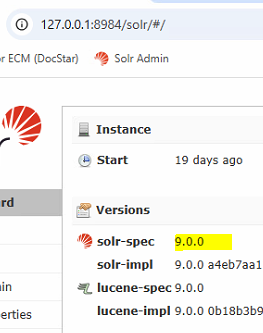
The thing you need to determine is the solr version and take the steps in the thread below and uninstall solr and remove the solr folder and reindex if you are below 9