We are gradually switching our users across to Kinetic UX screens, and have come across an issue when entering the segment value into a bank adjustment entry.
Note: our segment values contain spaces. I personally dislike any form of ID having spaces at all (vote here but they were set up sometime ago so we need to deal with it for now.
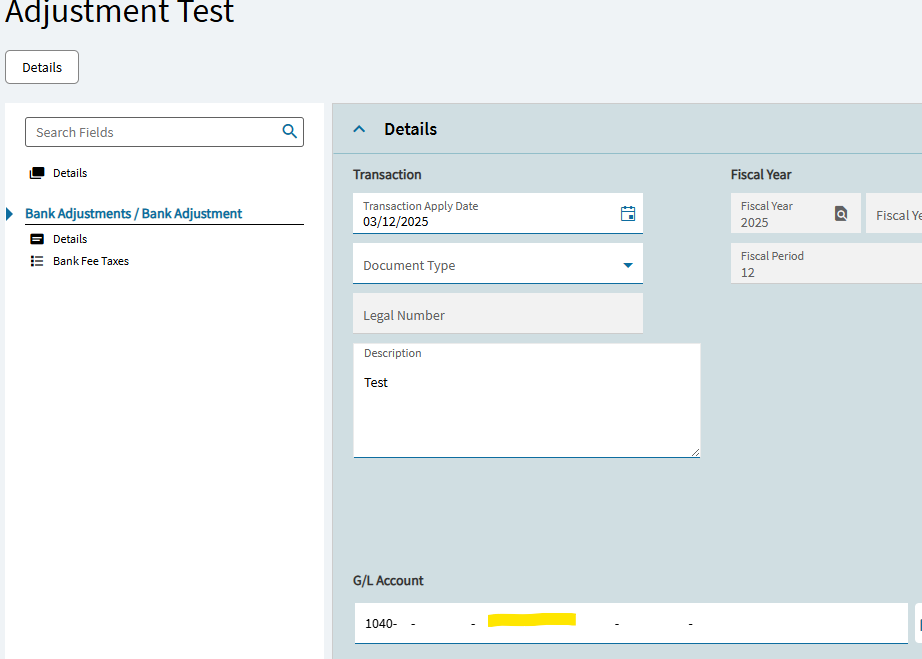
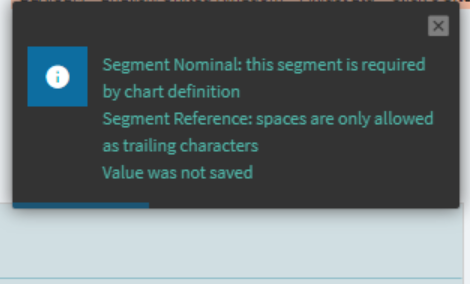
I’m trying to type a segment value as below (and also tried the grid view equivalent) and it doesn’t allow you type a space, apparently this was possible in Classic.
This is despite it allowing you to select a segment with a space in the middle, and also allowing you to still create new segments with a space in the middle (which then subsequently fail).
Does anyone have any ideas or workarounds for this? Maybe its fixed in newer versions (we are 2024.2.17) or do I need to tell our Finance team to re-create all the segments without spaces…
I’m making an assumption here, that Epicor is/has converted “spaces” in your GLs to NBSP’s (non-breakings spaces).
I know this is a pain… but try entering your value, but in place of your “space”… press Alt + 0160
So, hold Alt and type the numbers 0160 then release alt.
This should insert a NBSP. You see this all the time in browsers when you see
Anyway… test that and see if it your system takes it. That at least helps identify what’s going on. My guess is that Epicor is showing a space when you search and load a GL, but its not actually a space. Its a NBSP (which appears the same as a space).
For everyone’s sanity and future ease of use… this might be the best solution. Could try using underscores or dashes instead (if they’re supported in segments).
But, I would first try the test above and see if it will accept the NBSP.
If it does, there is software out there, like AutoHotkey (free), which allows you to program a NBSP to a particular keystroke like Ctrl + Alt + Space… or Shift + F6, or the like. The AutoHotkey software just runs a script in the background so, when you type your programmed hotkey like Ctrl + Alt + Space… it actually types Alt + 0160 for you.
I tested Alt + 0160 and it does work to insert a NBSP into a Kinetic textbox.
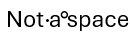
If I copy/ paste that into Word and turn on hidden characters, it shows as this:
The first space is a typed space… the second (between “a” and “space”) is the result of using Alt+0160. They appear the same in the textbox, but you’ll need to see if that is the character Epicor/Kinetic is using in your acceptable segment values.
Perhaps you can copy one of your working segments which HAS a space, and paste it into Word. Then turn on your hidden characters to see if it an actual space (appears as a black dot) or something else:
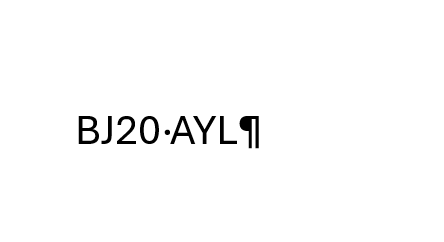
I’ve done some testing and it looks like it is an actual space, not a NBSP. I tested first using Alt+0160 but it didn’t add a space (or rather a NBSP that looks like a space).
I then copied an existing one and pasted it into word and it displays as below: