I go the same error as Randy on a slide out after the 2025.2 update today. It dropped the Kinetic customization layer. After adding it back, issue resolved.
2 Likes
Is this in the browser or the client? I can get it to work in the browser but not the client. Trying to avoid the browser as they still don’t have functionality for multiple machines on the same user account. I have visible menu items for each item, recreated the layers and even the menu items. Still nothing.
Update: This is purely related to slide-outs I now have it working with a new window.
Update-Update: Kind of working.
1 Like
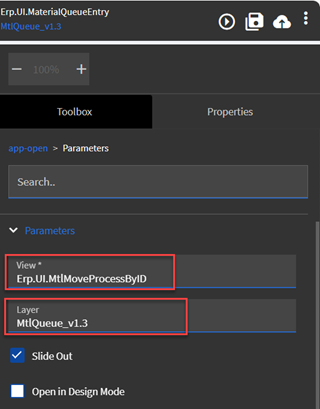
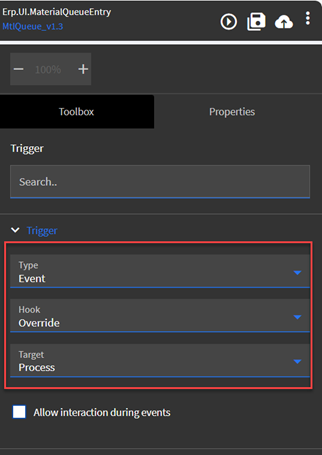
In our case we had to set the Menu to the Layer and in App Studio in the AppOpen, I changed from the MenuID to the Application name and set the layer name. Also I had to set an override at the start of the Event since there was a previous event triggering the stock Process event.

2 Likes