Event to Populate a text box from after a combo box

I have the combo box that is populated by a BAQ from a UD04 table for the column key2, However, I have a column in the BAQ character01 that I also want to populate in another textbox once a selection has been made in the combo box. So the flow is as follows.
When I select a value from the combo box drop down, I want the corresponding value in the character01 column of the BAQ to be populated into a textbox That I created.

Thanks

If you want to reference other fields, my recommendation is to have that data pulled in to a dataview that you can then call with a dataview.column binding.

You’ll need to change your combobox to be populated from that dataview. When you make a selection, you can then setup events (probably a variety of ways) to use the selected value of your combo to identify the correct row in the dataview and then provide the value of your Character01 column.

Here’s a quick/dirty example:

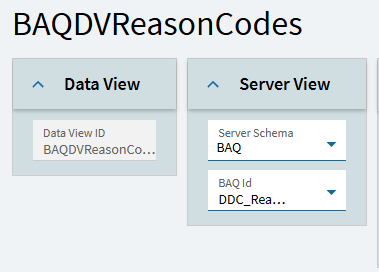
BAQ DataView (I’ll use Reason Codes as an example):

You need an event to populate that dataview… I’m just going to use a button click for simplicity sake.

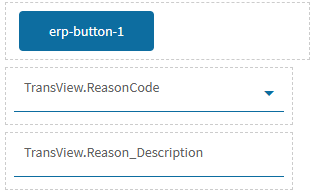
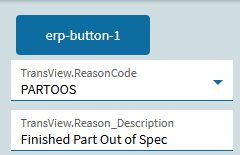
So, my form has a button (just to call my BAQ and populate my dataview)… a combobox populated by that dataview (but bound to TransView)… and a textbox to show another value (Reason_Description for example):

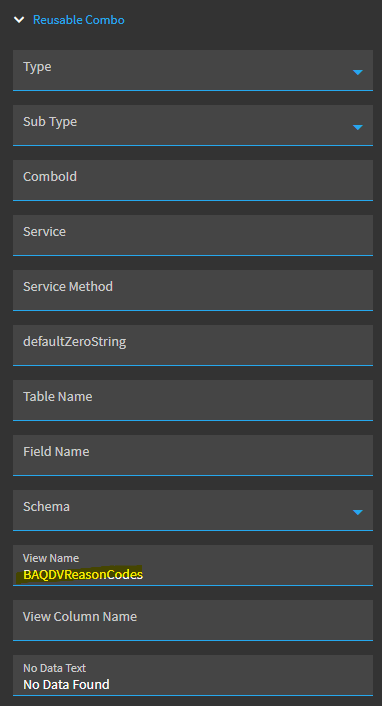
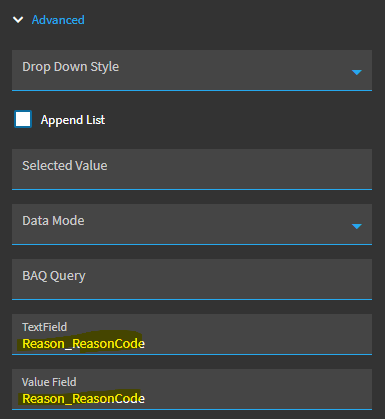
My Combobox set-up is super simple… (3) settings:

I tie it to my BAQ Dataview:

And I declare Reason_ReasonCode as my Text and Value Field:

That’s it!

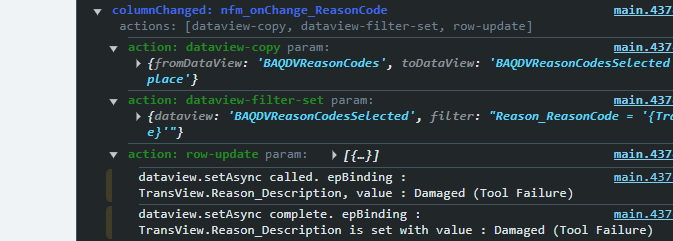
I then have an event that fires when I make a selection of my combobox. There is probably 10 different ways to do this… but this sequence works for me, so I generally do it this way:

First… I create another dataview. You used to be able to just create dataviews on the fly for things like this, but as @klincecum previously noted in another thread, this doesn’t seem to work any more.

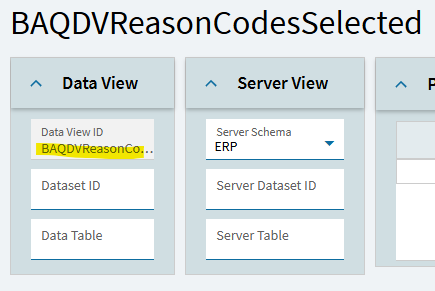
So, I create a new dataview called BAQDVReasonCodesSelected. All you have to do is create a dataview and provide a name:

Then, here’s my event…

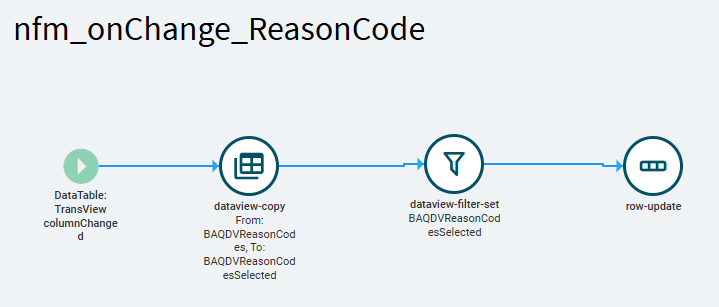
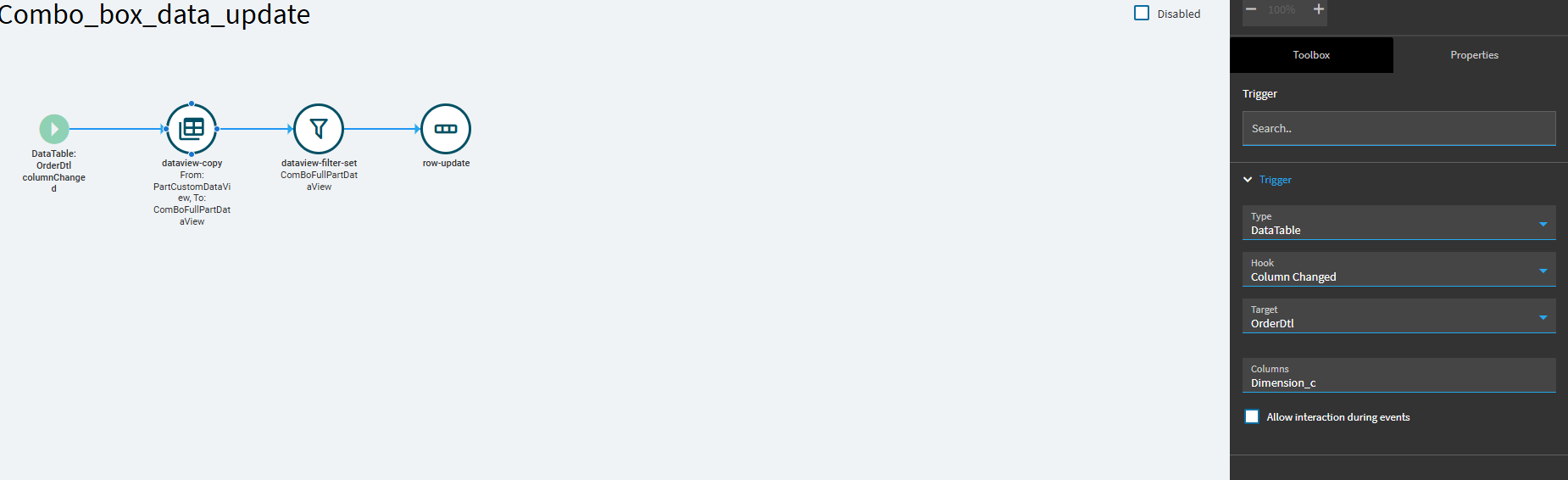
When I make a selection in my combobox (bound to TransView.ReasonCode), I need my event to fire. So I use a trigger of Data Table, Column Changed, TransView, ReasonCode

I then perform a dataview-copy… I copy my BAQDVReasonCodes dataview to my new dataview BAQDVReasonCodesSelected.

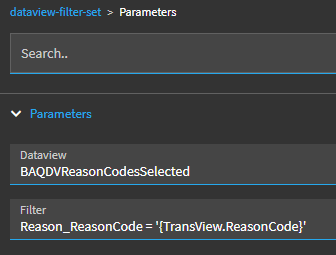
I then filter THAT dataview:

Now, the only row in my dataview is where my selected TransView.ReasonCode value matches the Reason_ReasonCode value in my BAQDVReasonCodesSelected dataview.

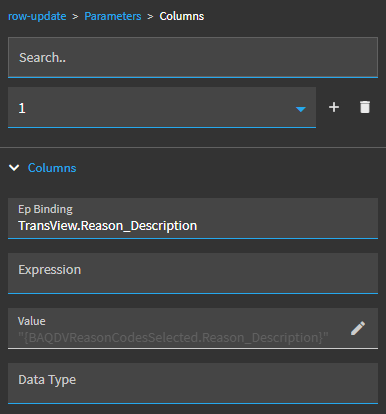
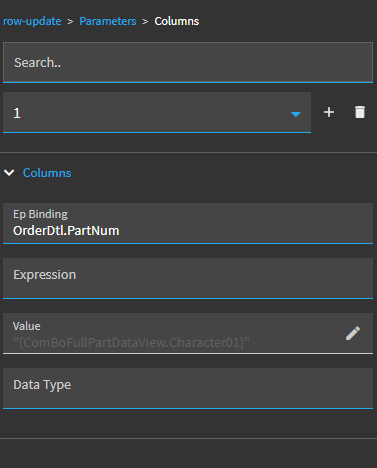
I then perform a row-update to set TransView.Reason_Description to the value of BAQDVReasonCodesSelected.Reason_Description.

Result:

My combobox is populated by my BAQ dataview… but is bound the TransView.ReasonCode… that value is set when the user makes a selection.

My event copies my BAQ dataview to another, which I can then filter (without botching the original BAQ Dataview) to a specific record based on the value of TransView.ReasonCode…

The event then row-updates the Reason_Description value of that dataview row to TransView.Reason_Description.

~*~

It sounds like a lot… but it took longer for me to write this post then it did to set this all up.
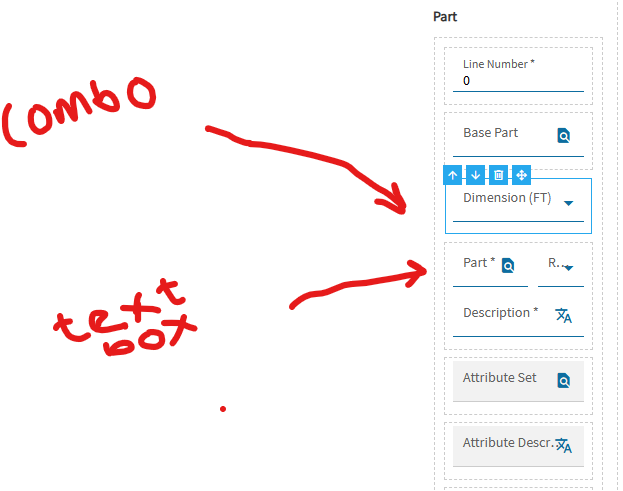
Wow,
Thanks very much, so this will not work with my combo box being filled with the BAQ directly?

Not directly. The combobox is populated by your BAQ… but the returned results of the BAQ aren’t stored anywhere.

Only the text column and display column are used (for the most part). Even if you added a column to your returned columns… you can’t reference the value using a binding like MyComboResults.Character01, so there’s no way you can reference it elsewhere in the app.

I suppose you can keep your combo directly linked to a BAQ… but you also need a dataview supplied by your BAQ as well.

There shouldn’t be any issue having them independently referencing the same BAQ.

But, if you want to reference other columns, outside of the combobox, you need to pull that data into a dataview.

Thanks very much boss,
I will implement this and will let you know the outcome>
Thanks very much

Hi Boss, I am back again.
So like we discussed, so the full aproach here is that I have a text box field which when I do a search and select the value, the Combo box returns values from another column that match that value into the drop down of the combo box and I achieved this using the BAQ I told you earlier. so now I want it that when I make this selection from the combo box, I want another textbox to fill with that the value of the Character01. so my question is this, must I make the Combo box get data from the dataview or can I just use as it and probably create anoth dataview to populate the text box.

Should be able to do this, yes.

Your dataview can be supplied by the same BAQ, but you’ll have to trigger an event to populate this dataview.

You’ll then need to have an event to find the correct row in the dataview to provide the desired value.

You can use the same approach I detailed above, if you want, where I showed an event that copies the dataview into another, then filters it. Then you’ll only have one remaining row in the “selected” dataview so your end value should be correct.

Pitch Perfect Reaction GIF


for the filter field, I am confused how you got Reason_Reasoncode


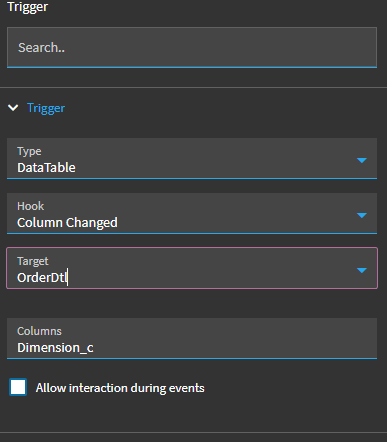
Is this correct as the trigger since the drop down is bound to orderdtl.dimension_c?

Reason_ReasonCode is just a column in my BAQ.

My BAQ Dataview was BAQDVReasonCodesSelected.

I wanted the filter to find the row where Reason_ReasonCode = my transview column value.

Yes, that looks correct.


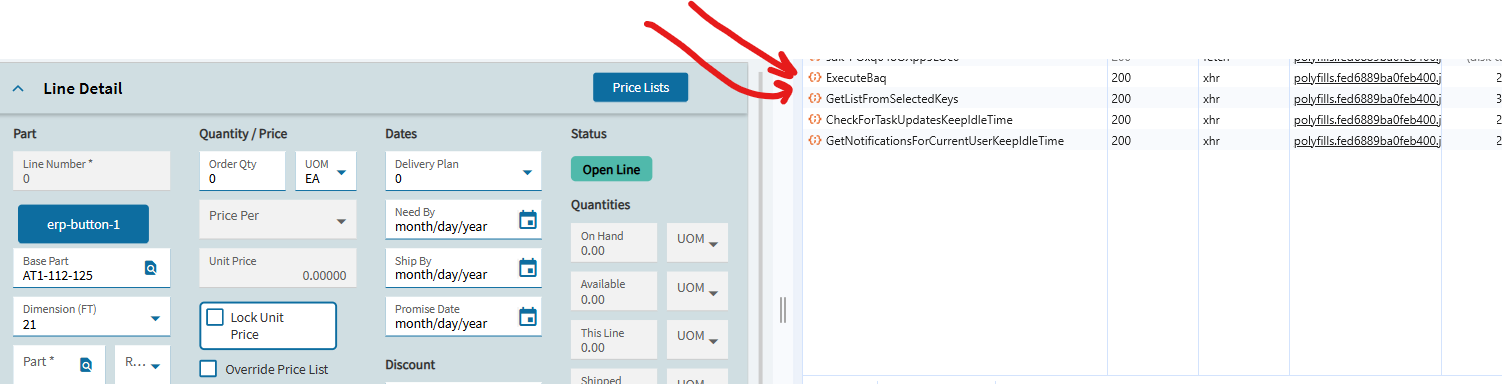
But I noticed in the developer tool that nothing fires


and this is my row update properties

Can you show the bindings of all (3) of your controls?

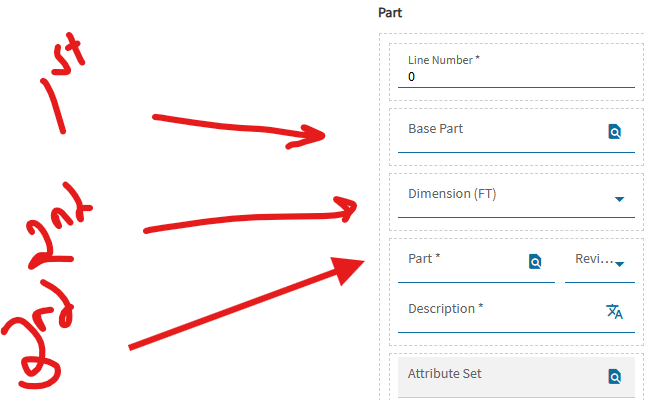
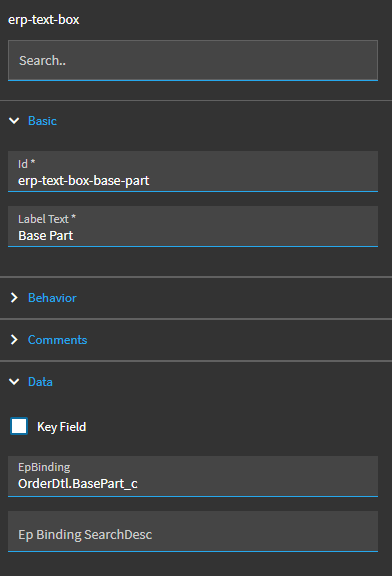
Base Part (Textbox/Search)
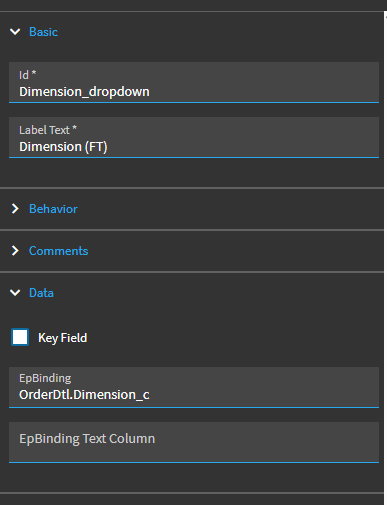
Dimensions ComboBox
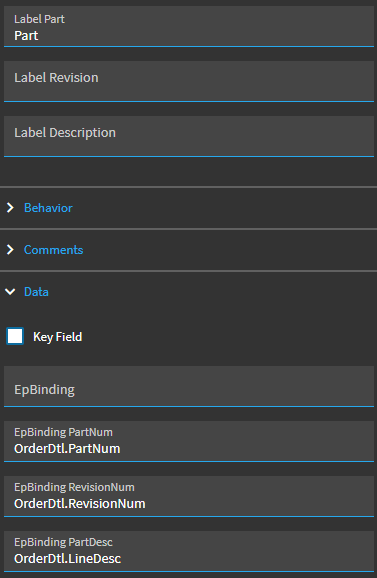
Part Search


Base Part

Dimension

PartNum

So, just to walk through…

Your BasePart search is working and the value is displaying. (Bound to OrderDtl.BasePart_c)

Your combobox (driven by BAQ is working) and you can make a selection. (Bound to OrderDtl.Dimension_c)

but when you make a selection… you don’t see your event firing?


Yes boss, so you see the BAQ for the BasePart and also the dimension is populated accordingly and after that, no fire ups again.
I am suspecting if we need to change the event trigger

You may not see it in the Network tab of debugger. The event is doing work locally, not sending/receiving with the server. Can you see your event firing in the Console tab?

Here is mine firing, as an example:

Nothing is firing in the console Tab