found it, great discovery for me today 
1 Like
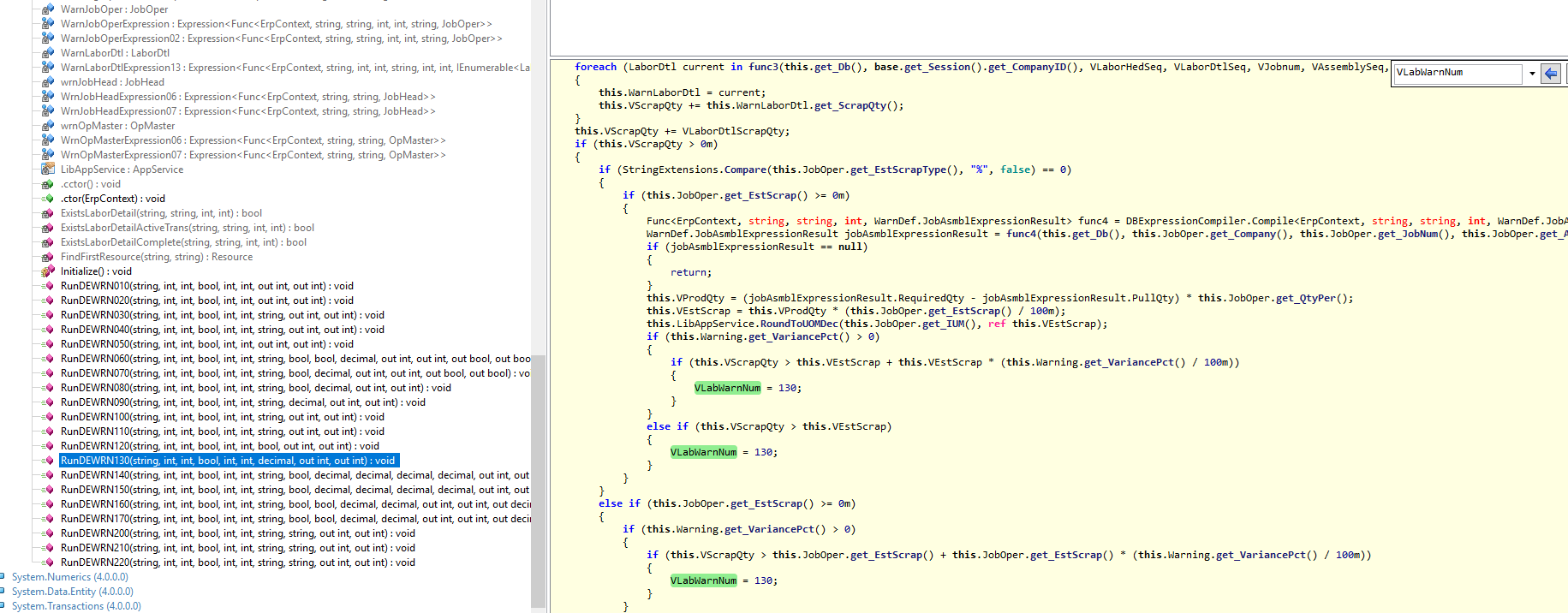
fortunately, i am working on similar project functionally Quality team want to be alerted at specific Job Operation, so i have done some test to investigate how Epicor is running its alert withregrad to scrap -this include checking the code that @Chris_Conn posted- as an example which is your case, the results are:
Epicor is calculating the allowed scrap qty based on JobOper value % or qty, and when the total scrap of this specfic operation exceeds this % or qty, the alert no.130 will appear as per your setting on ShopWarning, in my test (Operation required Qty=105, allowable scrap %=5 which = 5.25 unit, so at the fifth labor transaction which exceeded this qty, the alert appear
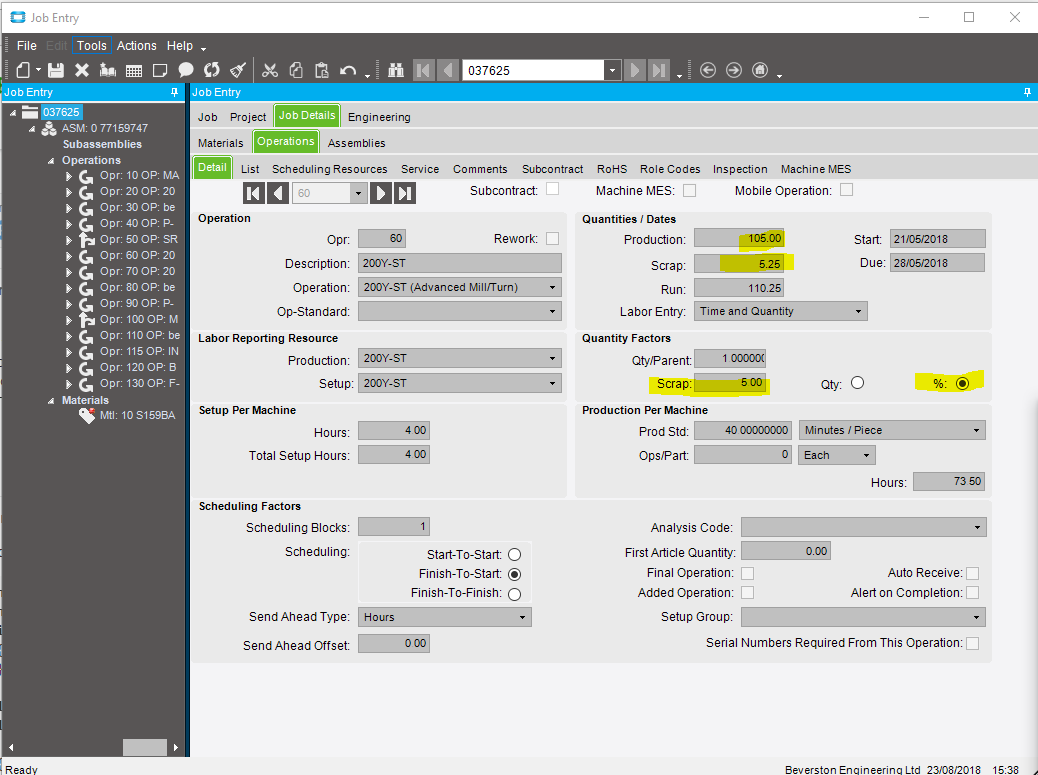
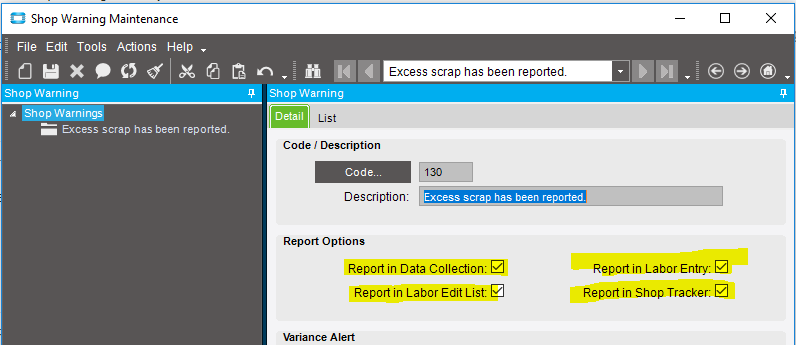

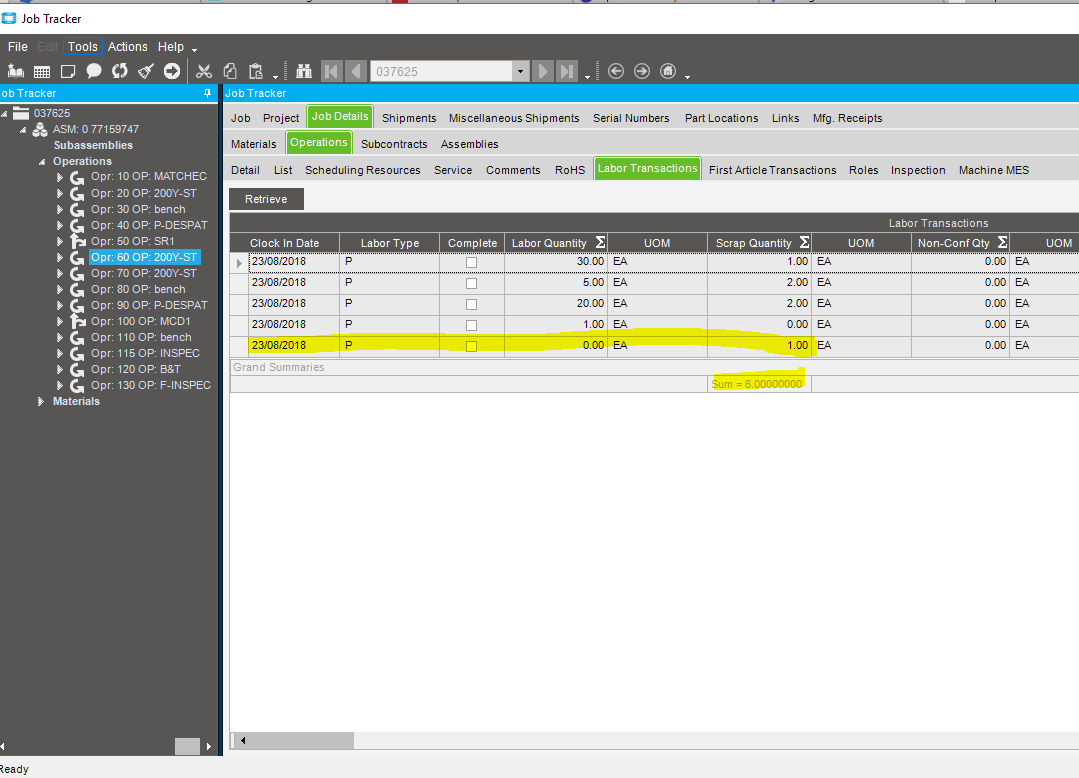
In my example - the scrap never triggers the warning unless 1 labor detail record has scrap reported higher than the factored scrap for the whole job - it doesn’t sum all the labordetail records ie:
we have 11,500 production - with 5% scrap factor - so 575
we have several labordetail records reports scrap of 262 - 257 - etc. In total, we were already at 612 - no warning has appeared. However, if I put 576 (1 over then entire job factor) - in 1 scrap entry - the warning appears - if I put several labordetail records in at 574 (under total) - it doesn’t appear even though the sum of these detail records far exceeds that threshold.
What version are you running?
our Epicor version is 10.1.400.20, and warning is working as expected i.e. it summ all labor transaction scrap then compare against it.
hmmm I’m at 10.1.400.0
wonder if there was a fix
When you decompiled the library - did it show the same as what Chris showed?
yes, here where i found out where Epicor does take the value, prior to see the code, i thought Epicor is taking the percentage from the Shop Waring variante, check the screen picture i attached when reply to him
wonder if there was a fix
no idea
You can check the changelog for 10.1.400.20 and see if any changes are there for that.