Anyone know in detail how this shop warning is triggered? (shop warning 130 - Excess scrap reported)
We have the warning active to report on the labor edit report.
We have jobs that have for example an operation with 5% scrap factor on a job with a total production qty of 11,500 - so it calculates 575 for scrap - run qty of 12075. This operation will take a few weeks to complete. As operator enters labor each day - she reports good qty plus scrap qty. ie 611 good plus 257 scrap (so she scrapped so almost 30% of total reported was scrapped) - it does NOT appear on labor detail report with a shop warning. Does this warning only report if the scrap qty for entire job has been exceeded? That may be reacting a little late - if job is still running in previous operations…
My only other thought is to redesign the labor edit report - to calculate my own warning here or a BAQ or BPM independent of this report to highlight any time the scrap reported on a labor detail record is exceeds the expected rate of total completed for that same transaction
Anyone else do anything like this? Does the scrap qty reported have to be higher then the factored scrap qty for the entire job?
On this particular examples - there are several days that they have entered 10%-30% scrap of total completed for that entry - in total so far - the qty reported exceeds the scrap qty on this op for the entire job (575 factored) and it still doesn’t show up. If I change that labor record to 576 - it appears…change to 574 it does not. So the labor detail record would have to show scrap qty reported higher the qty for ENTIRE job…if all your jobs were done in 1 day and reported in 1 labor detail record - great…barely ever the case here
I don’t know what a ‘decomp’ is…but I’m gathering that is the code either from the dataset used in the report or what is triggering the shop warning in the system?
However, as it is, we can report 574 scrap each day for 20 days (20 different labor detail records) and it would never appear on this report - even though we have now scrapped almost 100%!???
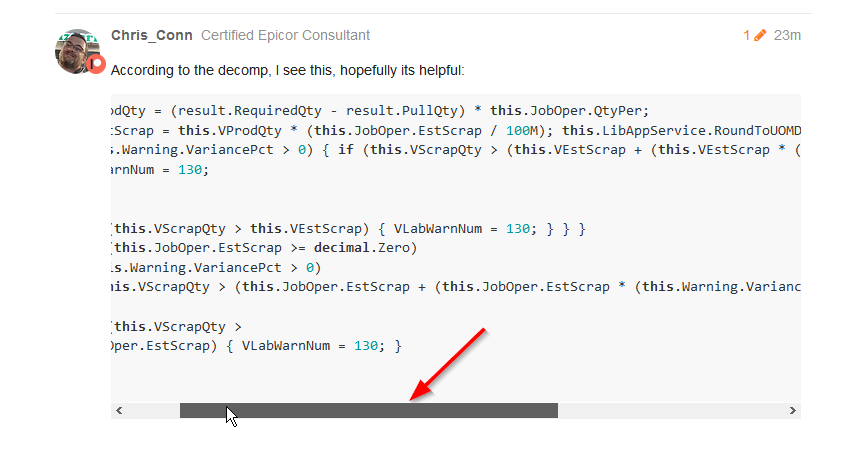
it is the decompile of the code that generates that warning. It is useful to see the conditions that make the warning occur (at least for nerds like myself).
[quote=“Chris_Conn, post:3, topic:47090”]
“this.VEstScrap” - I’m assuming is the est scrap for the whole job
and “this.VScrapQty” - I’m assuming is the qty reported on the labor detail record
correct?
If so, then that’s what I’m saying the labor detail scrap qty reported must EXCEED the est scrap for the ENTIRE job for that op. It doesn’t sum each labor detail record so once you’ve hit that threshold - you get a warning.
I logged the problem with Epicor support. Hopefully, they come up with a solution. As it is now, on larger jobs - we can have almost 100% scrap (under 5% daily for weeks on large jobs) and NEVER get a excess scrap warning. This is terrible - we’ve probably missed so many warnings that could have prevented a lot of loss.
In the interim, I’m created a new report and/or dashboard to catch our scrap. Yet another tool for everyone to review.
Very useful piece of info Chris, could you please shed some light on where to find such codes, i.e. is there a way of finding Epicor BASE BPM/FORM RUN C# Codes?
Use something like Reflector, ILSpy or similar to decompile the DLLs. It’s not as easy as it sounds sometimes because as you know, Epicor is a massive program built from many libraries. It turns into a bit of an investigation sometimes to find what I am looking for, but usually the ends justify the means and what I find is helpful in letting me understand why the program is doing what it is doing.
To find base processing you should probably look at the server dll’s of the relevant BO.
To be fair, most of the global alerts are basically useless. It isn’t possible to have logic on alerts like that that work for every business, so it doesn’t work great for most people.
This would be a good candidate for baq/dashboard solution to monitor these, or a BPM to send e-mail alerts. Then you can set the logic to whatever you need it to be.
Agreed. However, there should be more information explaining how the data is derived and what is represents - especially if data is being used to on labor edit reports and in shop tracker to monitor production.
many thanks Chris, really appreciate that, i have been told that we need to pay £50,000 to get Epicor source codes, so i have download .Net Reflector (14 days trail), and found many DLL files on the server related to BO under different category, Adaptor, Contracts, Triggers, and Services, but could not generate the decompiled files, have you got a link to explain this process step by step.
So the source codes (SDK) have their own merit. You can see the actual code and comments from developers. While the decompiling works well enough, sometime the logic can be obscured a little bit, Despite this, 9 out 10 times, you gain enough information to solve you problems.
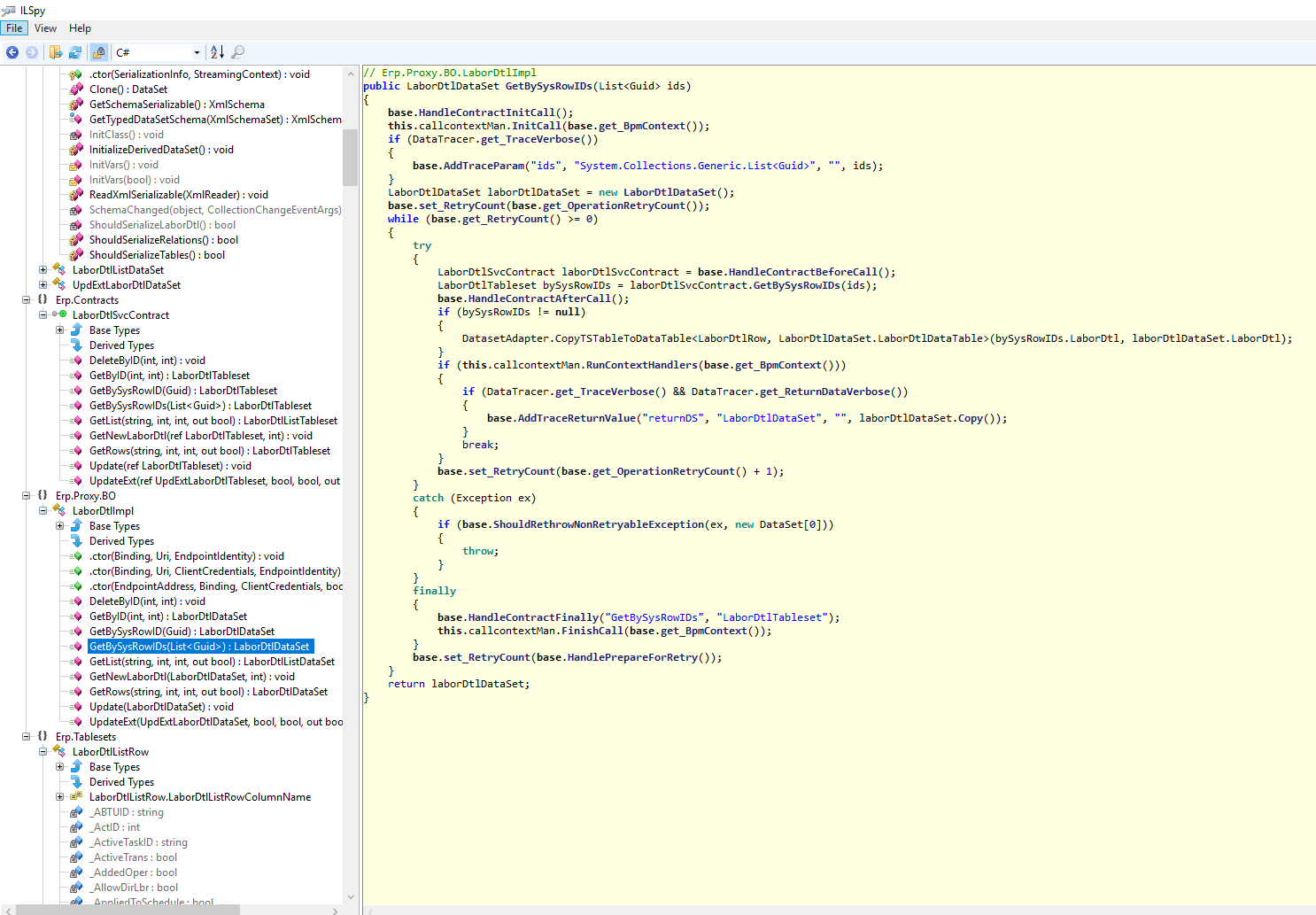
ILSpy free and working great, just want to learn from your experience, what dll table did you decompile on this case, where did you find the code you posted?
 , many thanks Chris