Our users requested that I add a button to the maintenance job entry form that would:
Open the maintenance request entry form
Create a new maintenance request
Pass the equipment ID from the current job to the maintenance request
Allow them to enter the required comments information that the maintenance request needs.
I got all of this to work except that after my form load code runs and creates the new maintenance request, the request entry screen clears itself. I know it is making the new request because I can retrieve the new request by searching for it.
Here is the code I’ve added to the maintenance request form load event.
Does anyone know how to stop the form from clearing itself?
I’ve even tried capturing the request ID of the newly created request and adding oTrans.OnGetByID(ReqID); after the update but it still clears the form.
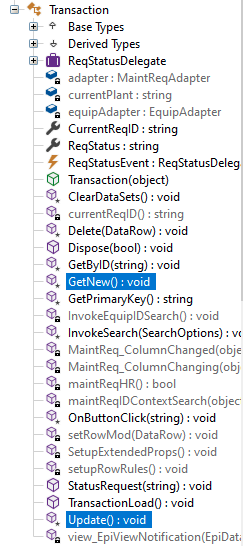
I believe the code would be oTrans.GetNew() and oTrans.Update() instead. I don’t have access to a system with that license, but if you use Tools > Object Explorer, you can see the list of Transactions that are available.
The maintenance request form doesn’t actually have GetNew() or Update(). It uses OnGetNew() and OnUpdate() or at least that’s what I was told on a prior question I asked about this form (Get a new record on form load - #5 by bmgarver).
That is why I’m using OnGetNew() and OnUpdate(). The code does not compile if I use GetNew() or Update()
Error: CS1061 - line 59 (157) - ‘Erp.UI.App.MaintReqEntry.MaintReqForm’ does not contain a definition for ‘GetNew’ and no extension method ‘GetNew’ accepting a first argument of type ‘Erp.UI.App.MaintReqEntry.MaintReqForm’ could be found (are you missing a using directive or an assembly reference?)
I also commented out every line of my code below oTrans.OnGetNew() and it looks like Epicor is still trying to save and clear the form even though oTrans.OnUpdate() is commented out.
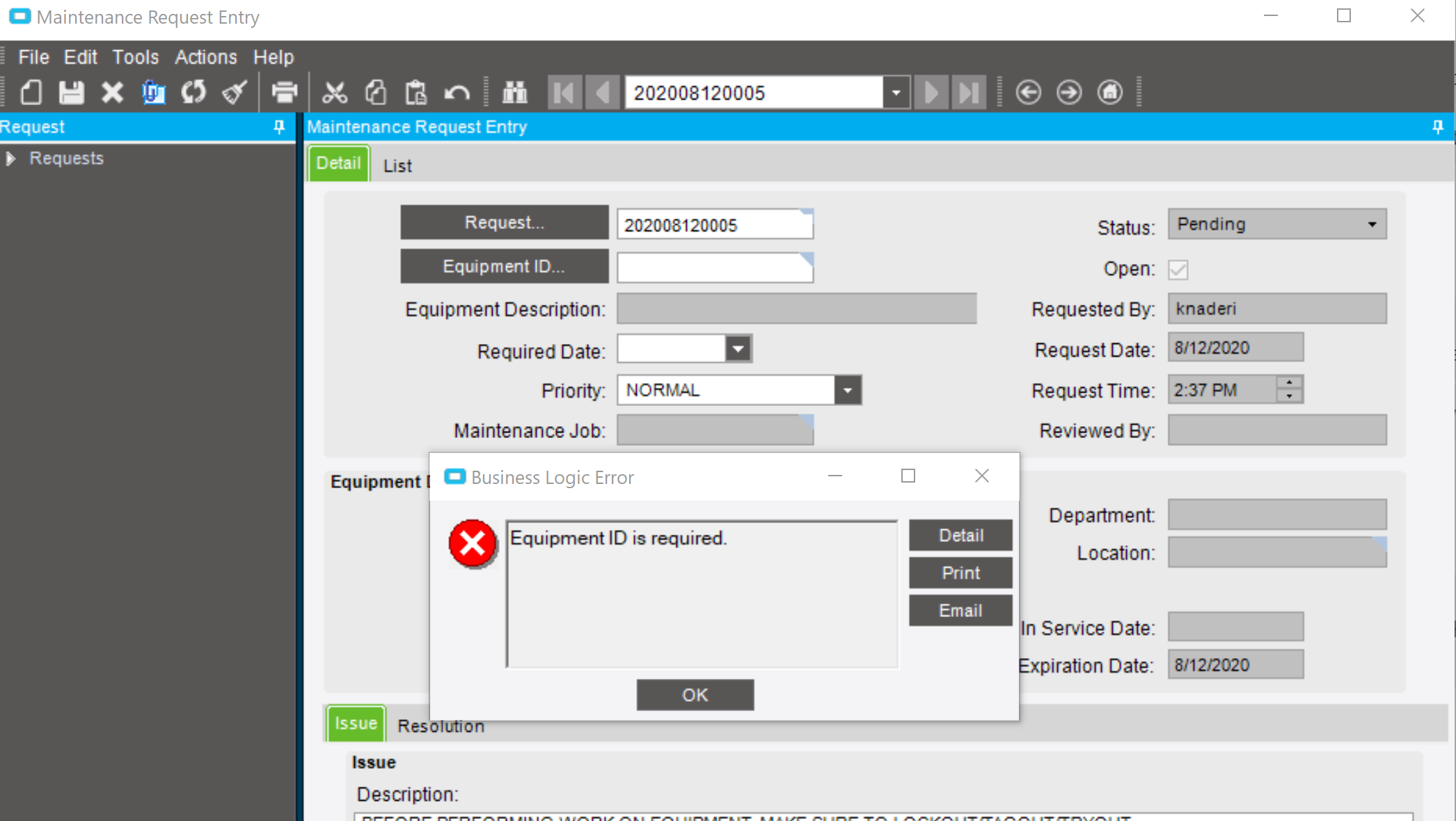
It opens the form, creates a record, and then pops up the below message about a blank Equipment ID. The only time I’ve seen that message in testing is when I create a request and try to save it without selecting a piece of equipment.
Ok I’m thinking it has something to do with my launch form options.
Below is my button click code from the form that I’m using to launch the maintenance request form.
If click the button with this code, it opens the form and the form doesn’t clear itself.
If I uncomment the code I’m using to pass the EquipID to the request form, that is when the request form decides to clear itself.
Did I do something wrong in the lfo portion of the button click code?
I’ll definitely save your Form_Shown code in case I have this issue on another form. I’ve been using the built in wizards for customization so I had no clue that was even an option.