I’m confused as to how we are supposed to source this value, or how we would expect an operator to know what this value should be. Is there some location that they can look up or some data point reference they can look at to know what this is supposed to be?
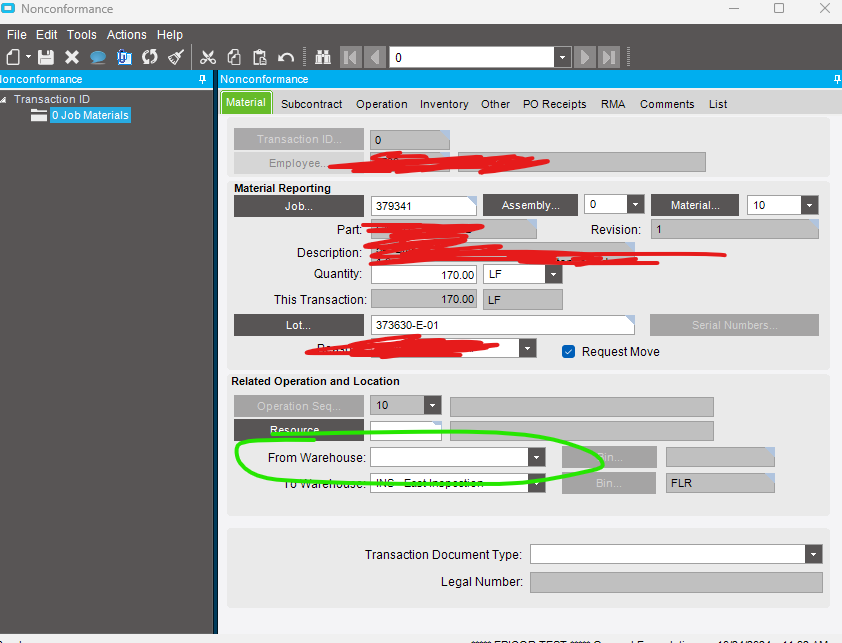
Do you have the advanced material module? I think that is the one that allows for WIP locations.
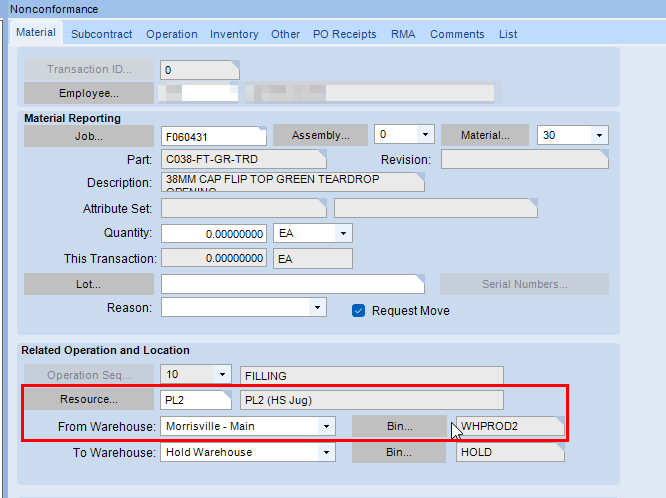
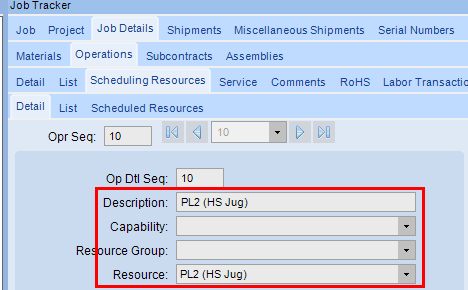
That’s probably it, they don’t schedule inside Epicor 
We also have AMM, so maybe that mixed with scheduling is what’s keeping this blank.
I’m confused though what it SHOULD be.
You can have defaults about where it’s scheduled to run, but what if it’s running somewhere else and you didn’t reschedule it. Does it default then? If not, where can I go to source what this should be?
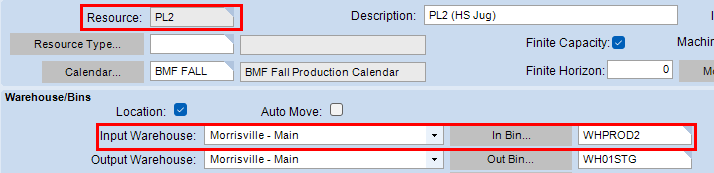
Do you have Warehouses entered on your Resource Groups?
That is probably the case then 
Did the material come from stock or another job? If it was me, I would look in Job Tracker and use the from warehouse/bin for either the MFG-STK or WIP-MFG transaction to keep it clean for anyone looking at the transactions for the job. In the end there is no qty impact to that warehouse/bin from the non-conformance.
This is what I was trying to understand. What do they pick when it’s a STK-MTL transaction that brought it to the job… AND what impact does this from location have financially/transactionally?
You said there is no qty impact on warehouse/bin from the non-conformance, are you saying it won’t show the material moving from bin to bin here? or warehouse to warehouse?
Yes, and I think that’s what I always look up to see what the default warehouse is there and that’s what I’ve been using, but that’s just a best guess about what to use… what am I supposed to be using? Shouldn’t it come from the actual labor transaction, the one where I told it I was clocked into resource group X and/or resource Y which has a default warehouse and bin?
Not sure.
Yes, those default from the Resource or Resource Group that the Operation is scheduled for. As @Norelco2 said, it may be because you are not scheduling.
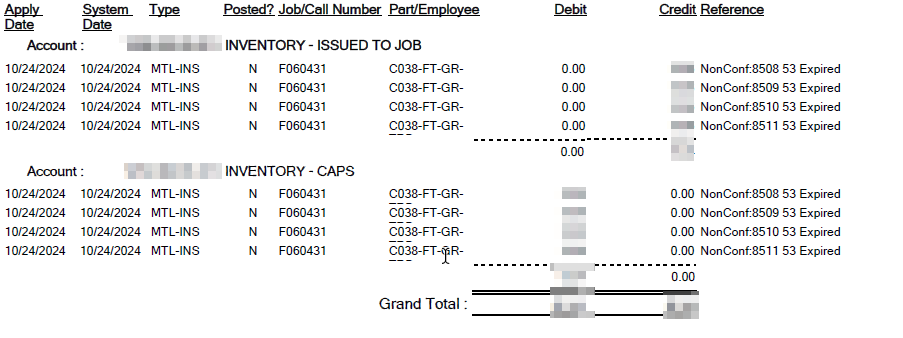
Looking at Parttran it only shows the from warehouse/bin and no to warehouse/bin for the nonconformance. The running total on part transaction history tracker didn’t change either since it had already been moved from inventory to WIP. Looks like it will let you create a nonconformance for any on hand lot# (even if not issued to the job which I don’t love) from any warehouse/bin you want. In my example I issued 100 of one lot from one location then did 4 different nonconformances of random lot#'s and Whs/Bins.

Financially it credited WIP and debited the part class inventory account.
Thanks for doing that heavy work for me. I’ll review this momentarily. Really appreciate this.
No problem at all, we recently changed some processes to better use this here, so it was fresh in my mind (and test environment )
I love this forum. Thank you!
I’m trying to write some SOPs on non-conformance which is why I ask because we too are changing processes.
That’s really odd it lets you do that and it’s odd that it lets you pick any warehouse and bin, but maybe they were trying to be flexible for bad behaviors that exist in environments and instead of being super rigid with it they were loose.
Lot Number is not really controlled. I believe that wherever Lot Number is in the system, you can select a different Lot or create a new one.
Right but I think Crank was saying that they can make a non-conformance transaction for a lot number that was never issued to a job… and now I see what you’re saying haha, maybe because some companies want to turn it into another lot number for the non-conformance that’s why it’s possible to do it. Again, it seems to be flexible/loose and is up to good standardized processes to make it something specific to your company.