I’m currently building a dashboard in Application Studio that uses two date pickers to create a date range:
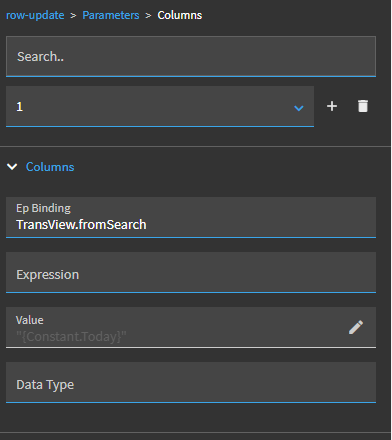
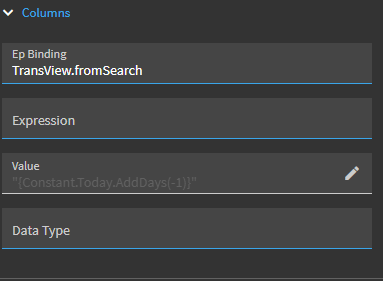
So far this is working alright, but ideally I would like to set the default for both of the date pickers to yesterday’s date. I’ve tried playing around with using “{Constant.Today}” in a row-update when the date picker is initialized, but have gotten a bit stuck here:
Even with using today’s date, I don’t think the application likes the format that it’s in as the filter doesn’t work properly when I use it (the BAQ wants a date but {Constant.Today} is a datetime and I’m not sure how to convert it in app studio).
I’m pretty new to app studio, so any advice is greatly appreciated!
The JavaScript didn’t work, but thank you so much for the post!! That must’ve slipped by me before, I’ll try to make an Epicor function and see how it goes!
Hi dcamlin, this worked, thank you so much! It helps to have another eye on it
My next issue is that it doesn’t seem to work as a filter value when I use it in the ‘Where List’ for my BAQ, but when a date is manually picked, it works as a filter.
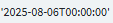
When I use it as a default value in a date picker, it is in this format:
But when a date is manually chosen, I get it in this format:
That should split off everything after the millisecond decimal point, and then returns part [0] which is the first portion (just the date time… without the milliseonds).
That approach works as well… fixing some mis-spellings (Contants vs Constant) and replacing curly quotes with straight quotes, in case someone wants to use that approach:
'{Constant.Yesterday}'.replace('.000', '')
The ONLY caveat with this approach is if the time actually contained some millisecond value like .123 or .507… this wouldn’t work. It would only work when milliseconds = .000
In this use case, yes, it works because a date picker sets the time to zero. But in other cases (system event times, etc.) when times are included, it may not, and splitting may be more effective.





 .
.