Warning… the below includes a multitude of LOTR gifs. But… you asked for it!
One does not simply walk into App Studio control security.
But there is a way.

Prerequisite… create a security group for users you WANT to be able to do engineering on Quote Lines. I have one called SALESMGT, for example.
Unfortunately, user security groups aren’t natively passed into individual forms (that I have found). But you can add a dataview to Quote Entry to do so.
Add a dataview… Use the Guided Setup (Wizard). We only need the UserFile dataview, so you can just check that one.
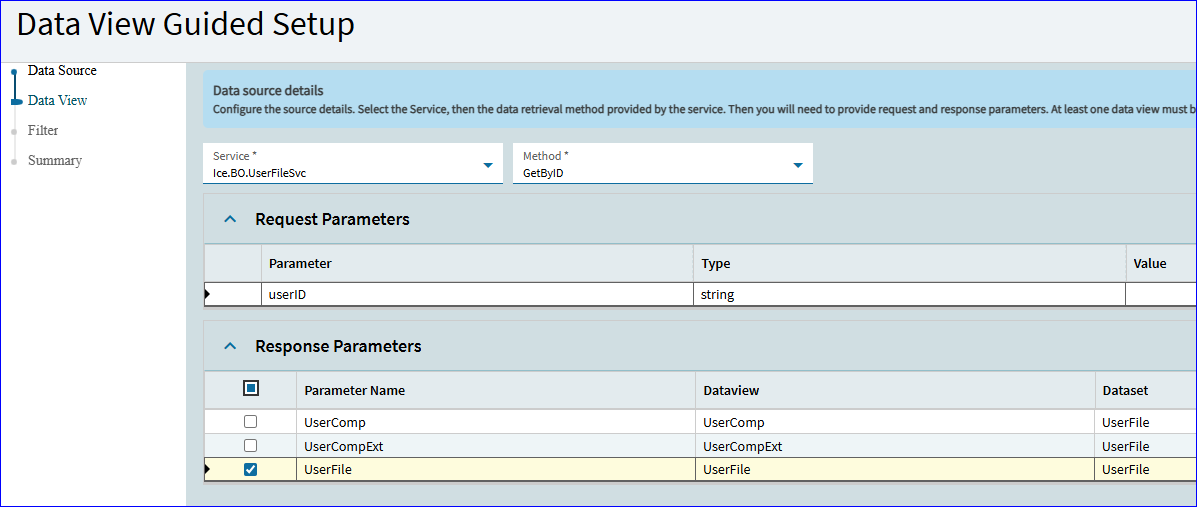
I wouldn’t check the Save/Delete options here… we have no plans to do either of those.
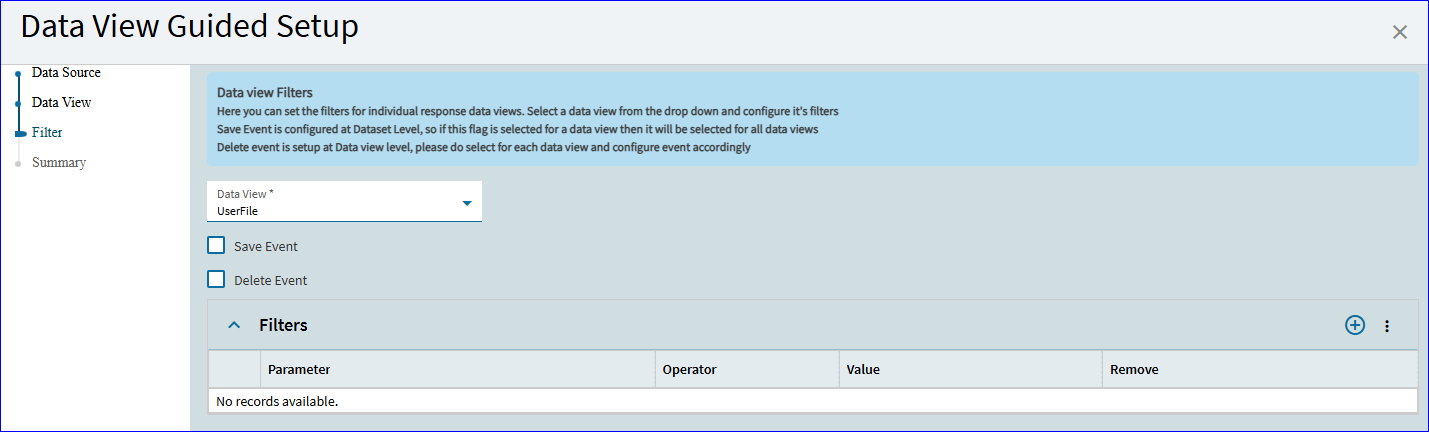
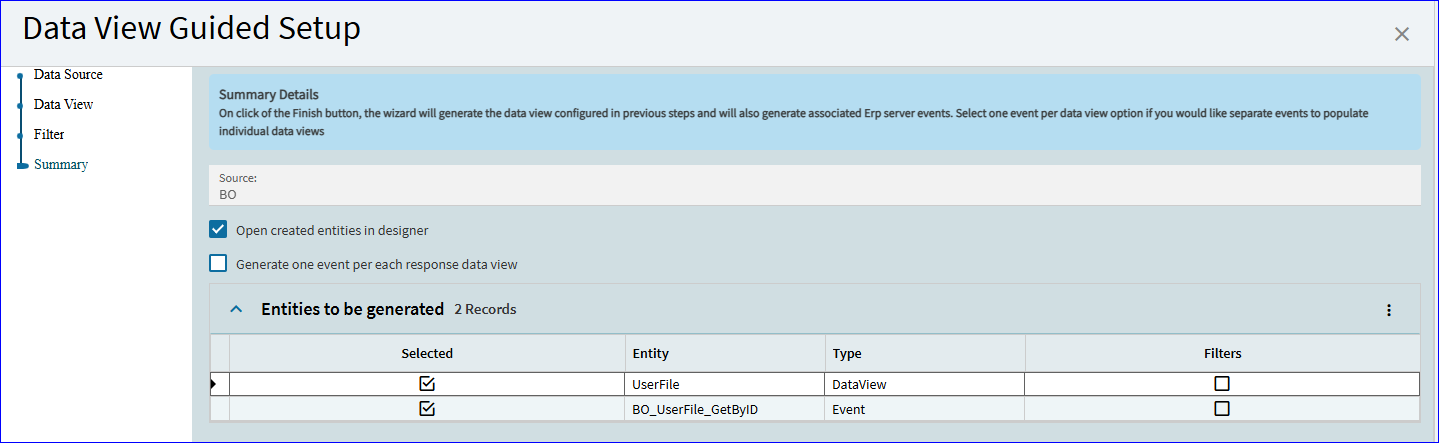
This will create the UserFile dataview and the corresponding GetByID event.
Change the trigger to after Form_OnLoad, or where ever you find an opening.
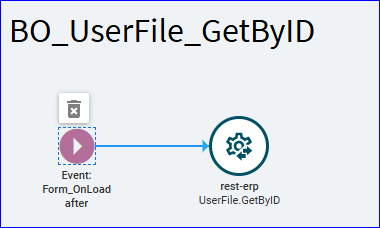
Rest Call: Just add the Field Value of Constant.CurrentUserID in the method parameters. You don’t need to make any changes in the request/response areas.
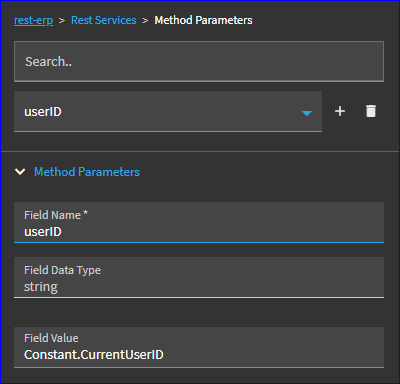
Preview… make sure your event fires and your UserFile dataview is populated.
If so… now we can utilize the new UserFile data.

Enter the Data Rule:

If you look at the page properties for the line “Details” page… scroll down to Advanced and jump into the Tools:
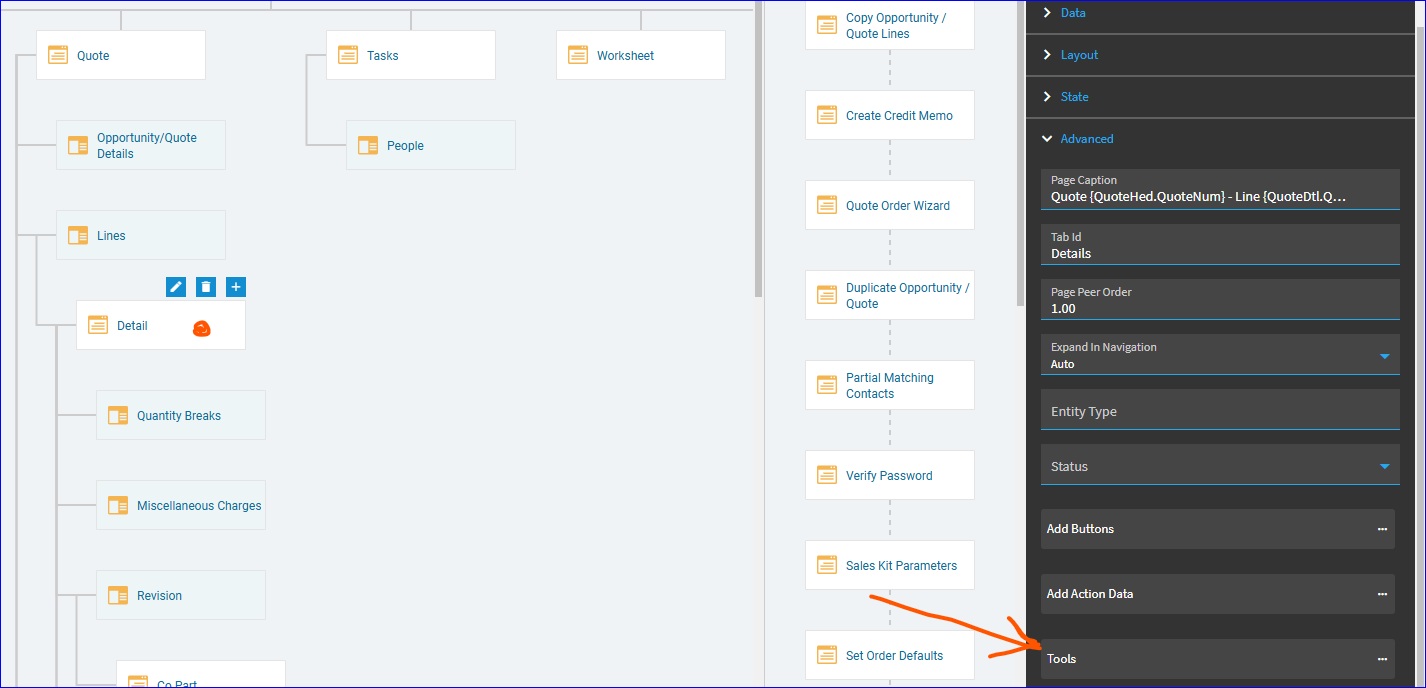
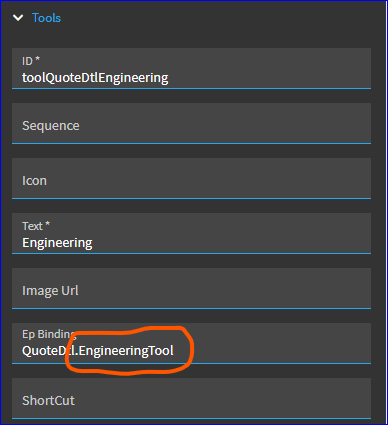
Scroll down to near the bottom of the list… you’ll see the toolQuoteDtlEngineering. And, luckily, it already has a binding we can use.
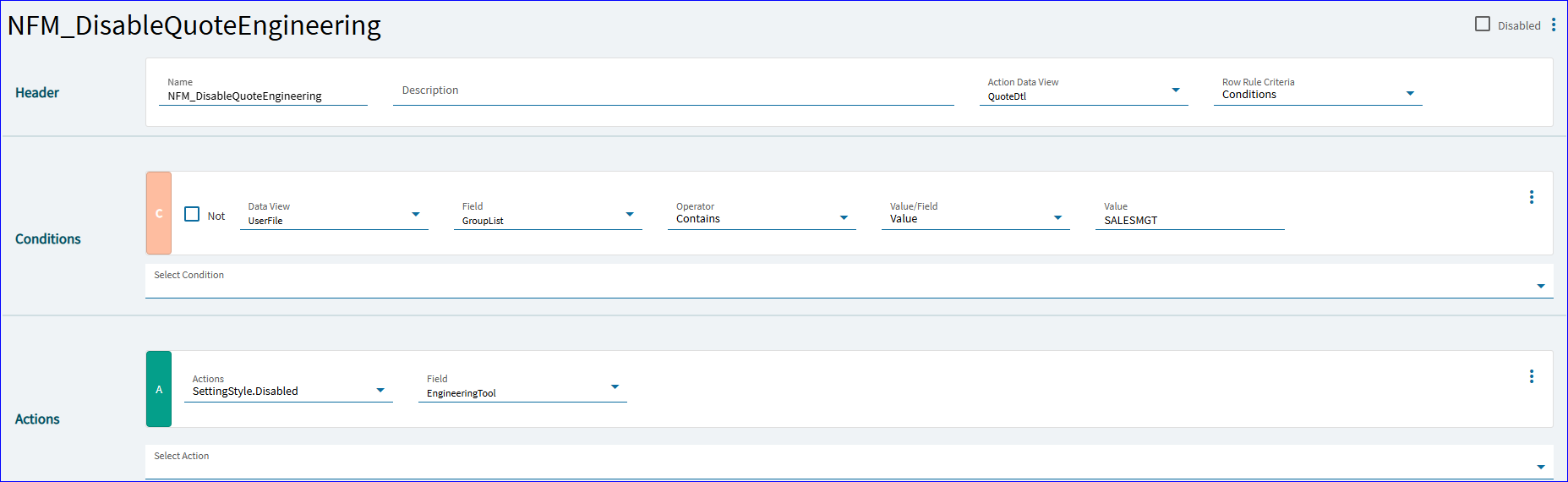
So, we now create a Data Rule, using QuoteDtl as our action view (since that’s where the target tool is bound).
Add a condition where if the UserFile’s (the new dataview we added earlier) GroupList (which is a delimited list of the CurrentUserID’s security groups) CONTAINS a value of the security group you want to use. Again, I have one called SALESMGT.
… Disable EngineeringTool (which is the column binding of the tool, circled above).
Result:


NOW… one caveat. I was testing with myself… and I have the SALESMGT security group in my profile. But what I really want is to not let users who DON’T have the proper clearance to access the button.
So, go back to your Data Rule and add the “Not” criteria.


~FIN~