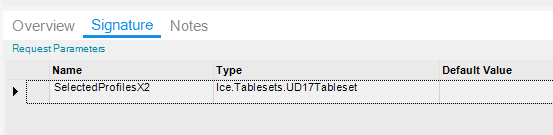
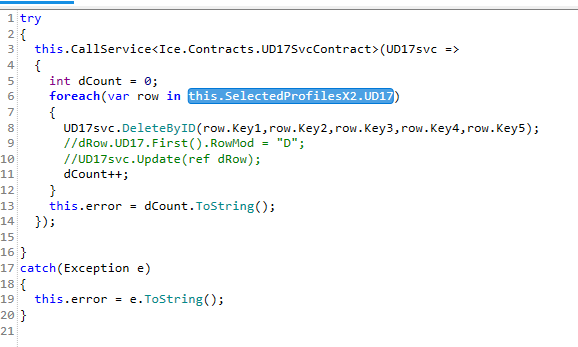
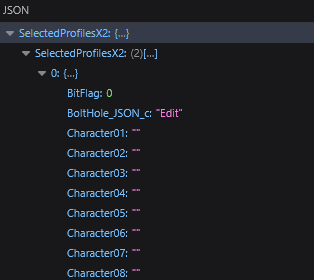
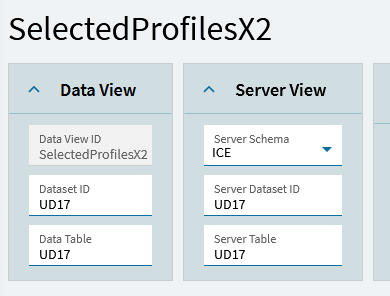
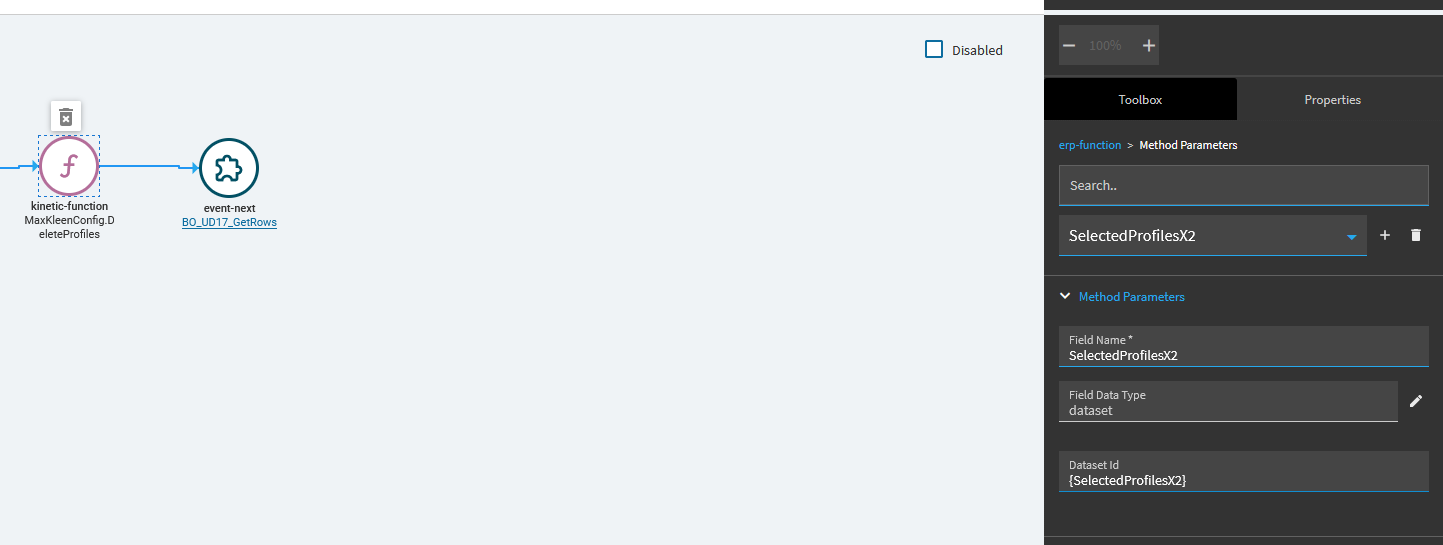
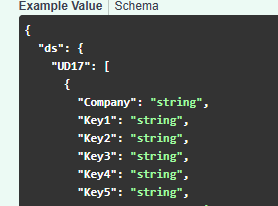
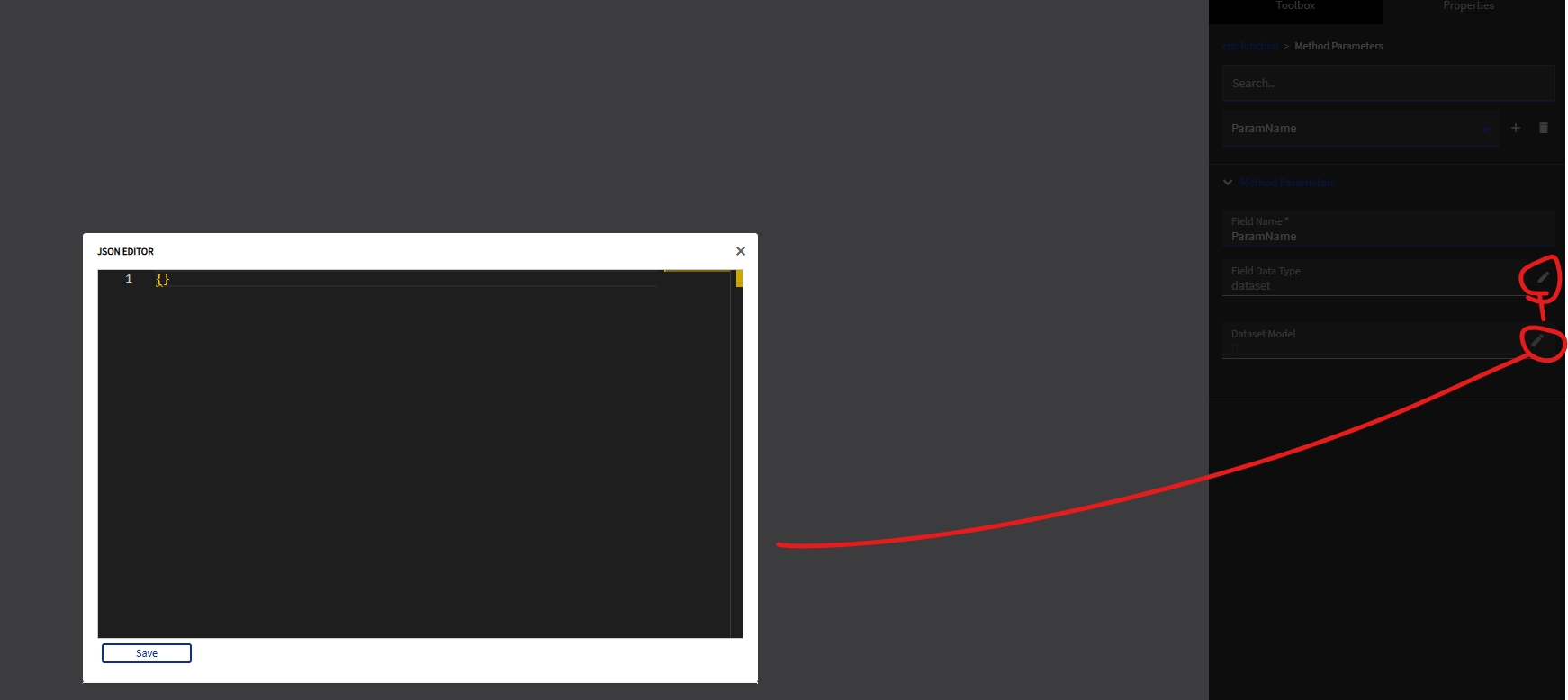
The code tries to access SelectedProfilesX2.UD17 but application studio is sending SelectedProfilesX2.SelectedProfilesX2 instead of SelectedProfilesX2.UD17
I’m still kinda stuck on this, what are other people doing? Surely I’m not the only one who needs to have multiple datasets of the same type, so you can’t name them all after the server table.
I don’t know how to explain better though. I got around it for now by making the input signature a generic dataset and reconstructing it back into a UD17 tableset server side, but I feel like that shouldn’t be needed and is a huge pain in the ass.
Should be able to control the parameter and table name from application studio, independent of the dataview settings.
Yeah it’s hard to explain. It’s like the function parameters are one level deeper than it needs to be. My issue was related to sending parameters to a BAQ.
What if you tried to name your field name “UD17” instead? Like it shows in rest help?
I saw that as well but I haven’t been able to figure out how to work it to do what I need. I think I would have to put {Mydataview} in at some point but that serializes the whole thing with the dataview name, and I would need just the children if I was going to use that to ‘rename’ the input.
Not sure what you mean here? That is essentially what I am doing, I have my main UD17 dataview, and then I have another dataview that stores all the UD17 records the user selects in the grid that they want to run a command on.
I could probably send the entire dataset and filter to only selected records on the server but that again seems very inefficient.
Okay, I tried entering a ‘on-the-fly’ dataview name in the filter widget but it just throws an error ERROR Cannot read properties of undefined (reading 'filter') and I don’t see the on-the-fly dataview in the system dataviews or application dataviews.
This is still being a big pain in the ass. Seems like I might have to make a ‘function caller’ function that takes in a generic dataset and renames the tables and then calls the actual function I want.
I still feel like I am missing something obvious and easy though.
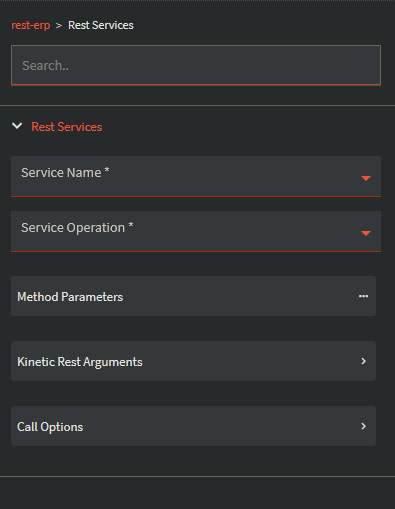
I’m mobile at the moment so can’t reference on the computer and get screenshots and stuff, but if you use a kinetic-rest widget and populate the function library field appropriately, and put the function under.. method I think? You can then set up rest request parameters, from there you can have input dataview name xxx, parameter name to send yyy, that should work.
So service name would be the function library and service operation would be the function? And then instead of using the Method Parameters I would use the Kinetic Rest Arguments?