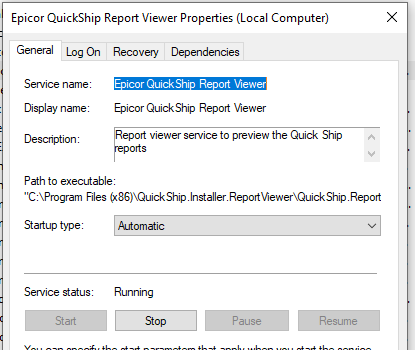
Whenever I try to print to pdf from Quickship it throws an error: Report viewer client did not generate pdf or is not running. Check if the client printer is running.
How can I set up print to pdf in QS?
Whenever I try to print to pdf from Quickship it throws an error: Report viewer client did not generate pdf or is not running. Check if the client printer is running.
How can I set up print to pdf in QS?
You have to install CutePDF writer on the QS server and point the config to it. Then it puts the PDFs into a directory you define.
It’s very vague in the install guide on the steps. If you have questions about the config let me know!
What version of QS? The most recent report viewer client installs as a service and then the preview works without the need for running the client as an admin.
I have been having the same issue after installing the client from Quick Ship Downloads (All cloud BTW). The Crystal Reports runtime was included, and I installed the CR 64 Bit version 13.0.20 although there is a slightly newer version from SAP, I used the one from the download.
I am not exactly sure if this is documented or not, but after I hit Save on the Master International Paperwork tab, it started giving me my PDF previews. Not sure if this is a requirement but mine started working.
The newer versions of Quick Ship have the report viewer you can install. That makes it easier to preview QS reports.
Thanks, but my response was meant to the resolve the error after installing the report viewer and CR runtime, if I did not state that clearly. I believe that was the point of the original question.
To restate, I installed the report viewer, the CR, and then still had the error. I then selected Save on the Master International Paperwork tab, then went to preview and it worked.
Is that clearer the steps I followed? I am not sure if that is a requirement after every shipment to select save, in the shipment screens, but that is the only way I got mine to work.