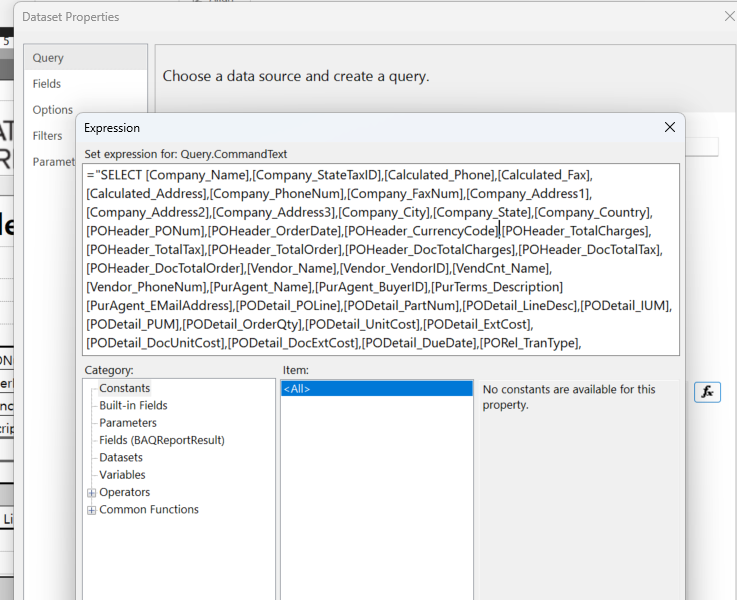
in the query, remove the Terms_Description (next to POheader_CurrencyCode). This might be the issue, because you BAQ now does not have such a column because you changed it.
1 Like
Good catch, didn’t see it in the screenshot!
2 Likes
can please take a screenshot of your ‘field’ PurTerms_Description? And just to double check; another screenshot of your error now?
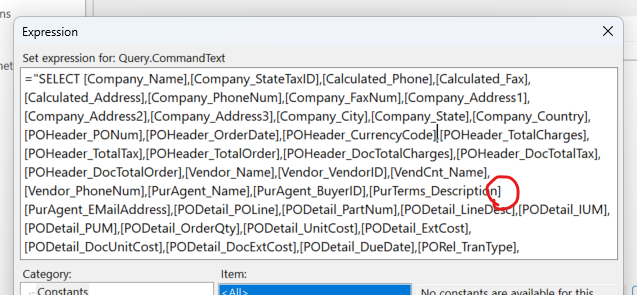
Also looks like you are missing a comma after PurTerms_Description in your query.
1 Like
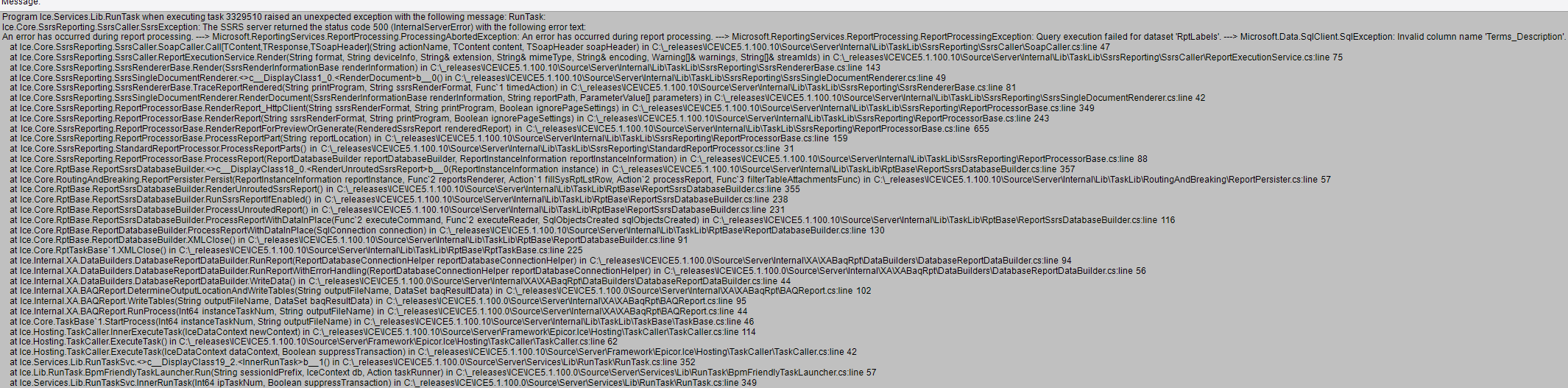
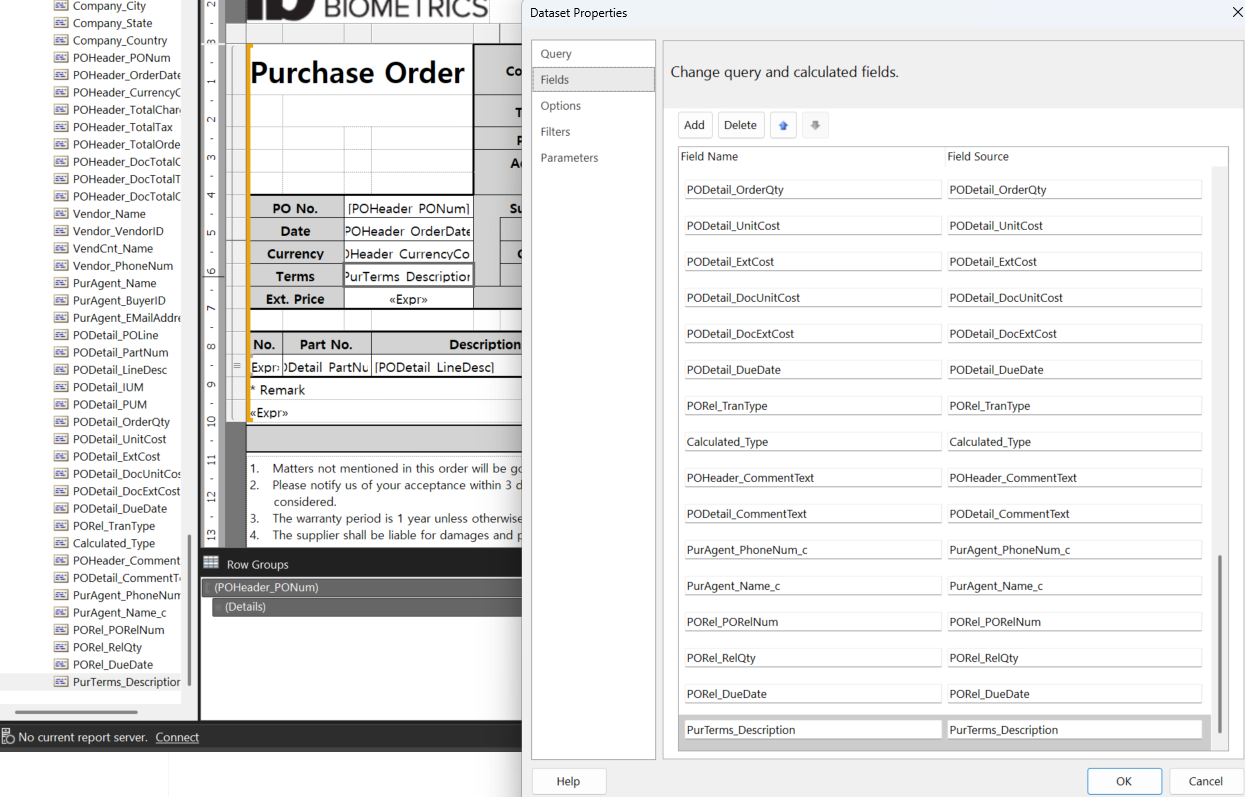
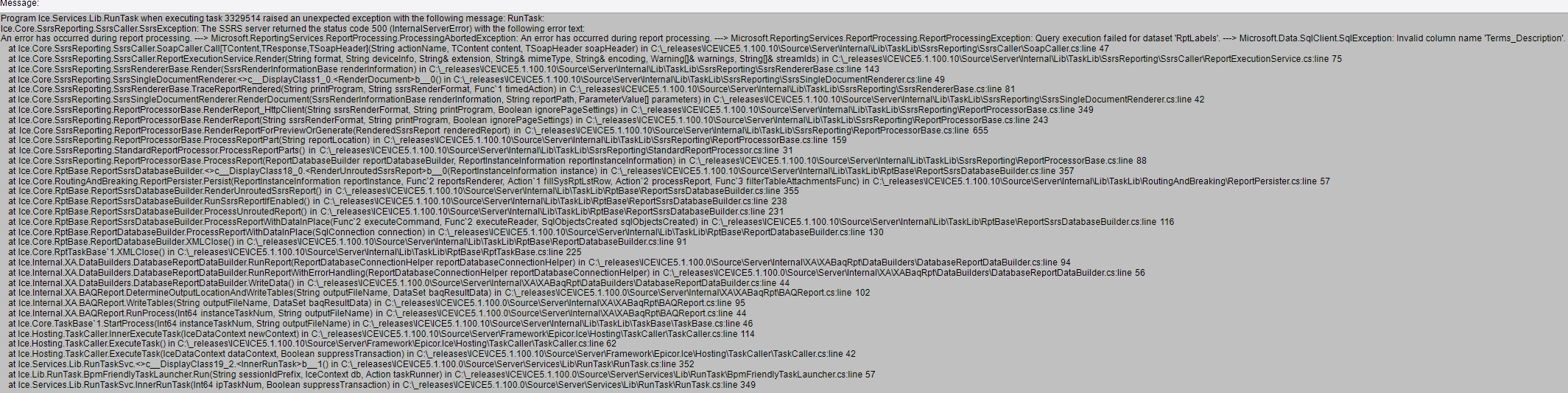
I can see now the error is slightly different. You just have to squint just a little  before it was for the dataset ‘BAQreportResult’ and now here it is for dataset ‘RptLabels’. So, I would check that dataset and remove any reference to column Terms_Description from it.
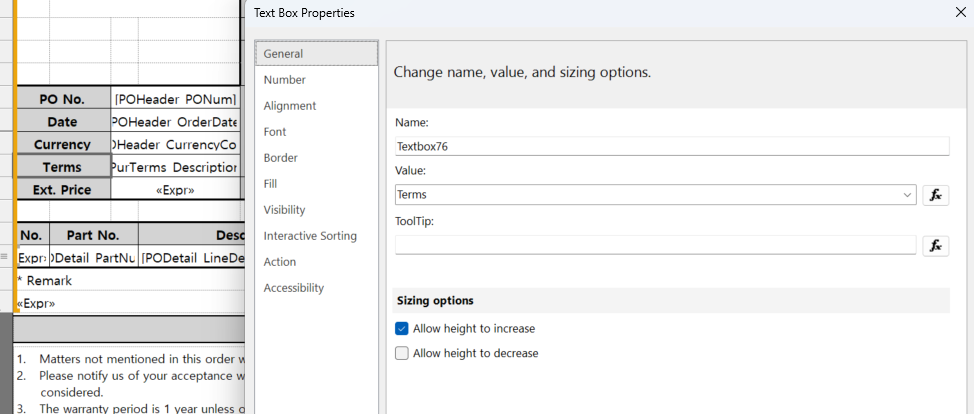
Maybe a good idea to check "what is the ‘Terms’ text box next to your changed PurTerms_Description box is bound to? "
1 Like
I’m a very beginner, so could you please tell me how to share what you said?
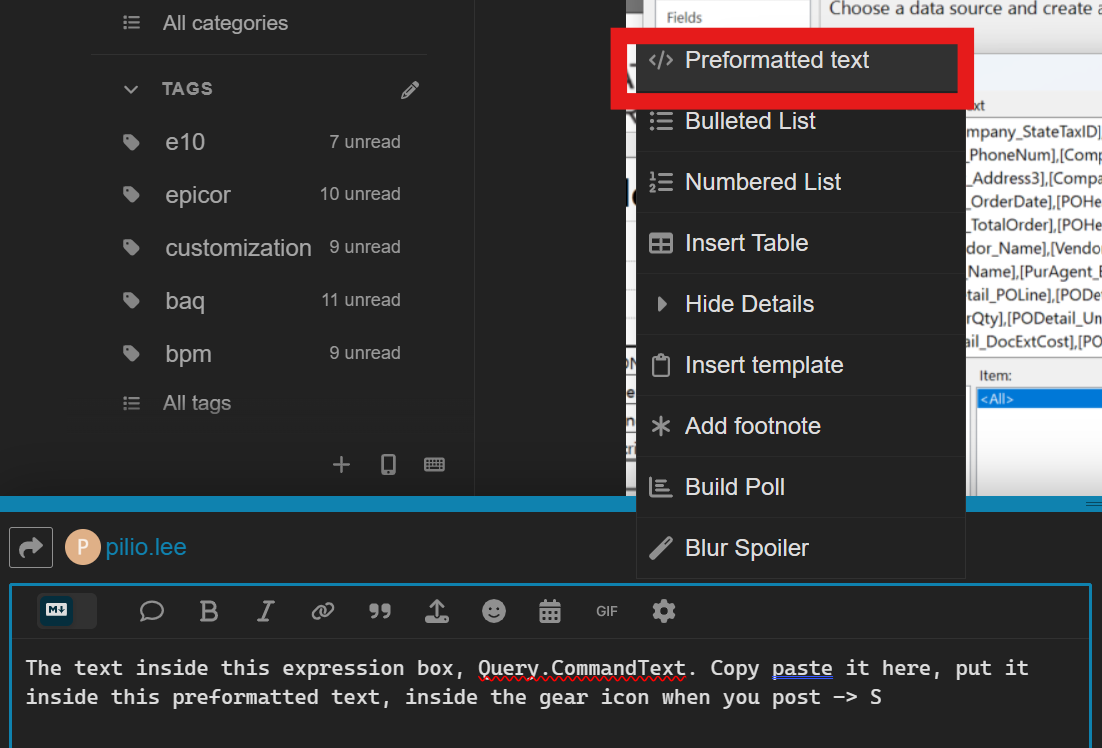
The text inside this expression box, Query.CommandText. Copy paste it here, put it inside this preformatted text, inside the gear icon when you post →
1 Like
="SELECT [Company_Name],[Company_StateTaxID],[Calculated_Phone],[Calculated_Fax],[Calculated_Address],[Company_PhoneNum],[Company_FaxNum],[Company_Address1],[Company_Address2],[Company_Address3],[Company_City],[Company_State],[Company_Country],[POHeader_PONum],[POHeader_OrderDate],[POHeader_CurrencyCode],[POHeader_TotalCharges],[POHeader_TotalTax],[POHeader_TotalOrder],[POHeader_DocTotalCharges],[POHeader_DocTotalTax],[POHeader_DocTotalOrder],[Vendor_Name],[Vendor_VendorID],[VendCnt_Name],[Vendor_PhoneNum],[PurAgent_Name],[PurAgent_BuyerID],[PurTerms_Description],[PurAgent_EMailAddress],[PODetail_POLine],[PODetail_PartNum],[PODetail_LineDesc],[PODetail_IUM],[PODetail_PUM],[PODetail_OrderQty],[PODetail_UnitCost],[PODetail_ExtCost],[PODetail_DocUnitCost],[PODetail_DocExtCost],[PODetail_DueDate],[PORel_TranType],
Could you tell me how to check?
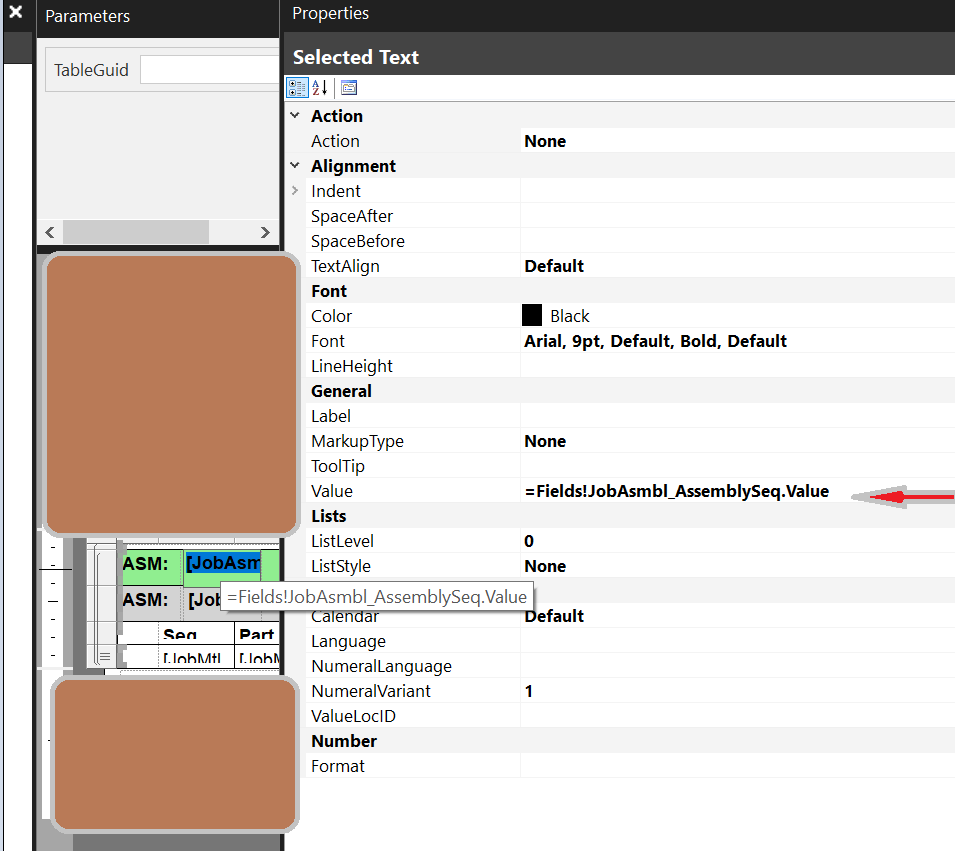
- Select the textbox that shows “Terms”.
- Look at the Value property for that box (on the proprties area usually to your right hand side on the screen) — that tells you what field or expression it’s using.
- If it says something like
=Fields!Terms_Description.Valuethen it’s bound to a dataset field. - If it’s just text it won’t be bound to anything.
If an expression still references a field that no longer exists in a dataset (like your old Terms_Description), that can cause the “invalid column” error when the report runs — because SSRS is trying to bind that textbox to a field that doesn’t exist in the dataset anymore.
1 Like
it’s just text. I removed Terms_Description from RptLabels and uploaded it, but it still doesn’t work. Below is the latest error message.
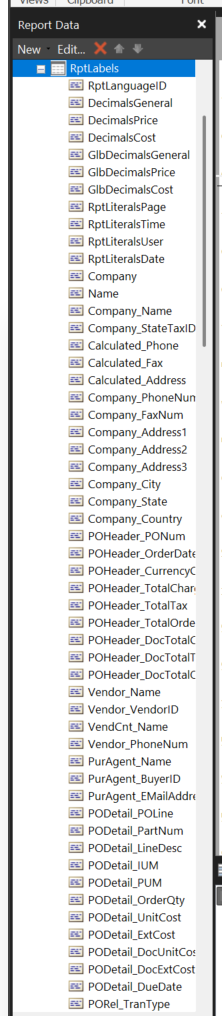
Like this one, can you do the same for RptLabels data set?
1 Like
Yes
="SELECT [RptLanguageID],[DecimalsGeneral],[DecimalsPrice],[DecimalsCost],[GlbDecimalsGeneral],[GlbDecimalsPrice],[GlbDecimalsCost],[RptLiteralsPage],[RptLiteralsTime],[RptLiteralsUser],[RptLiteralsDate],[Company],[Name],[Company_Name],[Company_StateTaxID],[Calculated_Phone],[Calculated_Fax],[Calculated_Address],[Company_PhoneNum],[Company_FaxNum],[Company_Address1],[Company_Address2],[Company_Address3],[Company_City],[Company_State],[Company_Country],[POHeader_PONum],[POHeader_OrderDate],[POHeader_CurrencyCode],[Terms_Description],[POHeader_TotalCharges],[POHeader_TotalTax],[POHeader_TotalOrder],[POHeader_DocTotalCharges],[POHeader_DocTotalTax],[POHeader_DocTotalOrder],[Vendor_Name],[Vendor_VendorID],[VendCnt_Name],[Vendor_PhoneNum],[PurAgent_Name],[PurAgent_BuyerID],[PurAgent_EMailAddress],[PODetail_POLine],[PODetail_PartNum],[PODetail_LineDesc],[PODetail_IUM],[PODetail_PUM],[PODetail_OrderQty],[PODetail_UnitCost],[PODetail_ExtCost],[PODetail_DocUnitCost],[PODetail_DocExtCost],[PODetail_DueDate],[PORel_TranType],[Calculated_Type],[POHeader_CommentText],[PODetail_CommentText], [PurAgent_PhoneNum_c], [PurAgent_Name_c], [PORel_PORelNum], [PORel_RelQty],[PORel_DueDate] FROM dbo.[RptLabels_" + Parameters!TableGuid.Value + "]"
Did you also remove [Terms_Description], from the SQL expression in the RptLabels dataset? And also make sure you’re not using/referencing that field anywhere in the SSRS report?
1 Like
Thanks to everyone who helped me here, I finally succeeded. There were [Terms_Description] left in some places, so I removed them all and uploaded it, and it was printed successfully.
I can’t believe that I, a complete newbie to MS Report builder, was able to customize this. All of this is thanks to everyone who helped.
2 Likes
When I was learning epicor SSRS reports just like you, I learned a lot from this youtube channel. He’s got some really good knowledge in his videos. (https://www.youtube.com/@epicorhappyclicker8608)
1 Like