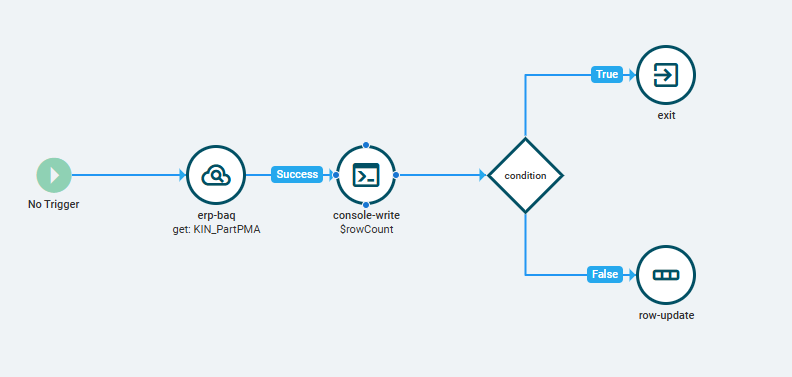
I’m building out a UD table entry screen and one of the things I’m doing is updating some columns from a BAQ that’s simply pulling half dozen columns from the Part table (that are mostly UD columns) based on a Part number that’s present in my entry form. Only needing those few columns is why I did a BAQ, rather than pull in the entire dataset from the Part BO service.
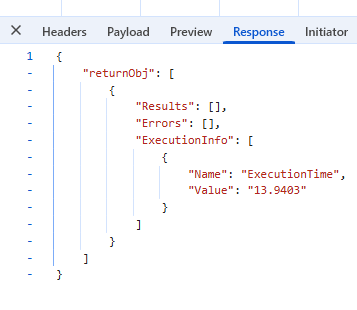
However, when the BAQ is passed a non-existent part (aka Part on the Fly) for my “Part” BAQ parameter, it doesn’t return any errors, nor does it return Empty=true, so I cannot do any OnError or OnEmpty nodes in my event. It still fires under OnSuccess, but then returns “undefined” into the fields I’m updating, whereas I need it to be blank.
I’ve tried putting in a condition where Part = “” (blank), so I can exit off the True for non-existent parts and let it continue updating for real parts on the False side. That doesn’t work, however, because technically the UD table part column isn’t blank and I cannot get it to recognize the BAQ dataset PartNum as blank, because no results are returned.
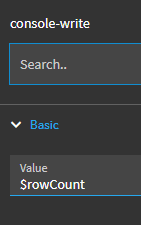
Given that doesn’t work, I’ve tried throwing a condition on rowCount = 0, but I must have the syntax on that incorrect. Even tried a console-write component to try to figure out the syntax for the rowCount, but so far all it will write is whatever I input in the Value field for that.
How can I get this thing to stop if there’s no results returned from the BAQ?
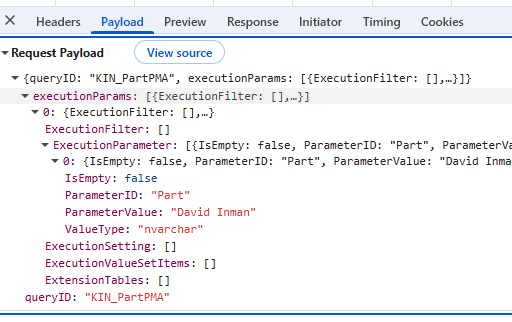
My ExecuteBAQ method details:
My event (currently):