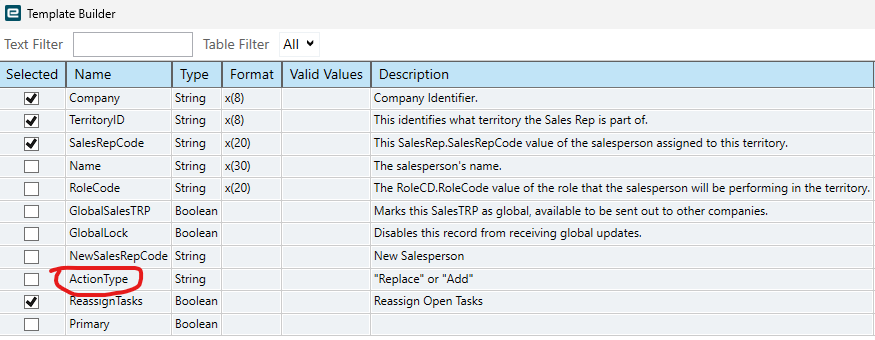
I fill in the excel sheet with this and run DMT, nothing changes.
Company
TerritoryID
SalesRepCode
NewSalesRepCode
ActionType
ReassignTasks
KSI
CO
2303
99999
Replace
TRUE
The expectation of this is that SalesRepCode gets replaces with NewSalesRepCode and reassigns open tasks to it.
When I try it, no errors.
I am about to give up but this will also come into play in a different company soon and they have the potential on doing more than 100 salesperson changes so it would be awesome if this worked.
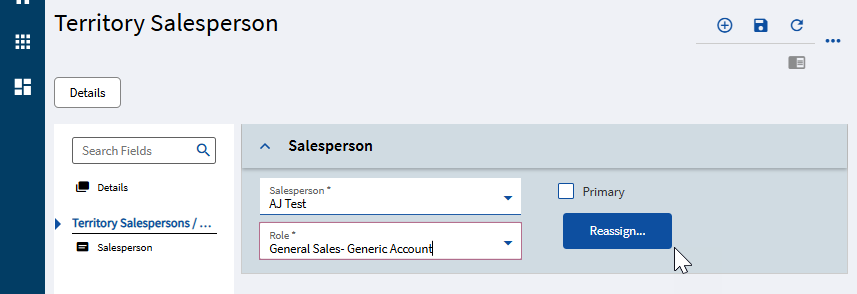
So, again, if you walk through it manually… this is a two step process.
You have to add the 2nd Sales Person to the Territory.
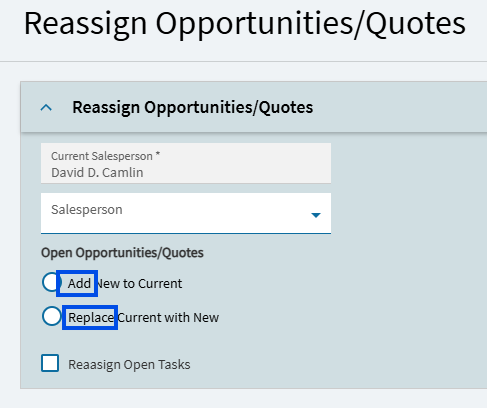
You can then Reassign and Add/Replace the new sales person to existing quotes.
I would therefore expect you would need two different BAQs (at least) to perform this task.
1st DMT - Add the new sales person to the territory (you may be able to set the new person as the primary in this step)
2nd DMT - Perform the desired “Reassign” action.
3rd DMT (if desired) - Delete/Remove the original sales person from the territory (remember, you cannot delete that sales person if they’re still marked as the “Primary”.)
Haven’t tested this… but DMT is pretty consistent in that it does whatever a user has to do. And a user can’t simply change the sales person on a territory in one step.
I suspect that @dcamlin is correct, I did some testing this morning with DMTs and couldn’t get it to work. We have just a few territories so do it manually.
I’m assuming the tasks would be tied to CRM functionality. We have CRM, but we really don’t use it at all. We have one generic task set for our quotes which is just a win/lose task.
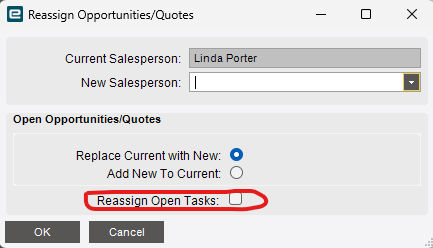
If it were ME, I WOULD reassign open tasks, because I have seen some limitations where only the person who is assigned to that task can close a quote (close a quote as lost). If we convert the quote to a sales order, they automatically get marked as “won”, but if we don’t get a sale… our sales persons have to manually go into the task set and mark it as “lost” (or it just lingers out there as an open quote forever). And again, only the appointed person for that task can perform that process.
So… in general, if I was reassigning the territory (and open quotes), I would say “yes”, I would want to reassign open tasks as well.
~*~
How are you DMTing to “add people”?
I tested a quick DMT against Sales Territory template using an existing SalesRepCode:
This worked to add the sales rep “ageng” to the “GLOBAL” territory.
For the people you’re trying to add… do they have SalesRepCodes? Are they set up in Work Force Maintenance?
If not, I guess (another layer of complexity) the SalesRepCode needs to exist first.