In Classic we can right click a part number and open with any of the built-in forms, or any of the custom forms we made and added to Context Menu Maintenance. Not so easy in Kinetic.
This is the process that worked for me:
First create the BAQ to return the values you want to see in the dashboard. Don’t apply the part number filter here. Leave it wide open.
Create a new App Studio Dashboard using the wizard.
Add the BAQ and a grid view. Dont add controls or filters.
Add a dataview called TransView. Dont make any changes, just save it.
Add a textbox to the grid header, call it PartNum. Epbind it to TransView.PartNum.
Set the grid BAQ Options like this: Notice the single quotes around the part num. The JobAsmbl_PartNum is the value I am trying to match in my BAQ. If your BAQ uses Part.PartNum instead, make sure you change this.
Notice the double quotes here. Make sure to use straight double quotes, not the curly ones that you get from copy/pasta.
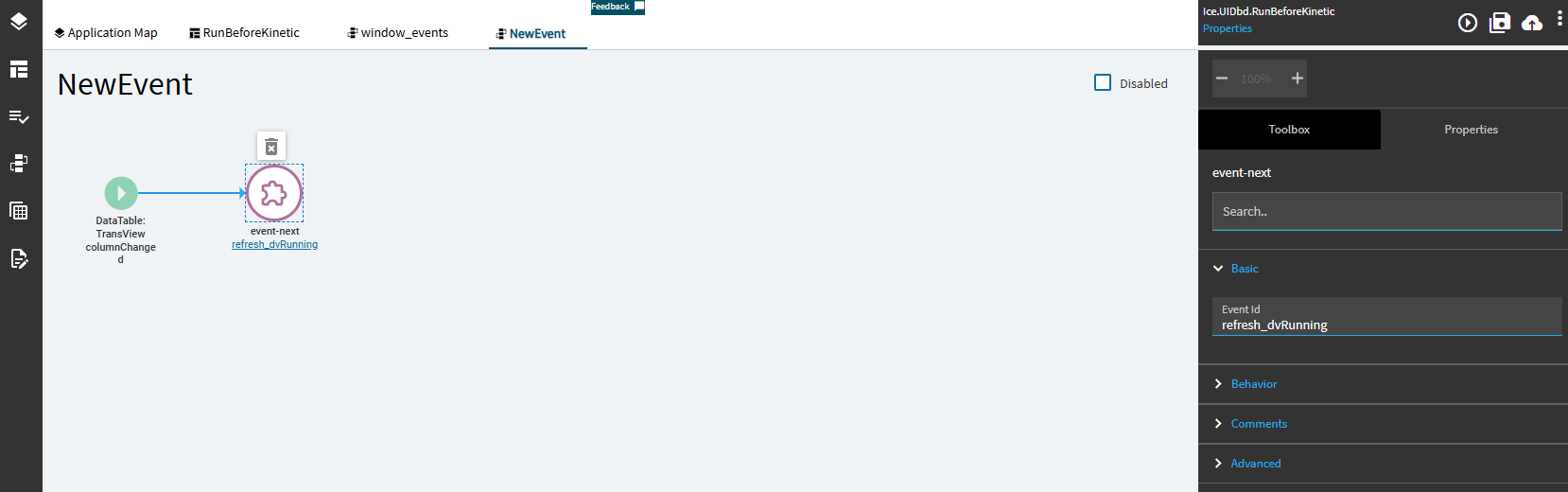
Add the event to refresh the form when editing the part number field. This is a DataView: TransView Column Changed (PartNum). And the next event is pointing to the refresh event that the wizard created for you.
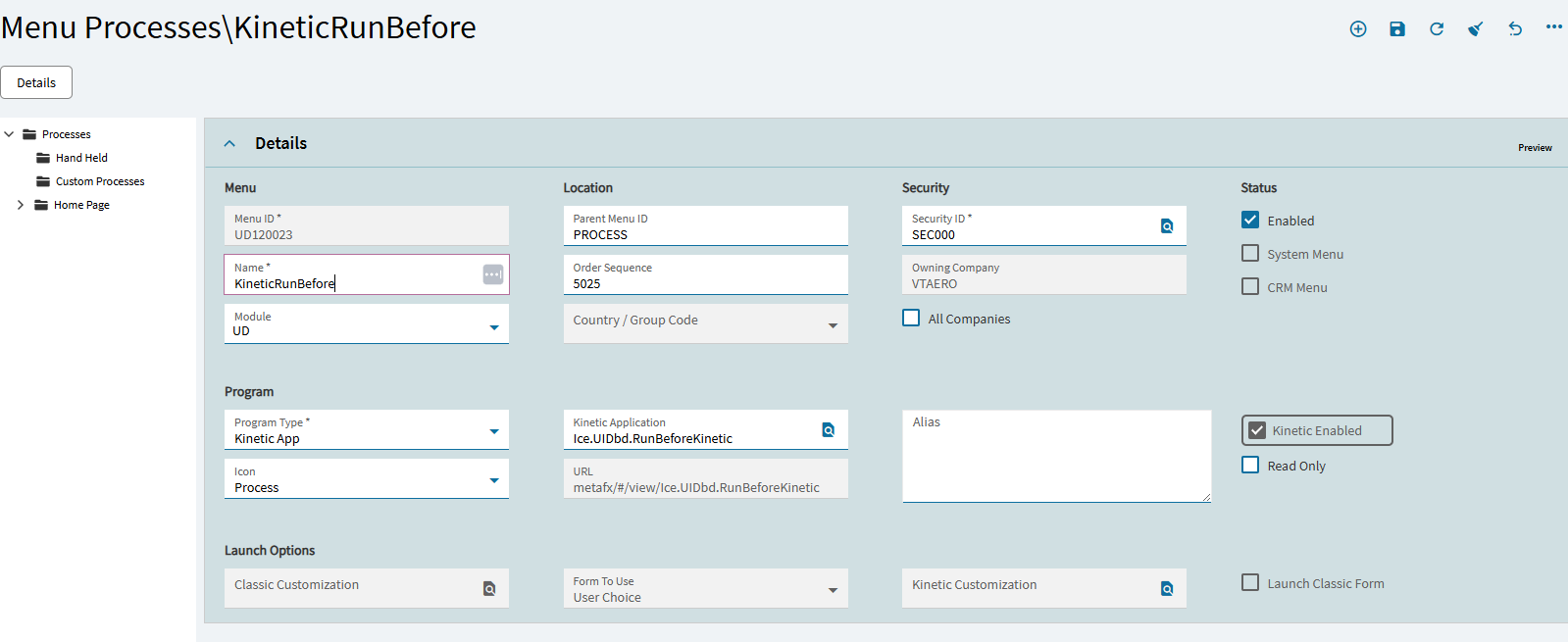
Using Context Menu Maintenance, add context menu item for Part Entry form to point to new menu process item. Note here that the process ID is the Menu ID from the previous step.
Now the part field has a new context menu item “KineticRunBefore”. This should open and filter the dashboard based on the part number you right clicked on.
Inevitably this process won’t work for you. This is Kinetic after all, and if you haven’t given your daily blood sacrifice, you are getting anything! When the process fails, don’t try to get your borked app working. Cut your losses and delete it. Starting fresh often results in a cleaner form in the long run. I started this process over at least 5 times, creating 5 dashboards before I finally got it going.
I reviewed everything, and all is exactly as you specified… and I am developing a hatred of Kinetic due to them taking away functionality that once was easy to setup and get working. Especially this, when even Epicor won’t respond to how to do this “what should be” super easy configuration to launch a custom dashboard from the context menu. ~Bangs head on desk~
This was try number two. Three more to go to reach that magic number 5!
I do appreciate all the time and effort you put into this, and finally providing some guidance, @NateS. Just typical Epicor having nothing working consistently. As soon as they get something really working well, they break it all by transforming everything into something different. i.e. the E-9 fiasco, and now this Kinetic mess.
It looks like Nates post may have curly double quotes so simply changing to regular double quotes may be the fix. Watch out for copy-pasta issues on this site.
"%session.context.initialValueIn.ValueIn%"
Your error:
The expression evaluation is choking on your input key expression.
Look in dev tools and you’ll see somethin like this:
First, what field is your context menu on and is it text or number? If text, then Nate’s expressions should work (minus the bad quote characters). If number, try removing the quotes both double and single in both filter and row-update expressions.
I didn’t see this thread originally a couple weeks ago, but as I was reading through the first post I saw that line and though to myself, someone is gonna copy and paste that line and get the wrong quotes.
I just edited the original post to include a note about those double quotes. When I look at the edit view, the quotes seem to be straight, but get rendered as curly.