Sorry, another person showing up late for the party. But I just figured this out myself and thought I should share.
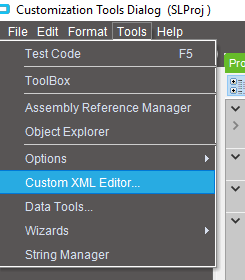
When in Customization, open up the Custom XML Editor…
Go into the Custom Controls tab and find the offending Control Name and delete the row. Do the same under the Custom Properties tab (there will be multiple lines here).
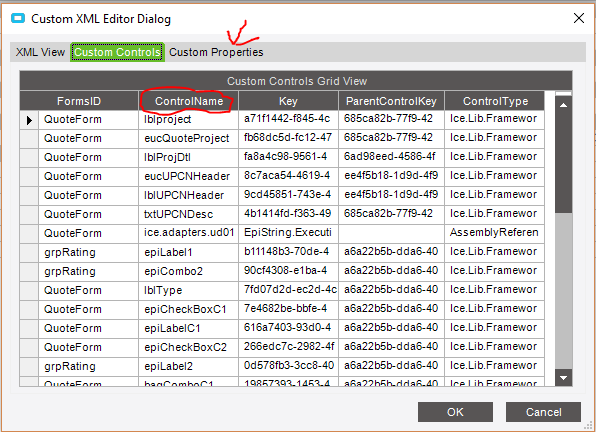
Make sure to MANUALLY save before getting out, you do not get a prompt to save.