I have created a new service using service designer and I would like to be able to use it in classic Epicor forms by instantiating it but I am not able to figure it out yet.
Here is an example of how we do it with AR Invoice object:
using (Erp.Proxy.BO.ARInvoiceImpl bo = WCFServiceSupport.CreateImpl<Erp.Proxy.BO.ARInvoiceImpl>(mySession, Erp.Proxy.BO.ARInvoiceImpl.UriPath))
{
    bool morePages = false;
    ARInvoiceDataSet ds = bo.GetRows("", "", "", "", "OrderNum=123 and OrderLine=1 and OrderRelNum=1","","","","","","","","","","","","","", 0, 0, out morePages);
}
Now I have a service contract:
Erp.Contracts.Notifications_cSvcContract (Its not Erp.Proxy.BO)
How do I instantiate this in code?
For example this service has methods like GetByID, GetRows, Update, Delete and so on.
I am already able to use it in Application Studio but I want to see if I can also use it in classid UI using C# code?
I don’t know how to do it from Classic Forms side, I was born in Kinetic/SaaS and when I lead my first implementation in 2002 I forced us into Kinetic from the start, it was painful
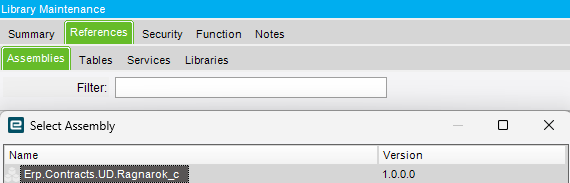
From Functions side, you need to add a reference to the assembly:
Depending on the use case you could use a BPM. From the UI have a button or other trigger update a row (ud column or standard column) and then method or data directive to trigger the required function / code.
This is not always a perfect solution as it depends on your use case but it can be effective. Be sure to refresh after the update though to avoid “row has been modified…” error.