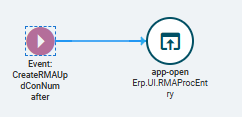
How to open customized layer on 'Create RMA' on 'Case Entry' landing page

Hello,

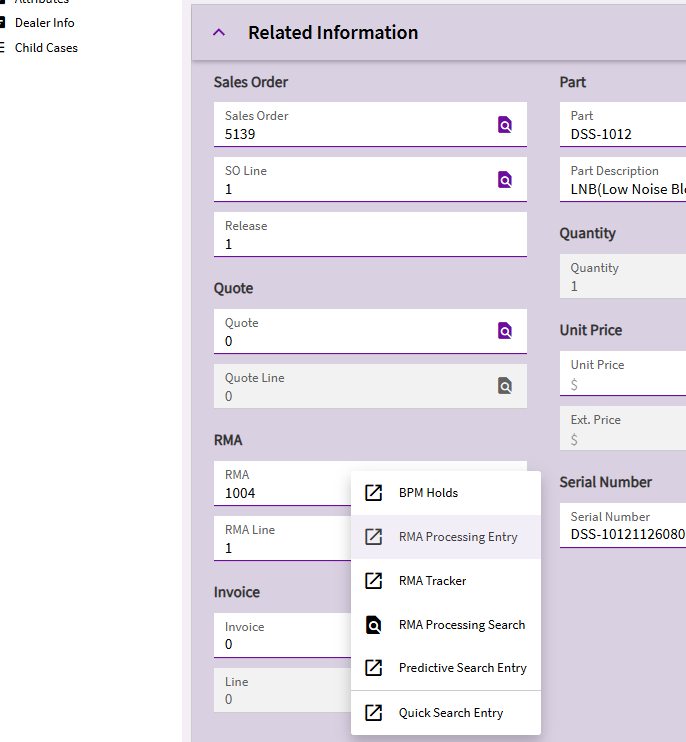
I am looking how to open ‘RMA processing’ page customized layer on Case Entry’ landing page. By default, it opens Epicor standard app. See screenshot below. If anyone help greatly appreciated. How to open customized layer on RMA processing instead of standard one.

Thanks,
Kumar

You’ll have to customize the layer in Application Studio. There are threads around here on this topic.

Kinda a pain, will have to override the event that the button/action calls and make it a mirror copy except provide a customization layer alongside the form.

3 Likes

Why would you do that? You can open RMA Processing rom the RMA field in the Related information in the case.

Hello All,

I added new after event and added custom layer to that. Now it is opening custom layer instead of standard one. Thank you all.