I read all topics related to parameter in combo box and did not found my scenario which seems to be basic one.
What I want to get is to filter combo by column from other dataview.
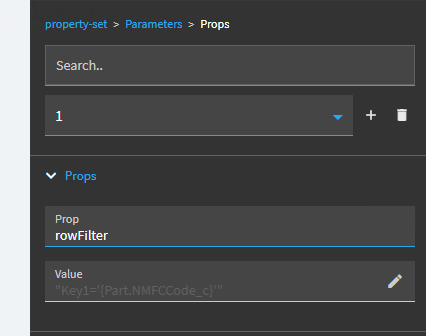
Configuration for one of my attempts is following:
I got in some ears with some folks at Epicor about the necessity for this and they said “we’ll see what we can do”.
The painful workaround is to bind your combo to a dataview, then you create an event for that combo box and call the dataview-filter-set and filter it with that.
I think I had something around that showed that. Lemme see if I can dig it up.
Honestly, you should probably toss out any expectations of how things should work. I have said that phrase to myself more times than I can count and at this point, I just kind of go “Yup. That tracks… ”
Kinetic is a bit like a toddler going to college. It’s cute and adorable at first, but in the end, it’s just underdeveloped, frustrating, and not ready for where it’s at.
This works now, you can have an event do a property-set on a panel grid component and set the below property:
Component Id: yourpanelgridid
Prop: gridModel.columns[columnid].erpEditorModel.rowFilter
Value: “Field = ‘Value’”
The only issue is that I can only seem to address the column by it’s RowIndex in the columns array, so if you re-order columns, you have to adjust your property-set.
This works straightforward with a combobox component, you can just address the combobox id and use prop rowFilter. trickier when embedded in a grid.
Is there a way to address the column by ID within property-set?
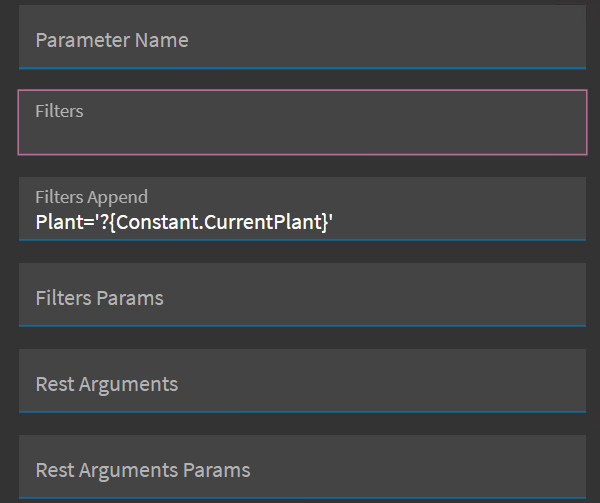

 ”
”