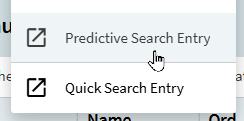
Rookie question: I am new to Kinetic Cloud and trying to implement Predictive Search on the Part_PartDescription field. When I search for “Predictive” in the main menu, nothing shows. When I search for “Search” in the menu, I see the following:
- Enterprise Search Index Maintenance
- Enterprise Search Configuration Maint
- Enterprise Search Schedule Reindex
When I click on “Enterprise Search Index Maintenance” I see an error: “There is no existing Enterprise Search Configuration entry. Contact Cloud Operations to create initial index.” I do not know if this is related to Predictive Search or not…
When I click on “Enterprise Search Configuration Maint” I see an error: "Access to Enterprise Search Configuration requires that:
- The current user belongs to the Enterprise Search Admin security group.
- The current user is either a Security Manager (on premises installations) or Global Security Manager (Epicor Cloud ERP)." I do not know if this is related to Predictive Search or not…
When I go to User Account Maintenance for my login, I see the following:

Can someone please help point me in the right direction for setting up a Predictive Search?