When a resource is simultaneously clocked onto two operations, is it possible to stop the labour hours being split? E.g.
An operator clocked onto Operation 20 on two jobs, JN13999 & JN13393. The operations are for machining, with a machine resource scheduled on each one.
The operator clocked on for almost 9hrs on both operations, but the Hrs were split across the two operations. (i.e. 4.37 hrs on one job and 4.39 hrs on the other).
In reality, the machines ran for the full 9 hours, which is what we want recorded against each job.
Currently, we’re getting a false ‘efficiency’ recording. On the Production Detail report for one of the jobs, the efficiency on this operation is 228.8% because the ‘estimated’ time was 8 hours and 4.37 hours actual hours were recorded.
An additional note is that we do not have a separate ‘Labor Rate’ and ‘Burden Rate’. We only have a ‘Labor Rate’ and calculate costs using Labor Hrs.
Thanks for the suggestion. Wouldn’t this still return a similar outcome?
E.g.
Estimate on Job A is 4 hrs
Estimate on Job B is 4 hrs
Operator records 4.2 actual hours total whilst simultaneously clocked onto both jobs.
My understanding is that, as the estimate hours on Job A are 50% of the total estimate hours (across both jobs), Epicor will apportion 50% of the actual hours onto Job A - i.e. 2.1 hours
Ok so you don’t already have that checked? My suggestion would be to uncheck it but if its not checked for that resource group then there must be some other cause.
Looking closer at your screenshot, the clockin and clockout time stamps don’t match what you are saying. He did only clock in for ~4 hours on each of those not 9. Nevermind, math is hard lol, you’re right.
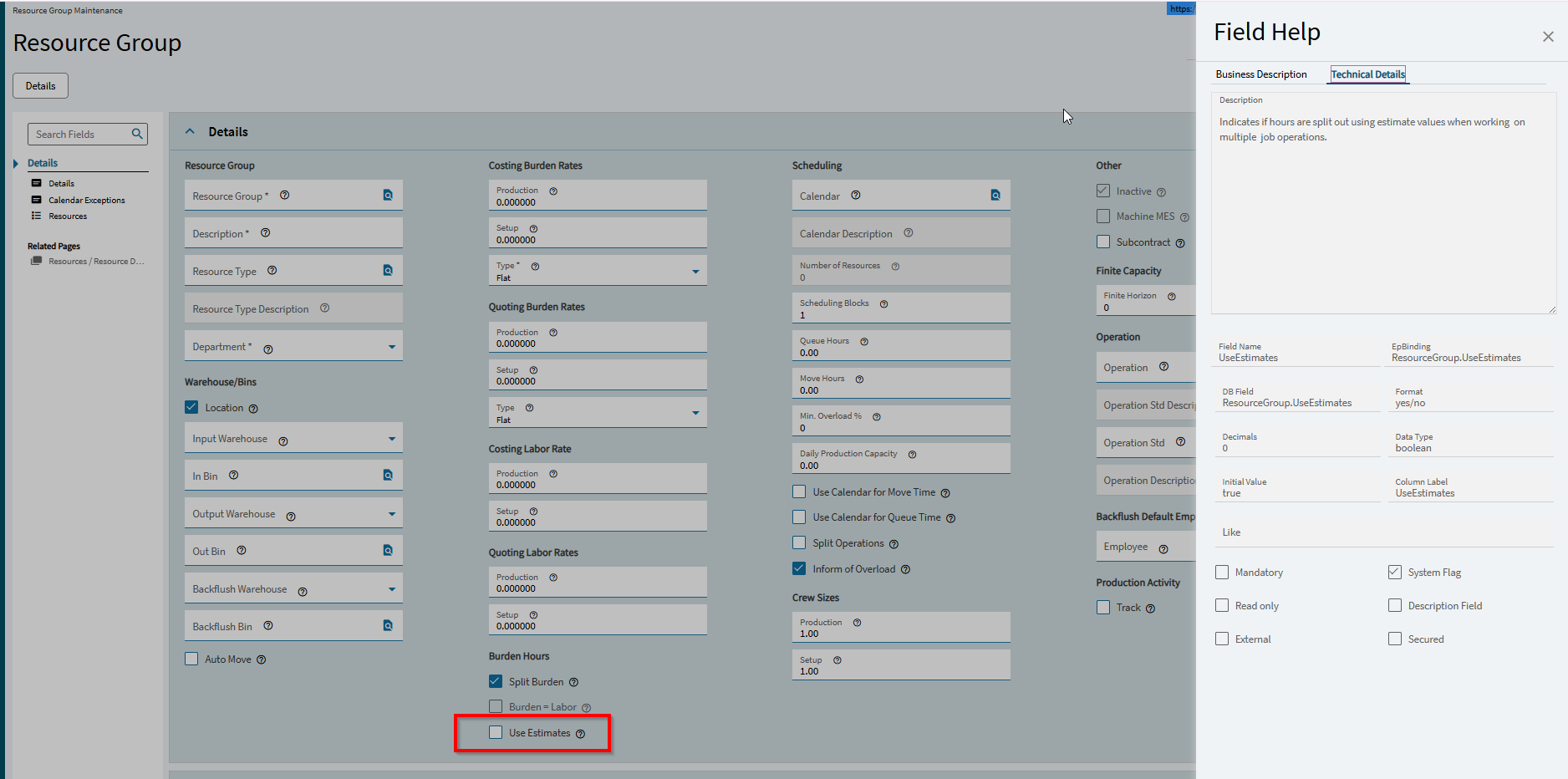
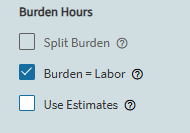
There are two main options which will change how the Burden Hours are affected by employees logging into multiple jobs at once.
Split Burden will control whether the Burden Hours are split whenever one Resource is logged into by multiple people/jobs at the same time. If this is selected, the total Burden Hours on that machine for each entry will be split so that you are not “double dipping” on the Burden Hours. If this is not selected, the Burden Hours for each labor entry will be the total time clocked into that entry. If you have two people or one person on two jobs, you would count double the Burden Hours on that machine.
Burden = Labor will control whether the Burden hours are split whenever one Employee is logged into multiple jobs/operations at the same time. If this is clear, the hours are split so that Employee’s total burden hours for the day should not be more than how long they were present. If this is selected, their Burden Hours on each entry will equal the amount of time clocked into each entry. If they worked on two jobs simultaneously all day during an 8 hour shift, they would accumulate 16 total burden hours for the day.
Use Estimates will scale the applied Labor/Burden hours when splitting based on the production standard on each entry. If this is clear, the split is 50/50.
As far as I’m aware, Epicor will always split the labor hours if you clock into multiple jobs at once. All efficiency reporting from Epicor uses Burden Hours as the basis because of this.
We have both options cleared on all our resources so that Burden Hours for each labor entry ends up being the actual time people were clocked in. This gives us a clean number to use for efficiency tracking and reporting.