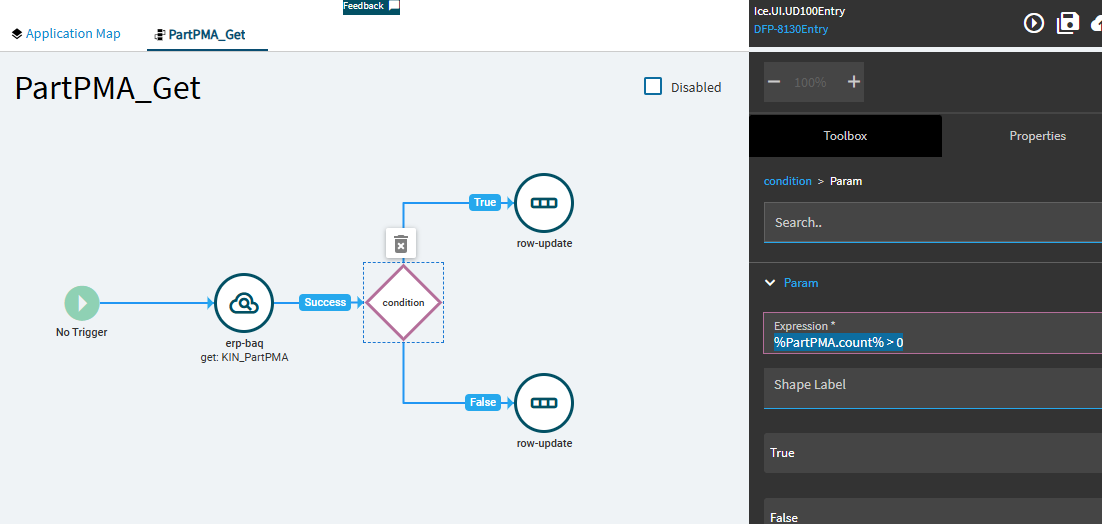
This works correctly when the entered PartNum exists in the Part table.
The Problem
Users sometimes need to enter a custom PartNum that does NOT exist in the Part table.
When they do this, the GetByID fails (as expected) and throws the error:
“Record not found”
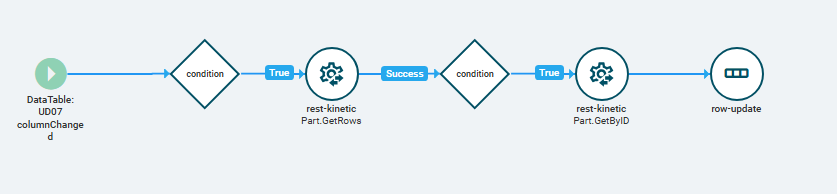
I tried working around this by adding a Part.GetRows call first, checking if anything comes back, and then calling GetByID only when a match is found. Something like this:
Event: UD07 columnChanged
Condition: PartNum is not empty
REST: Part.GetRows
Condition:{UD07.PartNum_c.length} > 0
REST: Part.GetByID
Row-Update: Set UD07.Description_c
However, this still doesn’t work. The GetRows doesn’t prevent the GetByID from throwing an error when the part doesn’t exist.
What I Need
I’m looking for a way to:
Only run GetByID when the Part exists Allow users to enter custom PartNums without errors Still populate UD07.Description_c automatically when the Part does exist
Has anyone handled this scenario before or found a reliable condition to prevent the “Record not found” error?
So the widgets in the events have a habit of running even if the prior one failed… I feel like even in alternate branches.
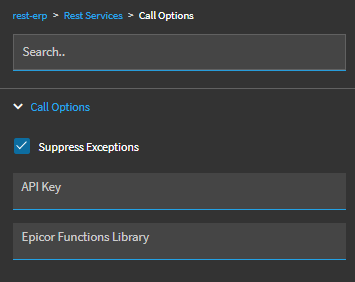
You may need to change all of your arrows to “SUCCESS” or whatever it is called, instead of just plain arrows. (Well, don’t change the true/false arrows or others that have a value.)
Yeah the events are something else. As @hmwillett summarized:
I have had to stick with simple ones, not that I often need complicated ones anyway. But on the weekend before physical inventory I made a nifty and complicated app to enter tags, and that’s when I got fancy with events and went on a rapid learning curve.
 Only run GetByID when the Part exists