Wonder if anyone knows how to sync the RDL field to the RDL file.
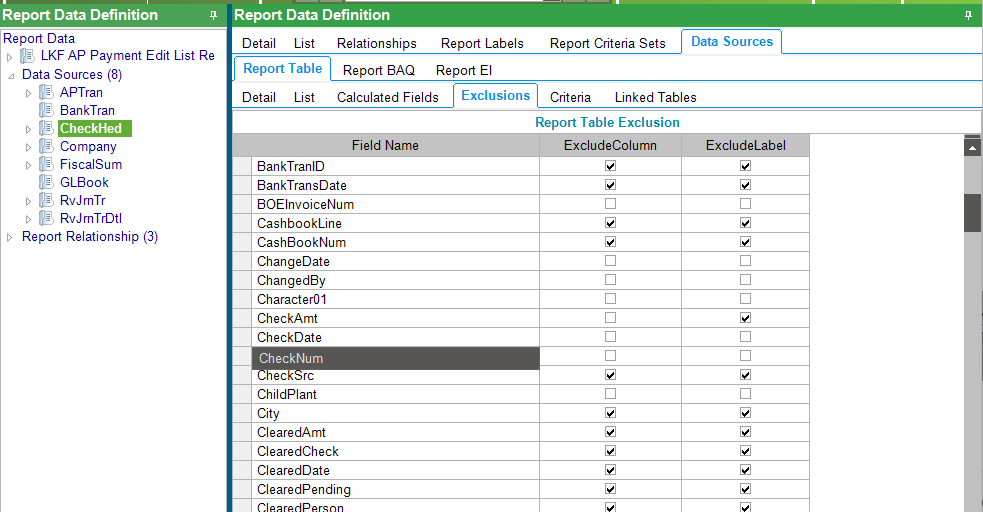
Currently we have the AP Payment Edit List that have some of the fields been checked in the exclusion list.
As user need to have the “Check Date” field and we have unchecked this field in the exclusion list of the RDD after making a copy of the base RDD.
Export of the RDD confirmed that the field is now found in this file but when we create the report style to use this RDD, however it seem that the RDL is still using the old RDL without the extra field. Did a Regenerate Data Model doesn’t help.
The problem is that the new field is not in the new field exclusion is not in the dataset to add manually.
I check the rdl manually using notepad and indeed the field is not there and thus I am not able to add manually. I supposed there should be some steps to synchronise the RDD field to RDL.
Thanks Mark.
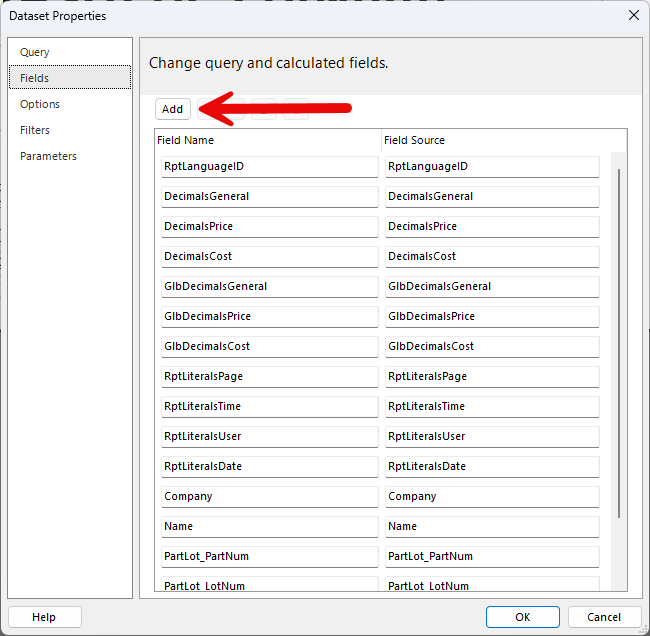
On the DataSet function, I added the CheckDate in the select statement. However the DataSet still do not show it. I check the RDL and it’s added in the Select statement. However the Field Name is not added automatically and I have to add in the RDL for the Dataset to appear:
Yes. I did change the RDD in the Report Style.
What I experience is when i add the CheckDate field in the SQL query, the dataset is not showing it.
When I check the RDL in notepad, I can see checkdate is added in the select statement.
However CheckDate is not added in . Only after I edit the RDL and add this field for checkDate that it will appear in the dataset.
That is correct, if editing the RDL in report builder you would open the relevant dataset properties after adding the field to the query and then using the fields option, add in the field.