Help me please
I want to add a Table Part in RDD to pull the LotShelfLife field to show in SSRS, but I did it and got an Error.
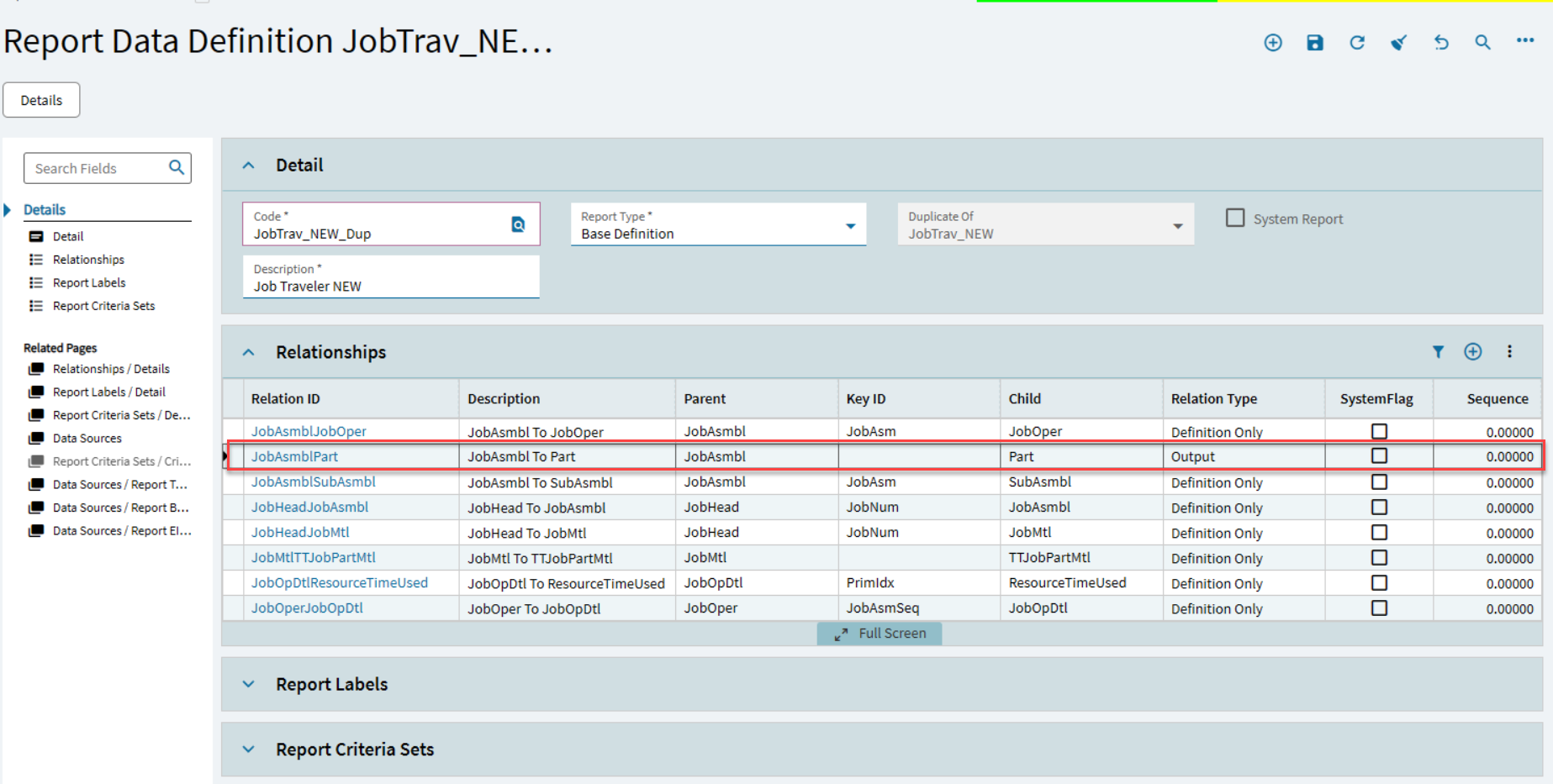

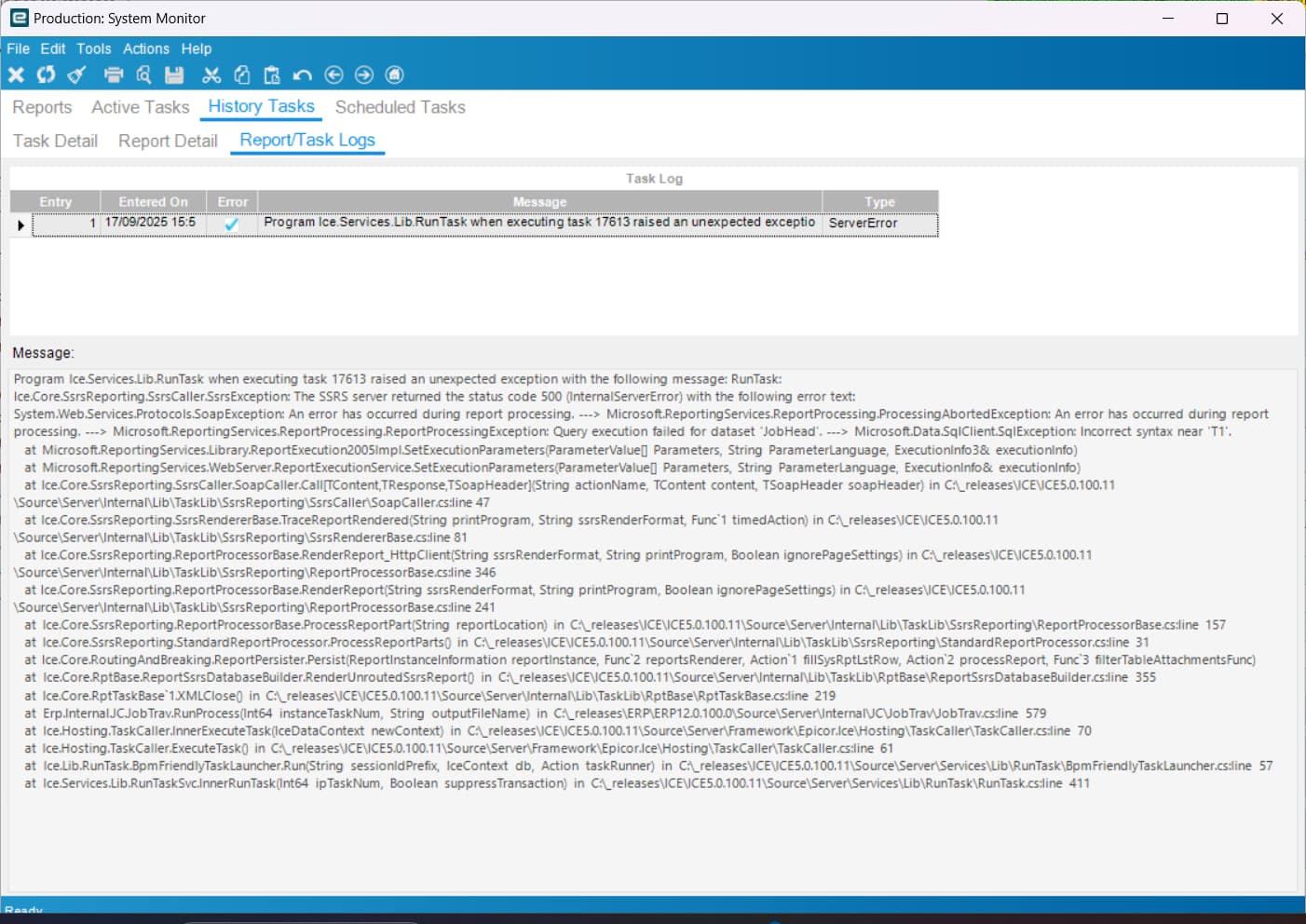
Says incorrect syntax near T1
paste the actual sql here so we can see all of it
1 Like
Just from the SQL we can see, make sure you have trailing spaces before your new line breaks in the query text. I’ve had issues before with formatting that text and SSRS ignoring new lines when parsing the query.
1 Like
Your join in the second image shows 3 tables,
T2.Company = T6.Company
T3.PartNum = T6.PartNum
I’ve never tried to do this and I am not sure you can, normally I join one table to another, not one table to two?

2 Likes
="SELECT T1.DueDate,T1.IUM,T1.ProdQty,T1.ReqDueDate,T1.StartDate,T1.Calc_MultiJobParts,T1.Calc_OrderQty,T1.Calc_StockQty, T1.SysRowID,T1.Batch_c,

T2.AssemblySeq,T2.BomSequence,T2.Company,T2.[Description],T2.DrawNum,T2.IUM as JobAsmbl_IUM,T2.JobNum,T2.OverRunQty,T2.PartNum,T2.PullQty,T2.RequiredQty,T2.RevisionNum,T2.Calc_BCAsmSeq,T2.Calc_BCJobNum,T2.Calc_BCPartNum,T2.Calc_BCRevNum,T2.Calc_comment, T2.Calc_AttributeSetShortDescription, T3.CommentText,T3.Instructions,T3.DaysOut,T3.DueDate as JobOper_DueDate,T3.EstProdHours,T3.EstSetHours,T3.Machines,T3.OpCode,T3.OpDesc,T3.OprSeq,T3.PrimaryProdOpDtl,T3.PrimarySetupOpDtl,T3.ProdStandard,T3.RunQty,T3.StartDate as JobOper_StartDate,T3.StdFormat,T3.Calc_BCOpCode,T3.Calc_BCOprSeq,T3.Calc_DispStatus,T3.Calc_OPText,T3.Calc_OPType,T3.Calc_PurPoint,T3.Calc_VendorId,T3.Calc_VendorName,T3.OpCode_OpDesc, T4.CapabilityID,T4.ConcurrentCapacity,T4.DailyProdRate,T4.OpDtlSeq,T4.ProdCrewSize,T4.ResourceGrpID,T4.ResourceID,T4.SetUpCrewSize,T4.SetupOrProd,T4.Calc_BCCapabilityID,T4.Calc_BCResGrpID,T4.Calc_BCResourceID,T4.Calc_CapbltyDesc,T4.Calc_ResDesc,T4.Calc_ResGrpDesc,T4.Calc_SchedResDesc,T4.Calc_SchedResGrpDesc,T4.Calc_SchedResGrpID,T4.Calc_SchedResID, T5.ResourceGrpID as ResourceTimeUsed_ResourceGrpID,T5.ResourceID as ResourceTimeUsed_ResourceID,T5.WhatIf,T5.Calc_RTUResDesc as ResourceTimeUsed_ResourceDesc,T5.Calc_RTUResGrpDesc as ResourceTimeUsed_ResourceGrpDesc


,

T6.LotShelfLife
FROM JobHead_" + Parameters!TableGuid.Value + " T1
 LEFT OUTER JOIN JobAsmbl_" + Parameters!TableGuid.Value + " T2
  ON T1.Company = T2.Company AND T1.JobNum = T2.JobNum
 LEFT OUTER JOIN JobOper_" + Parameters!TableGuid.Value + " T3
  ON T2.Company = T3.Company AND T2.JobNum = T3.JobNum AND T2.AssemblySeq = T3.AssemblySeq
 LEFT OUTER JOIN JobOpDtl_" + Parameters!TableGuid.Value + " T4
  ON T3.Company = T4.Company AND T3.JobNum = T4.JobNum AND T3.AssemblySeq = T4.AssemblySeq AND T3.OprSeq = T4.OprSeq
 LEFT OUTER JOIN ResourceTimeUsed_" + Parameters!TableGuid.Value + " T5
  ON T4.Company = T5.Company AND T4.JobNum = T5.JobNum AND T4.AssemblySeq = T5.AssemblySeq AND T4.OprSeq = T5.OprSeq AND T4.OpDtlSeq = T5.OpDtlSeq

LEFT OUTER JOIN Part_" + Parameters!TableGuid.Value + " T6
  ON T2.Company = T6.Company AND T2.PartNum = T6.PartNum
"
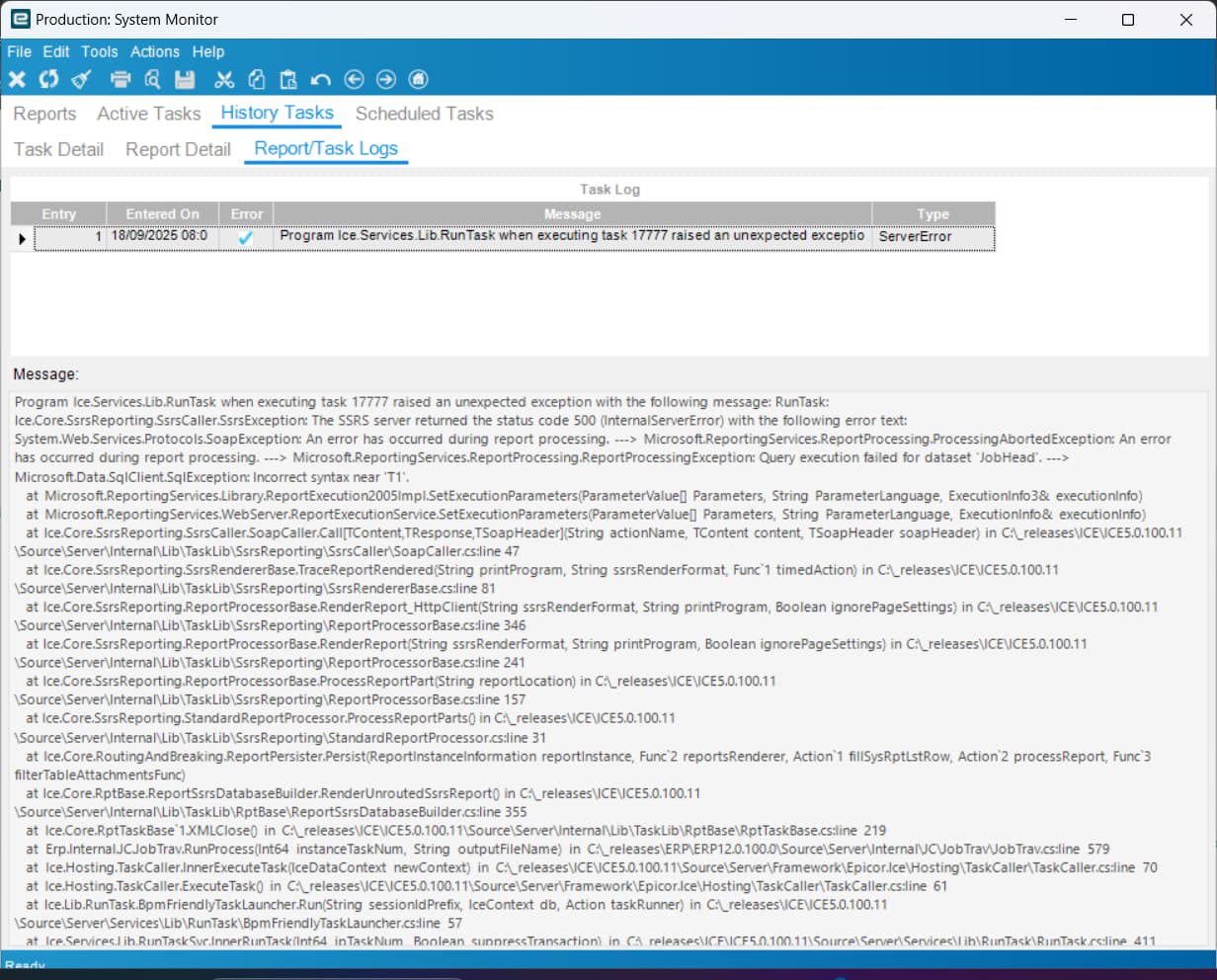
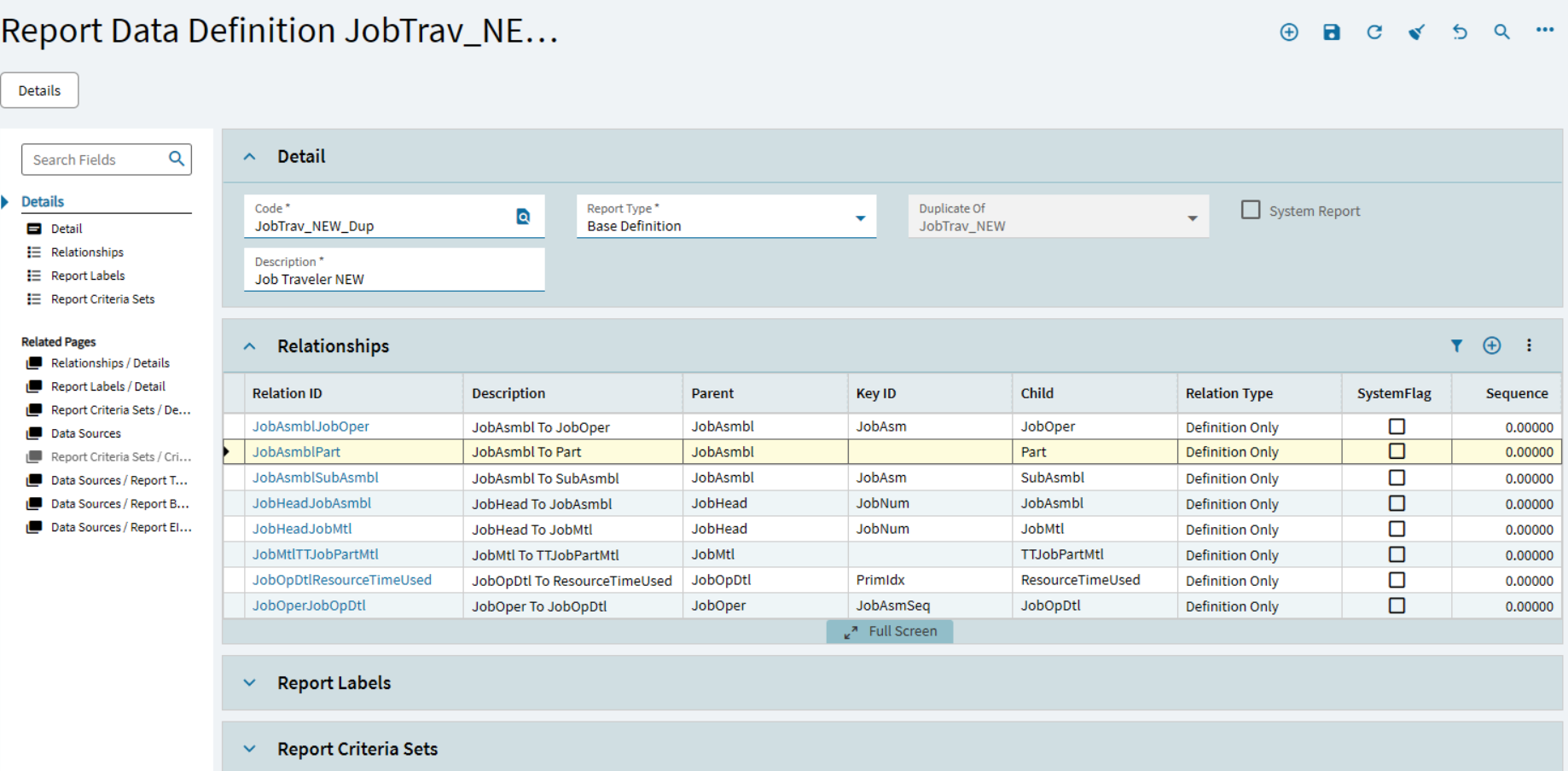
I have corrected the mistake but it hasn’t happened yet.
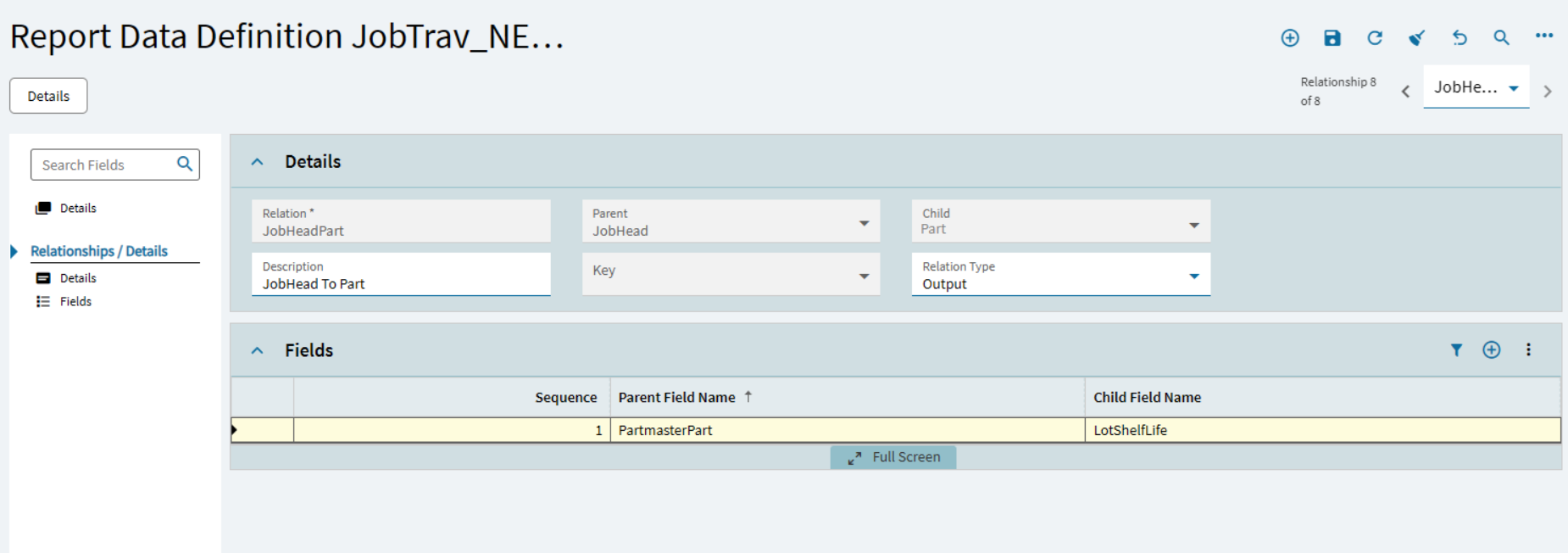
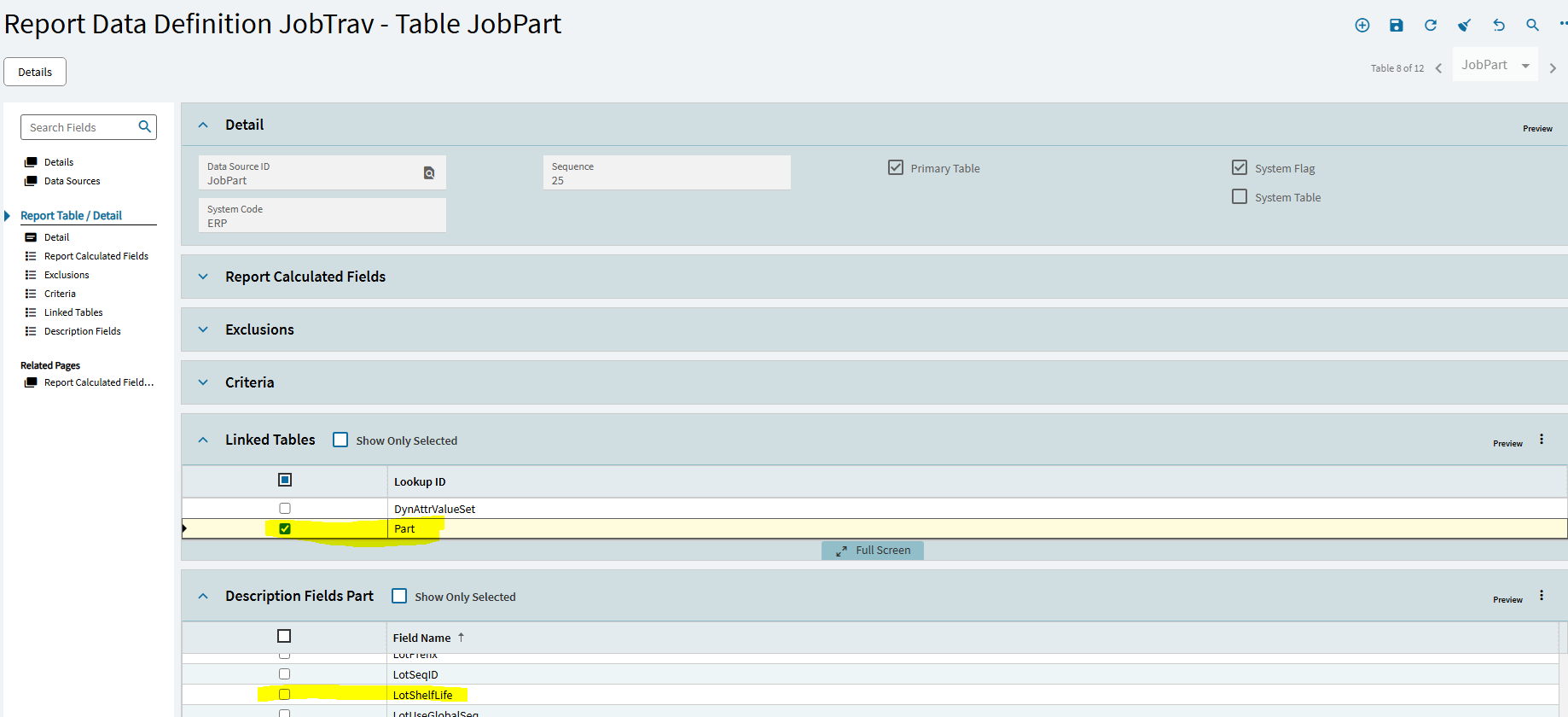
The Part table is already in the JobPart Linked Tables. Check the Part in the linked table then the LotShelfLife in the Description Fields Part tab ( I cant check it in the Screenshot, this is the non editable , out of the box Data Definition, you can check the box in tour Data Definition)
The reference would then be ( might need some help in the syntax??) T1.JobHead_Part.LotShelfLife ?? in the SQL statement instead of T6.LotShelfLife
2 Likes