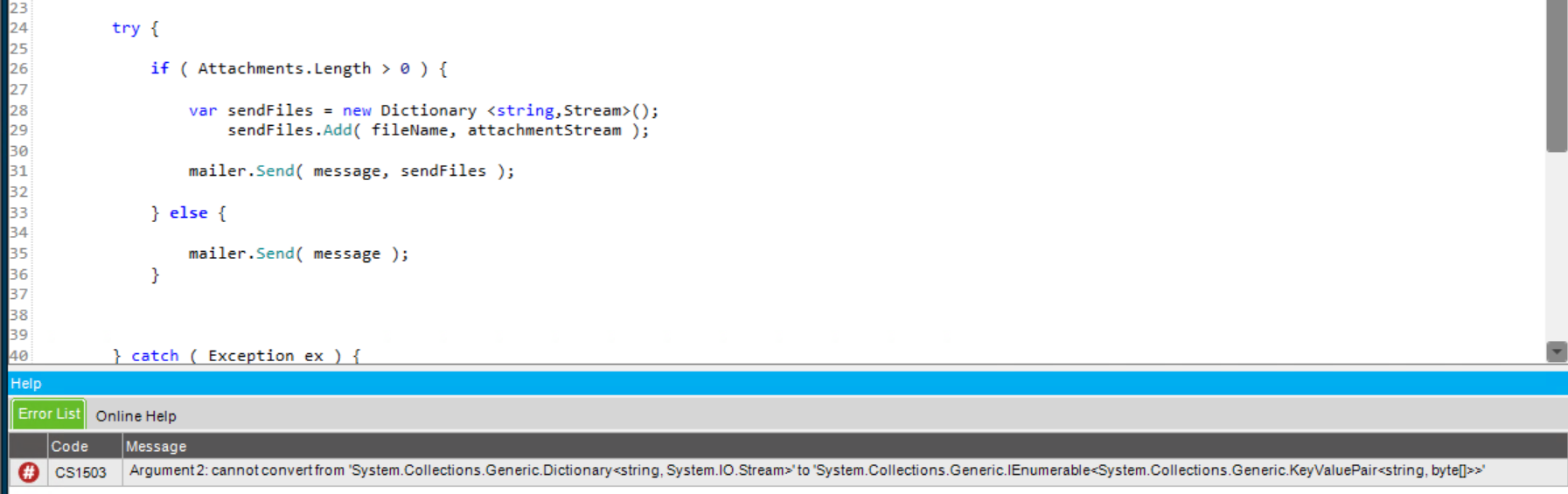
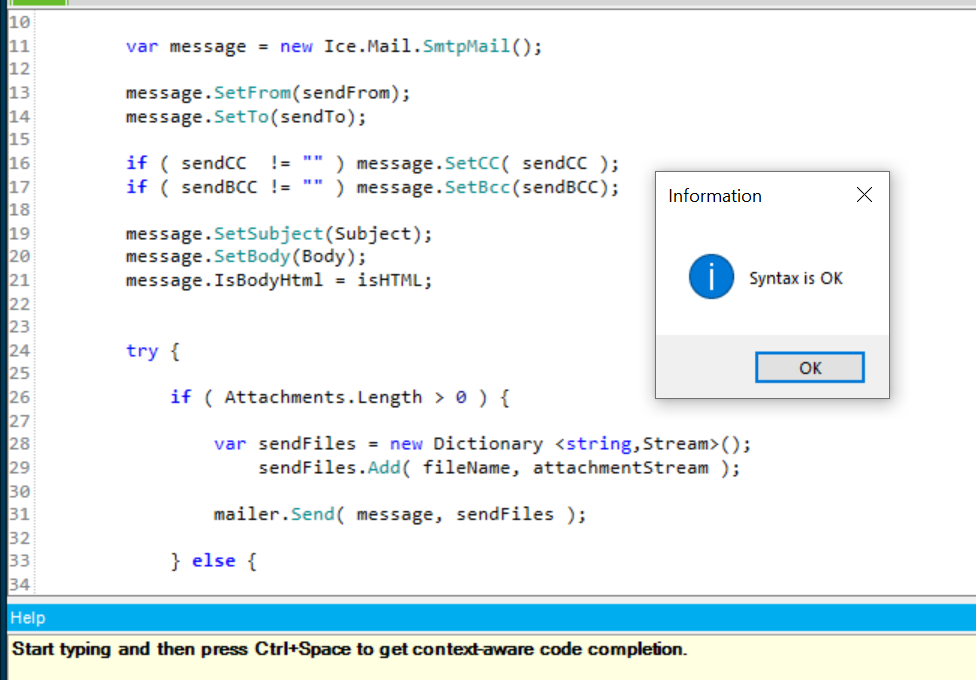
Weird issue I’m having. I was working late (from home) last night, and I got an error importing an Efxj file into my test environment. I found it was on my email helper library. Using the Ice.Mail.SmtpMailer, I was getting an error on the line mailer.Send( message, attachments ); where attachments is a Dictionary<string,System.IO.Stream>. The error is:
Cannot convert from 'System.Collections.Generic.Dictionary<string,System.IO.Stream>' to 'System.Collections.Generic.IEnumerable<System.Collections.Generic.KeyValuePair<string,byte[]>>'
These screencaps are from the same environment, library, and function, using the same username. No changes at all.
My understanding was that Epicor Functions are entirely server side, so the client machine / environment shouldn’t cause any issues. What am I missing here?
If you search here, you will find that in order to do local client compilation, you’ll need .the same NET 6 version installed on both your workstation and server because syntax checking does not happen at the server but runtime does.
Your profile says 10.2.700 but I assume it may be out of date.
Ahhhh that’s probably it. Our production server is still 10.2.700, but the environment I’m working in is the test environment, we’re upgrading to 2023.1 in a few weeks.
The terminal server I’m using is Server 2012 R2. I’m guessing it has an outdated .NET version. That makes a lot of sense. Thanks Mark!
Functions are server side, but that syntax check is done on the client, so you get it from your client environment. Question is why it does not see correct override for the function. May be you have some server library somehow placed in your installation folder… Hard to say
That’s what I was getting hung up on. The config files should be the same on both machines, though they’re giving different results. It is a really old server though. I’m guessing Mark’s suggestion about it having an outdated version of .NET Framework is probably the cause.
Well the error is not framework.
According to what you write about your versions, I think you will have this problem, when upgrade to 2023.x. Mailer was changed and probably your function will have to be changed too.
You’re right, the function did have to change when I imported to Kinetic, but this was the working version (in 10.2.700, my “attachments” variable was a Dictionary<string, string>, which doesn’t fly in Kinetic).
It compiles fine if I am running the 2023.1 client on my desktop or if I’m running the 2023.1 client on our Application server (Server 2019). It only throws the error when I run the 2023.1 client on our remote terminal server that I use when working from home.
In 10.2.700, I had a bunch of Data Directive BPMs on SysTask that would execute when specific BAQs were exported with the BAQ Export Process. They’d fire an email off to a customer or user with the BAQ attached.
The old code I used for attachments:
var mailer = this.GetMailer(async:true);
var message = new Ice.Mail.SmtpMail();

message.SetFrom("ouremail@domain.com");
message.SetTo("customer@email.com");

message.SetSubject($"Customer Data");
message.SetBody("");

var emailAttachments = new Dictionary <string,string>();

string attachmentPath = @"C:\EpicorData\Companies\Path\To\BaqExport.csv";
string attachmentName = $"CustomerBAQ_{DateTime.Now:G}.csv";

emailAttachments.Add(fileName, filePath);

mailer.Send(message, emailAttachments);
But that was not working in Kinetic (2023.1) when we started testing. Apparently the method that takes Dictionary<string,string> as a second argument was removed from Ice.Mail.SmtpMailer. New code that works (using a Dictionary<string,System.IO.Stream> as the second argument):
using ( var mailer = new Ice.Mail.SmtpMailer(this.Session) ) {

    string filePath = @"C:\EpicorData\Companies\Path\To\BaqExport.csv";

    using ( var fs = File.Open( filePath, FileMode.Open) ) {


        var message = new Ice.Mail.SmtpMail();

        message.SetFrom("ourEmail@domain.com");
        message.SetTo("cust@email.com");

        message.SetSubject("Customer Data");
        message.SetBody("");
        message.IsBodyHtml = false;


        try {

            string attachment = $"CustomerBAQ_{DateTime.Now:G}.csv";

            var sendFiles = new Dictionary <string,Stream>();
                sendFiles.Add( attachment, fs );

            mailer.Send( message, sendFiles );

        }
        catch ( Exception ex ) {

            string logName = @"C:\EpicorData\Logs\kevLogs\smtpErrors.log";
            string logDtls = $"{DateTime.Now:G}: {attachment} - {ex.Message}";

            System.IO.File.AppendAllText(logName, logDtls);
        }
    }
}