I have a working DFD in IDC for Customer POs. I cloned the DFD and made some tweaks to the formulas/Regex on the cloned version. The documents do not share Training Data. The XML files being output for both DFDs are populated in exactly the same way as each other, with no missing values.
When I Submit documents from IDC to ECM using the cloned DFD, it goes into the exact same workflow as the original DFD, as desired. However, the document from the cloned DFD is getting hung up with a “Null ID in Parent” error. In the workflow audit, I can see on which step/action it’s getting hung up, but there is not enough detail to tell me what the issue is (it looks to be on a task that is populating a large Field Group for Line Details). In Epicor, I can use message boxes at different points to help me narrow down the issue, but I’m not aware of a similar troubleshooting method in ECM.
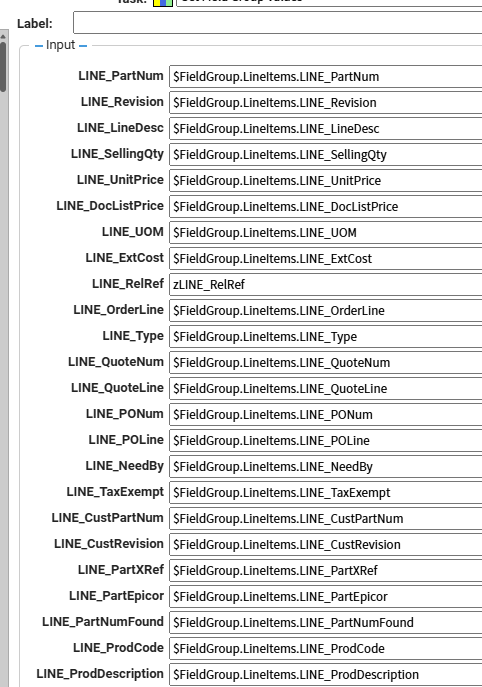
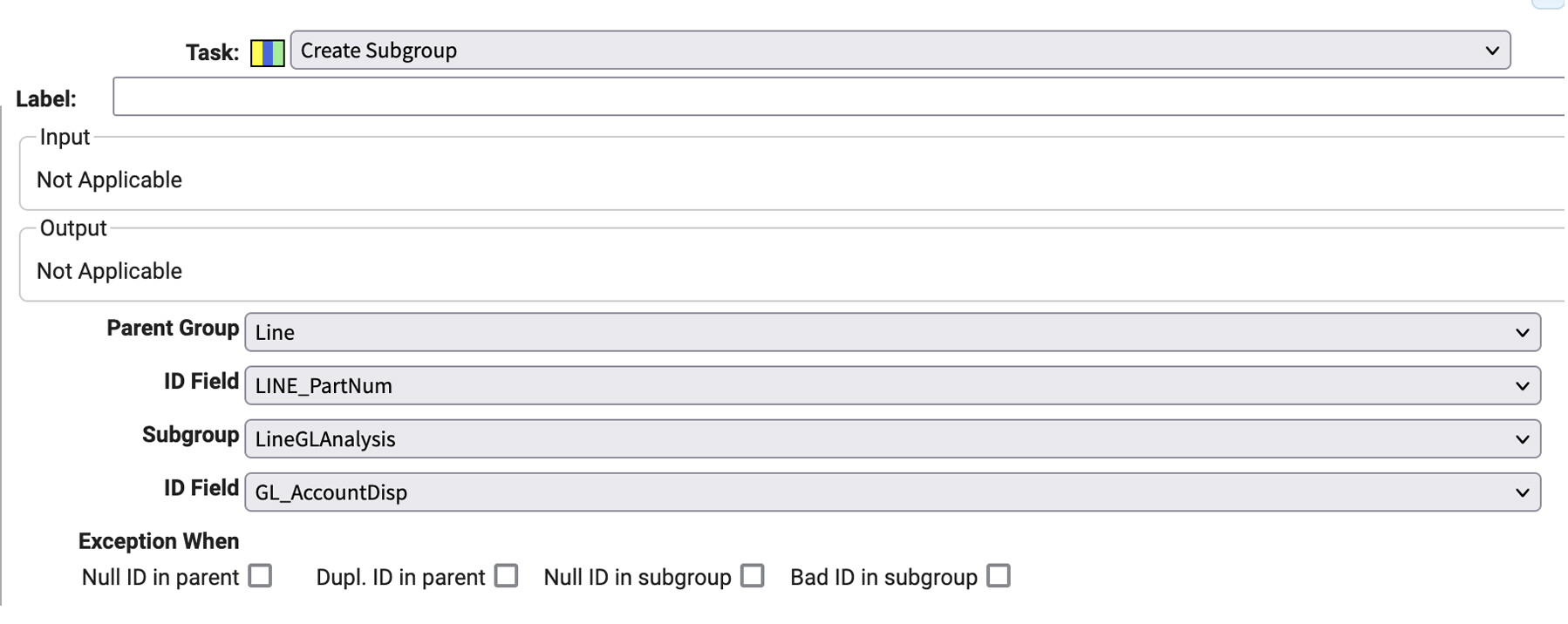
Does anyone know how I can determine which of the Field Group entries is creating the issue? I’ve pasted the error text below, as well as a screenshot of the task.
  Components.Workflow.ActionException: PreCheck:Restore LINE_RelRef InterleaveFieldGroupsTask Null ID in parent ---> Components.Workflow.TaskException: InterleaveFieldGroupsTask Null ID in parent ---> System.Exception: Null ID in parent
   at Components.Workflow.Tasks.InterleaveFieldGroupsTask.HandleException(InterleaveExceptionOptions xType)
   at Components.Workflow.Tasks.InterleaveFieldGroupsTask.OnExecute()
   at Components.Workflow.TaskBase.OnExecuteWithResult(Object userInput)
   at Components.Workflow.TaskBase.Execute(Object userInput)
   --- End of inner exception stack trace ---
   at Components.Workflow.TaskBase.Execute(Object userInput)
   at Components.Workflow.ActionEngine.Execute(IDictionary inputs)
   at Components.Workflow.ActionEngine.ExecuteNonUI(Boolean clientServicesAvailable)
   --- End of inner exception stack trace ---
   at Components.Workflow.ActionEngine.ExecuteNonUI(Boolean clientServicesAvailable)
   at Components.Workflow.WorkflowEngine.ProcessWorkflowDocument(Boolean didAnything, Boolean enteringExecution)
Looks like there is a zLINE_RelRef being populated, but that is a local variable. The Create Subgroup task will only work with field groups and fields. What is happening is that the workflow cannot find the reference to the parent field group that it is trying to subgroup to.
Given what you said, and that this exact step/action/task works without issue when submitting to ECM using the original DFD, I’m perplexed about how to track this down.
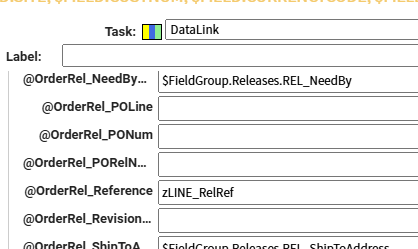
It looks like that “local” variable is defined in a datalink task in the Action immediately preceding the one referenced in the error:
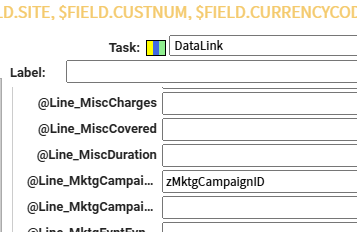
It looks like a similar thing is being done in that task for the Marketing Campaign, which is set as a default value on all items pushed to Epicor in a different step of this workflow:
The zMarketingCampaign one is typical when CRM is active in Epicor as every sales order then needs a default marketing campaign. It wouldn’t be handled quite the same way as it is a header field and not part of any line details.
The zLINE_RelRef must be being used to collect and populate references of some kind, but the issue seems to be that the order line doesn’t exist to subgroup things to. Those order lines are assigned during the PreCheck workflow step in SO Automation so I would begin looking around in that workflow step.
Also, restarting the workflow to collect the recording will provide a great amount of detail, too. This is often the first step in troubleshooting workflow issues in ECM.
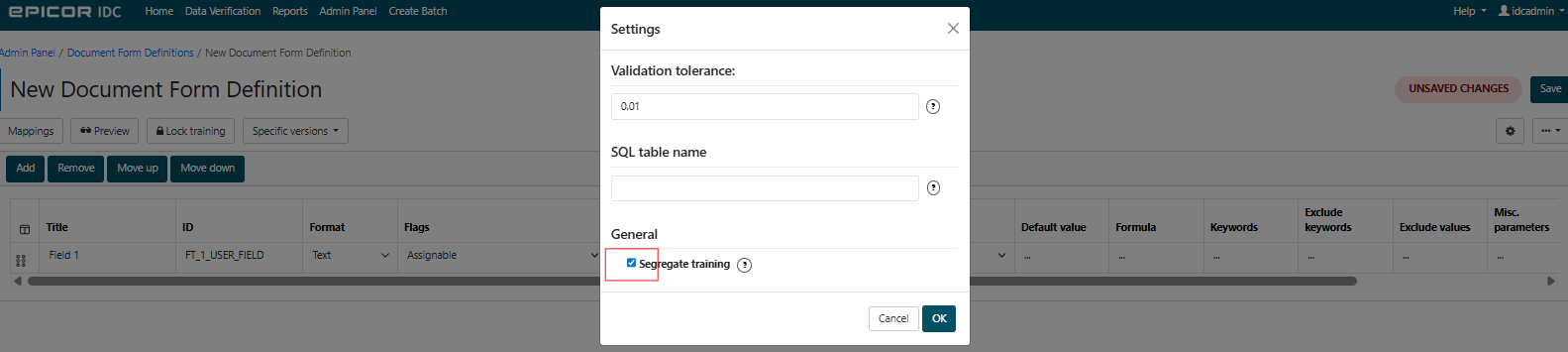
We deliberately segregated these two DFDs. Long story short, both of these DFDs are for POs from the same customer, but for different types of orders. The POs look exactly the same when they come in, but our customer puts different information in different places on the PO for these two different order types. When we were sharing the training data, IDC was not keeping the unique mapping and formulas in each DFD separate. We segregated the training data and now the DFDs behave the way we need them to.
Would the XML that IDC outputs for each submission provide any indication about either of your questions regarding changes resulting from the clone?
I uploaded the two DFDs (had to change the file extension from ftfx to do so).
I noticed when I was marking out the confidential info in them that there are some differences in their structure, but I don’t quite understand what they are.
Thank you in advance for any help you can provide! That goes for everyone!
I would suggest stopping the document before the workflow starts. Validate all the fields exist, then restart to get a recording in ECM. If the fields are blank, then it is a batch import mapping issue, if the fields are correct and get wiped out, this is a workflow problem.
Hi Justen, I agree with everyone else here. The next best step for troubleshooting would be to restart the workflow and get a recording of it. Scott had a great suggestion. I would put an action with one Display Message task at the very beginning of workflow to stop the document before any processing begins. Then you can send two test documents through, one from each DFD. Stop at that first display message, restart to get a recording for each one, then we can compare the XML to see what might be different between them.
That error you had originally is likely referring to the create subgroup task where it’s throwing an error because this Null ID in parent box is checked. This is where I would start looking.